|



Alan Ribas
-
Posts
360 -
Joined
-
Last visited
Content Type
Profiles
Forums
Events
Downloads
Store
Articles
Everything posted by Alan Ribas
-
All names are the same .... Honestly it's not for lack of trying ... but I can't see what you want to show me
-
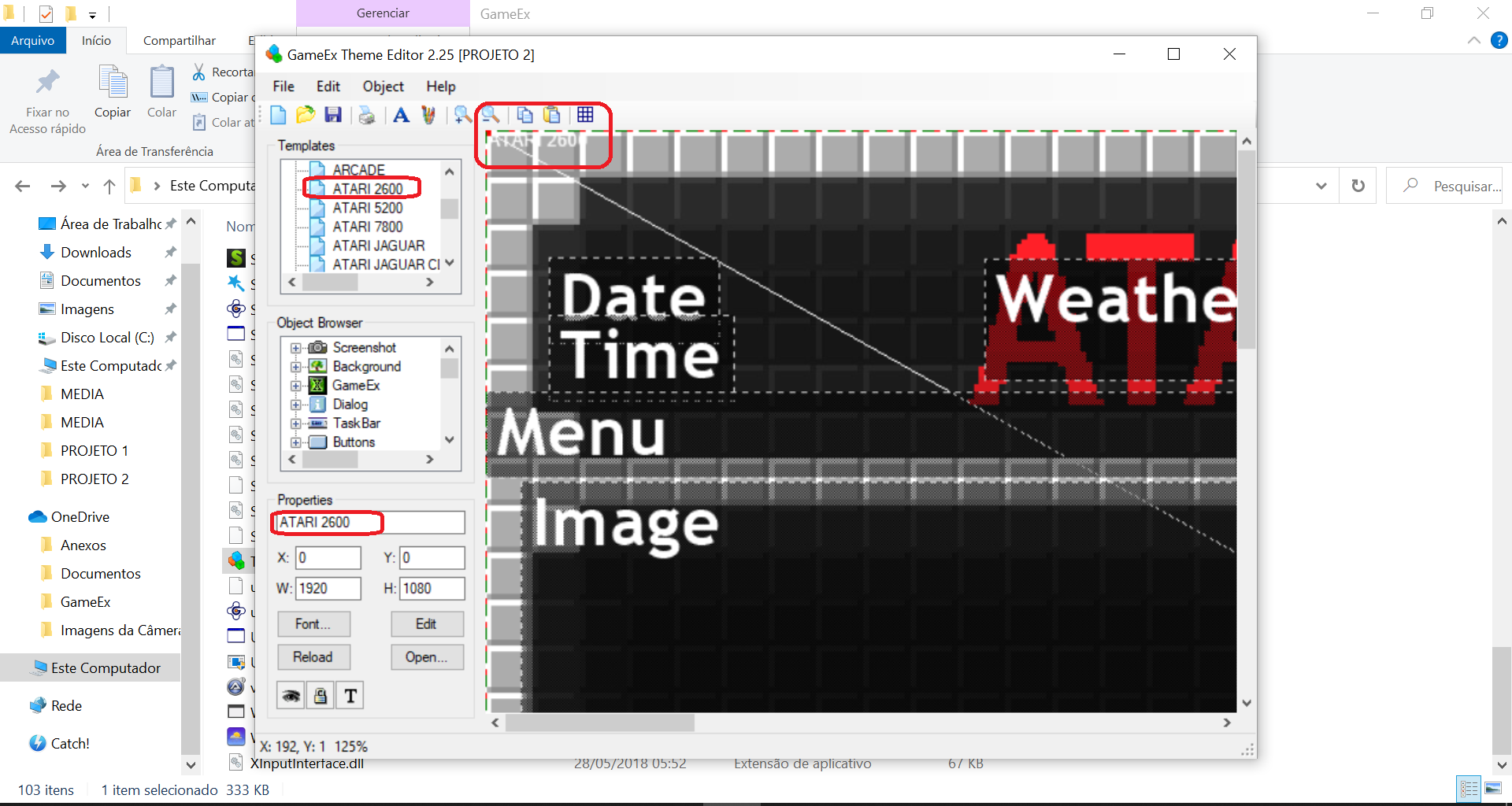
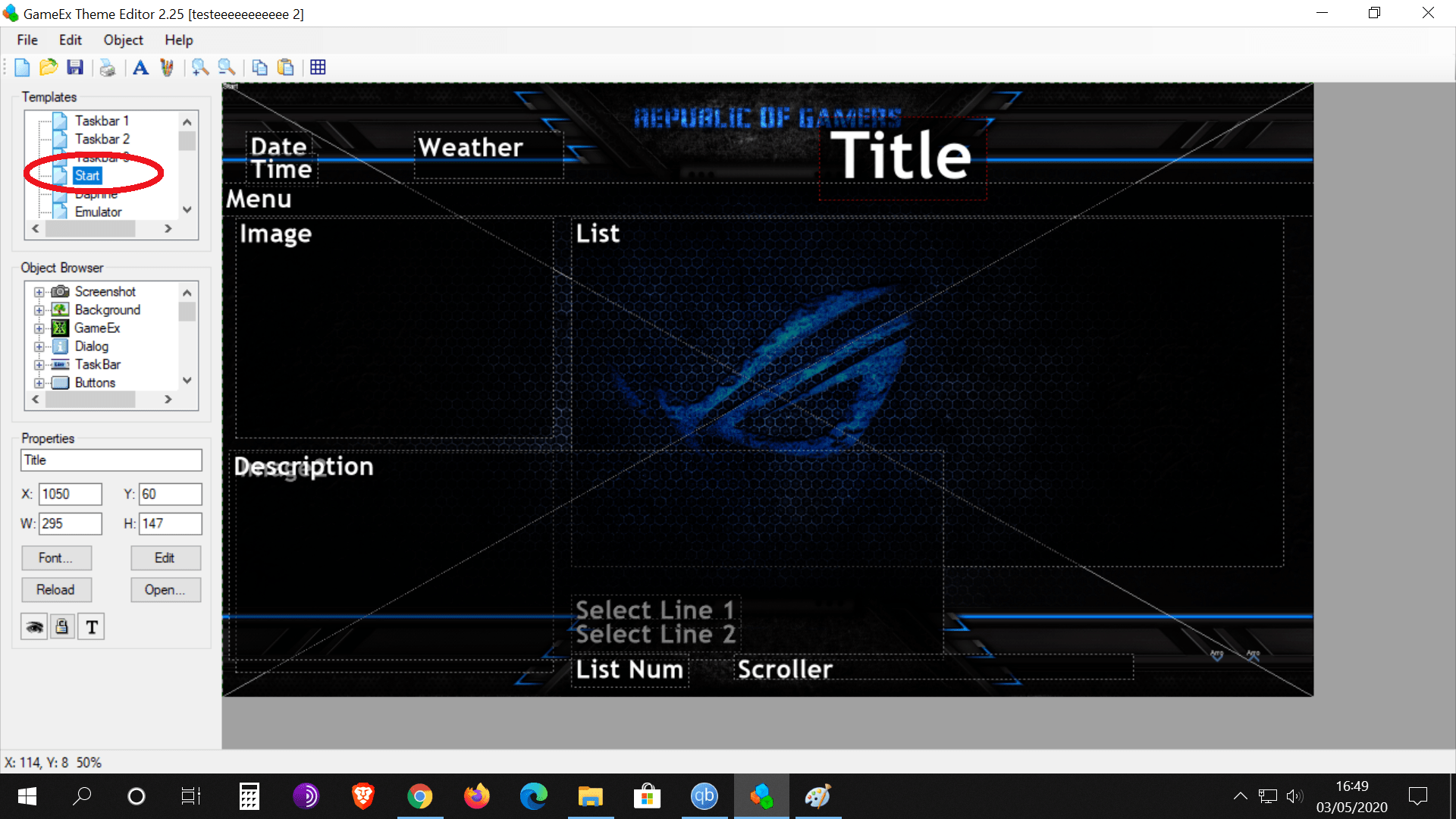
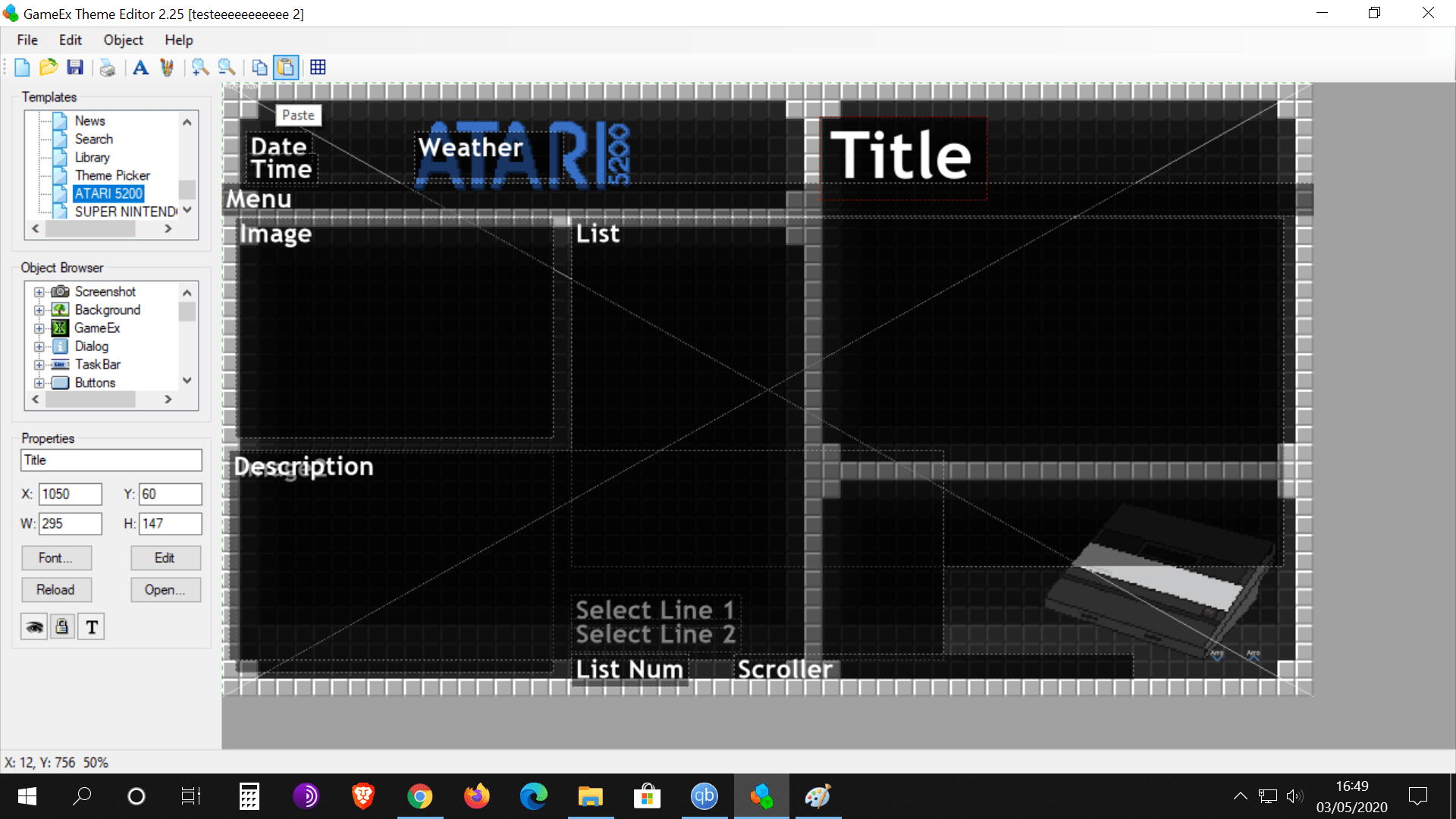
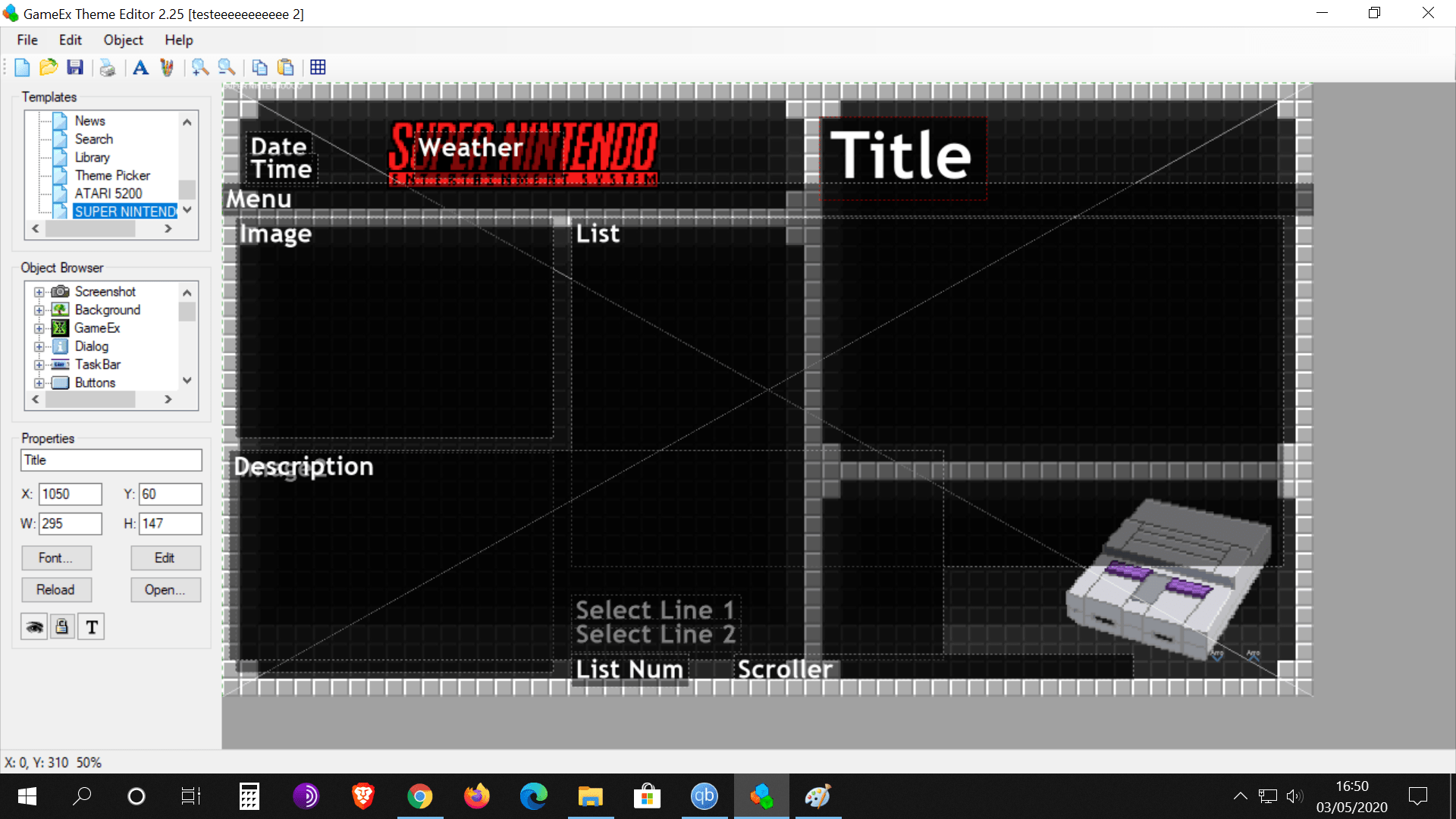
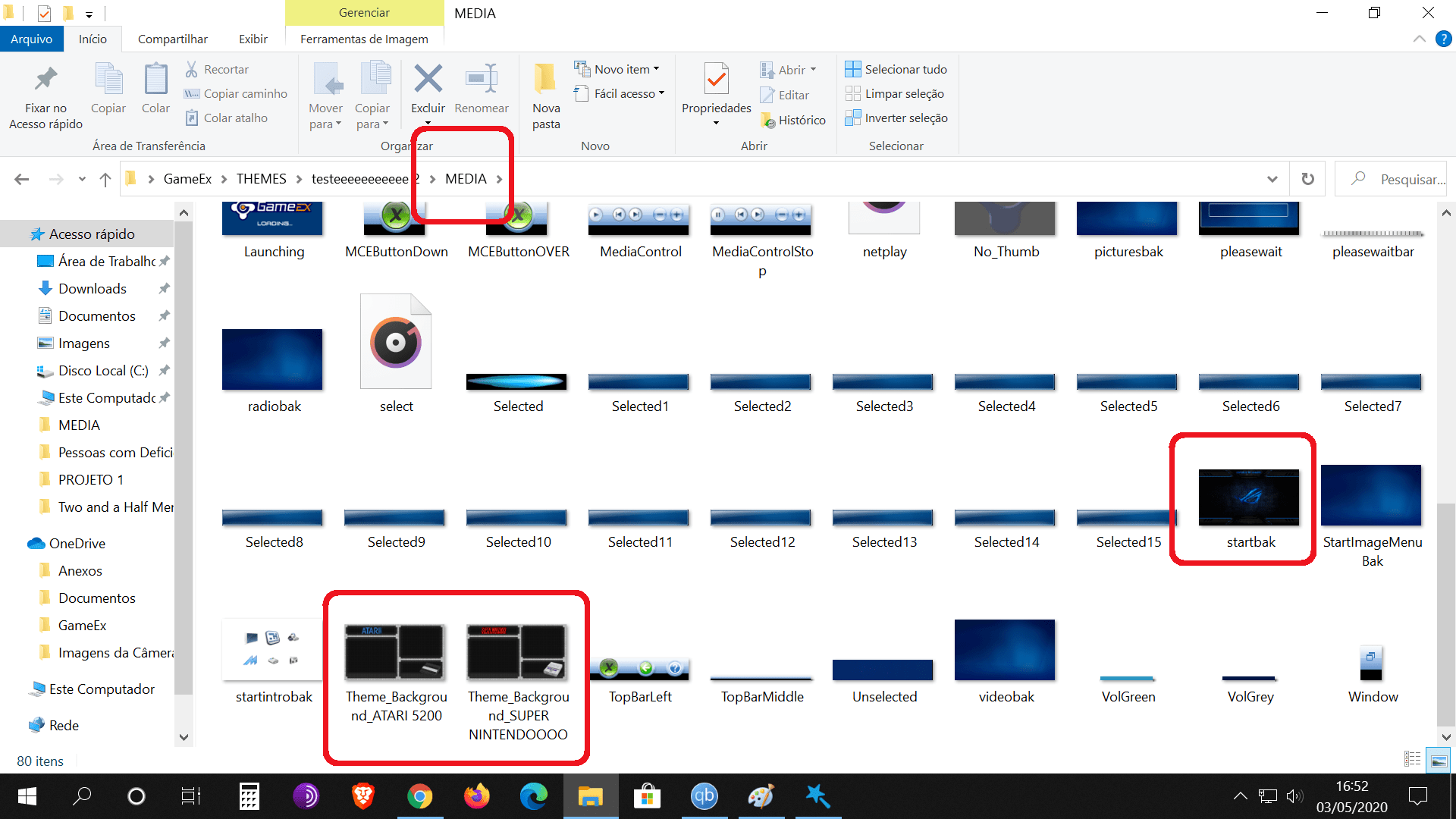
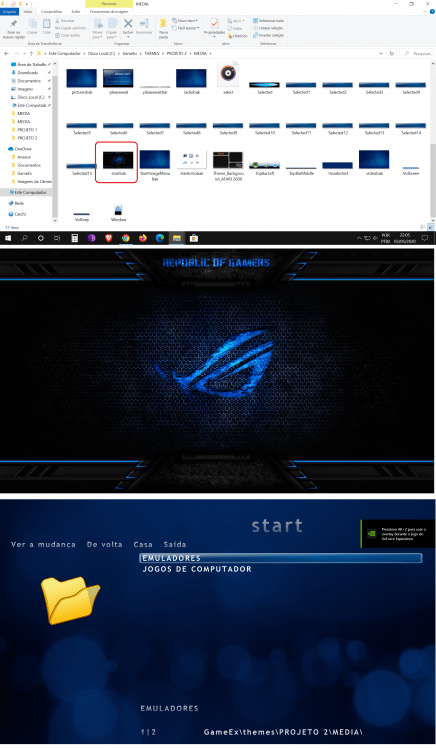
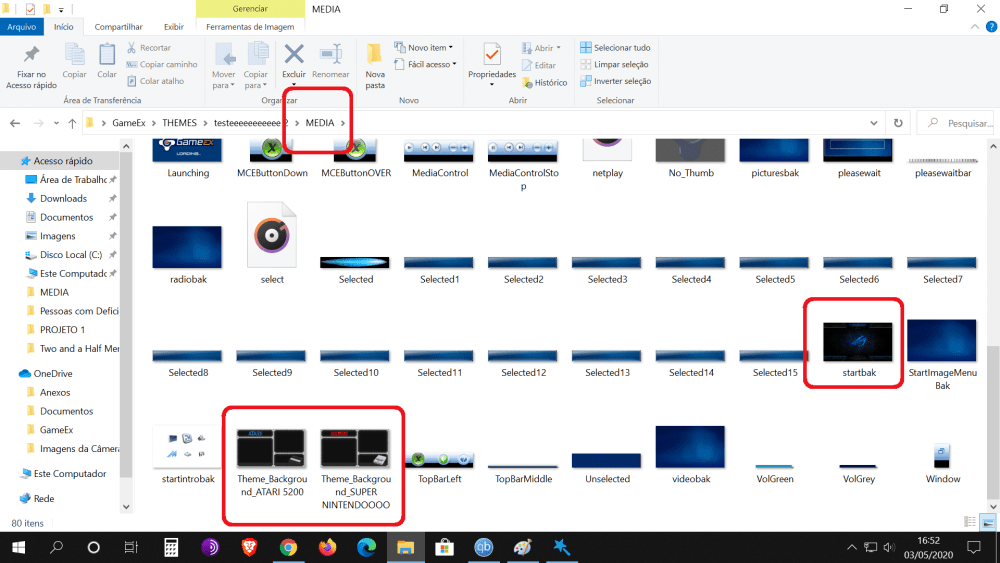
Forgive me But I can't follow the path that passes me ... There is something strange .... Look at the photo below: The 1st photo shows the file called startbak with the image I chose as the background. The 2nd photo shows this enlarged image (just to get a better idea of it.) The 3rd photo shows what I see, the home screen when I open the gameex. can you see??? The name is correct but still the background screen chosen by me does not appear. I'm really sorry. I am trying to understand what you are saying, but I am not able to do the steps you tell me to do .... if you can do me step by step ... As stupid as my request may be, it is the way.
-

[RESOLVED] FM TOWNS MARTY x Command line x GameEx
Alan Ribas replied to Alan Ribas's topic in General
did not know this site.... what do you mean by "you need to setup as a separate emulator slot." -
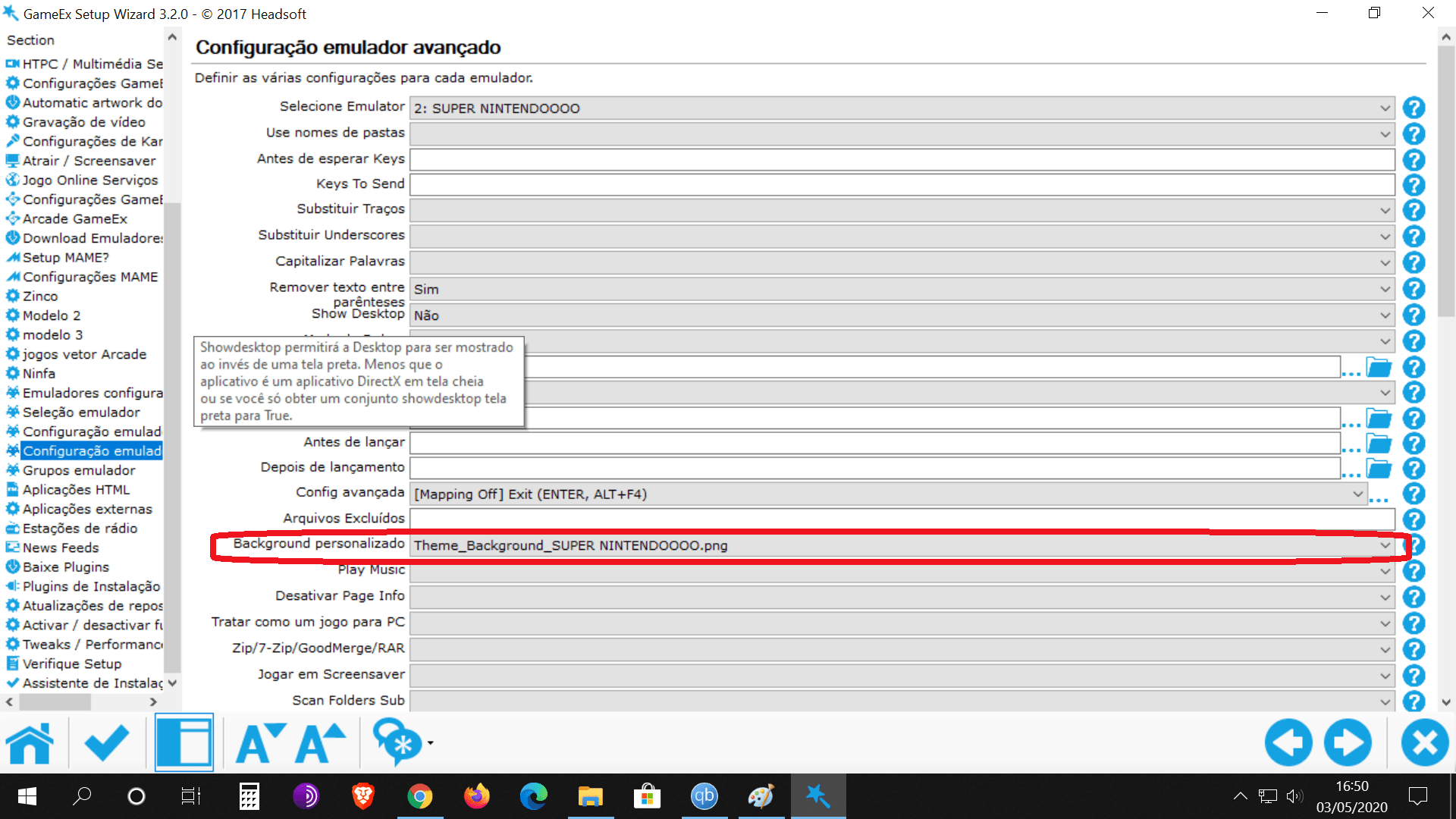
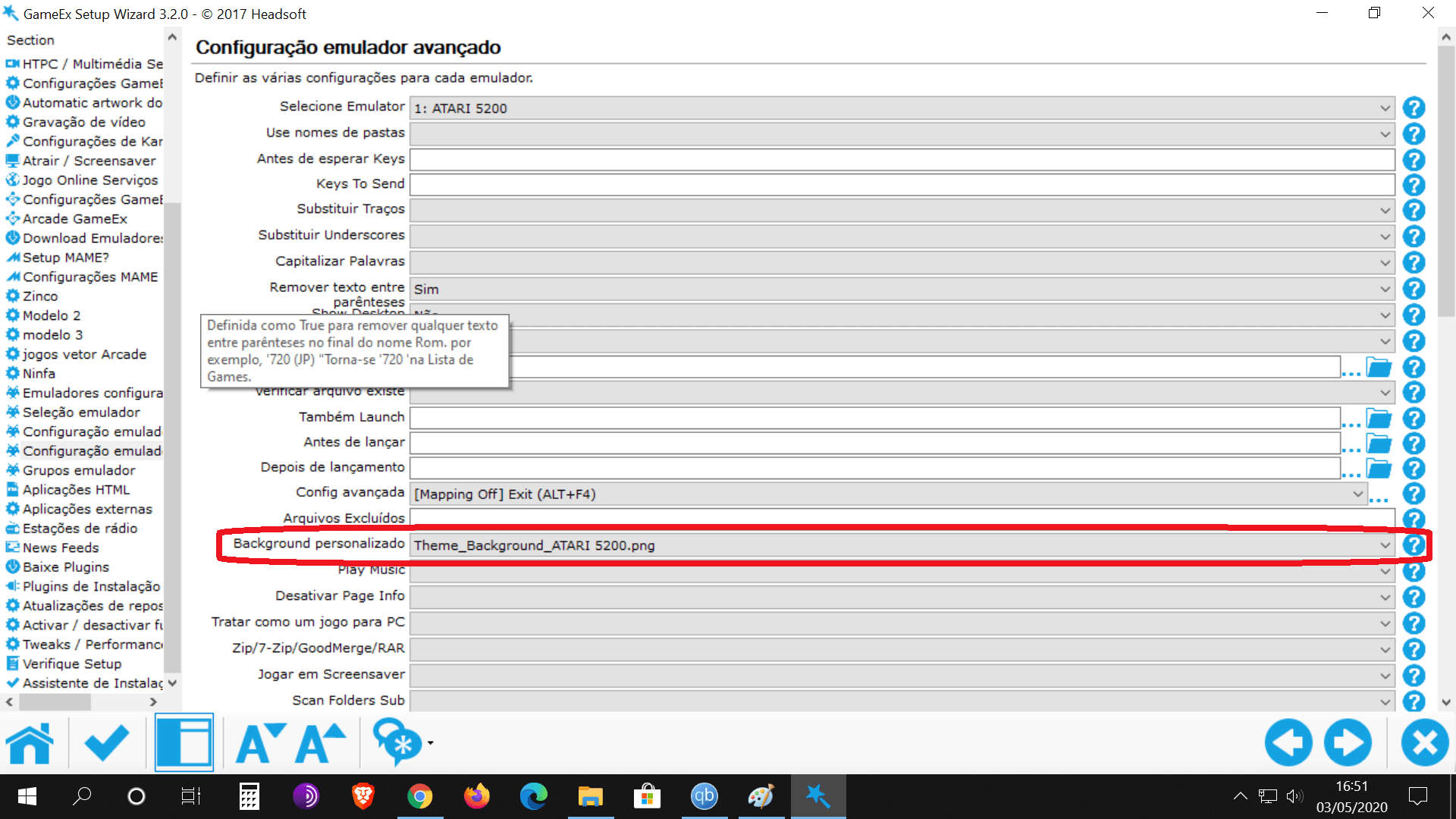
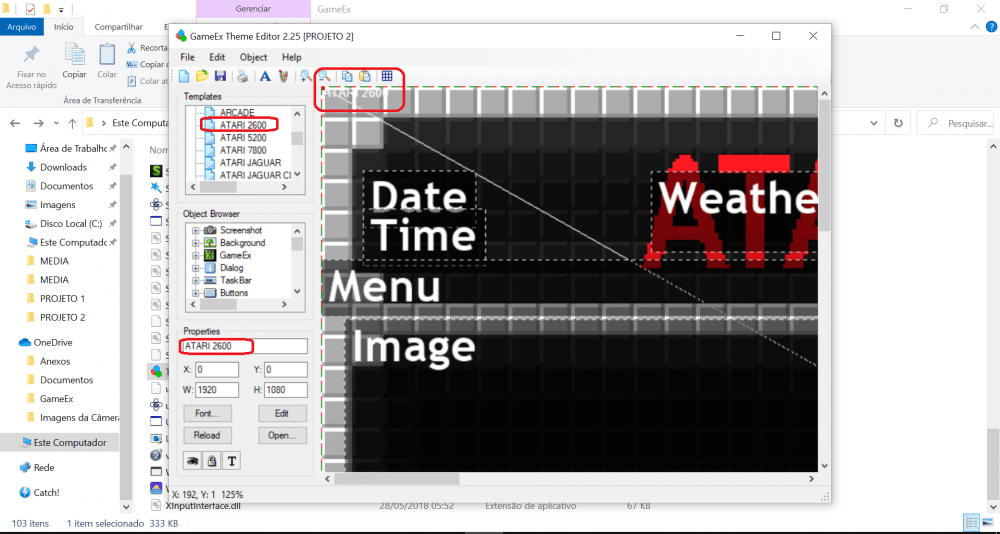
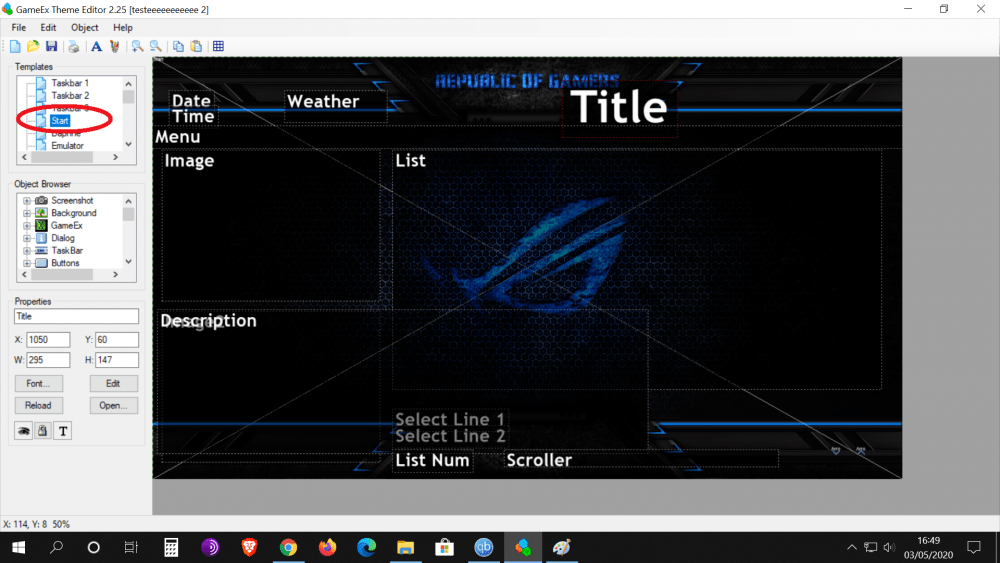
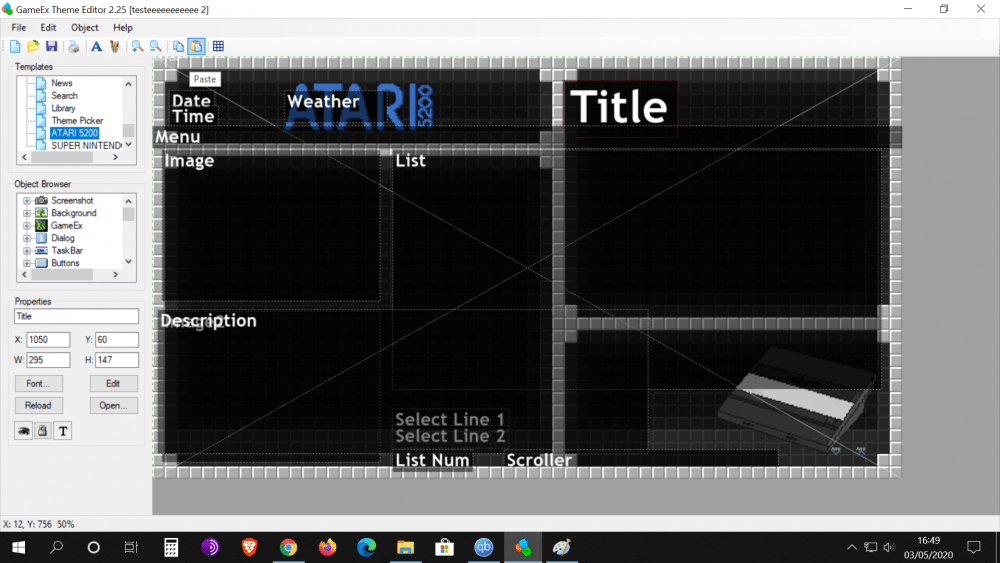
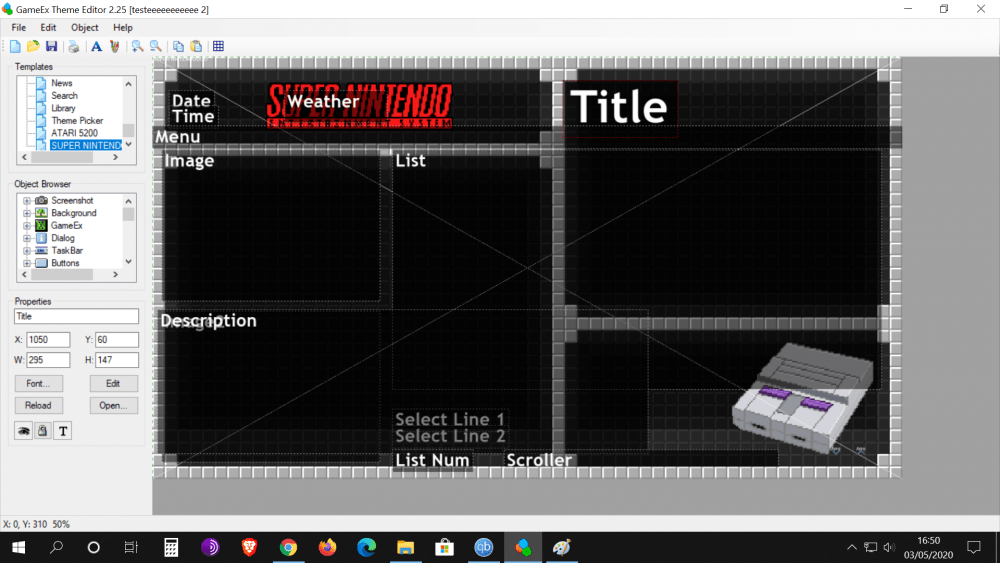
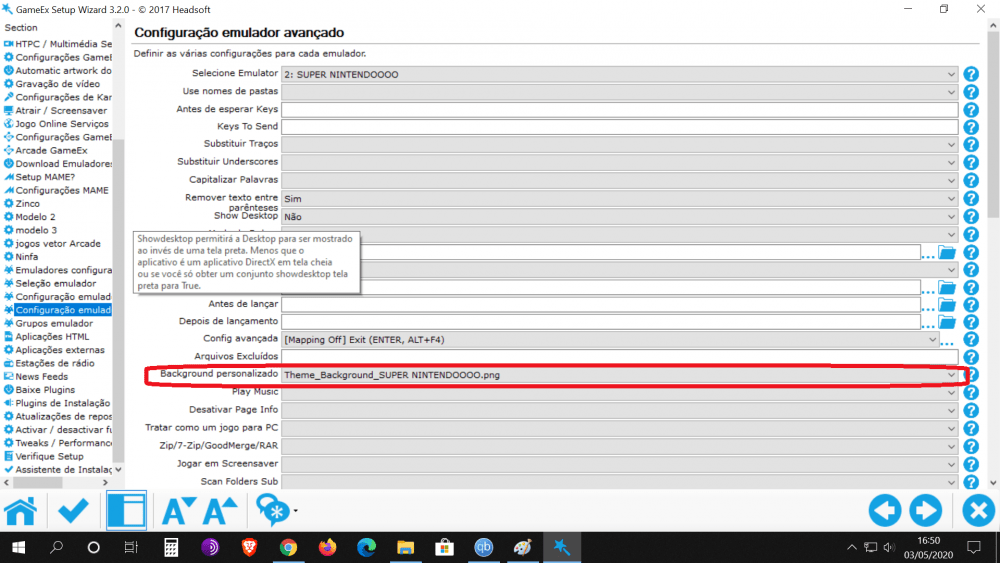
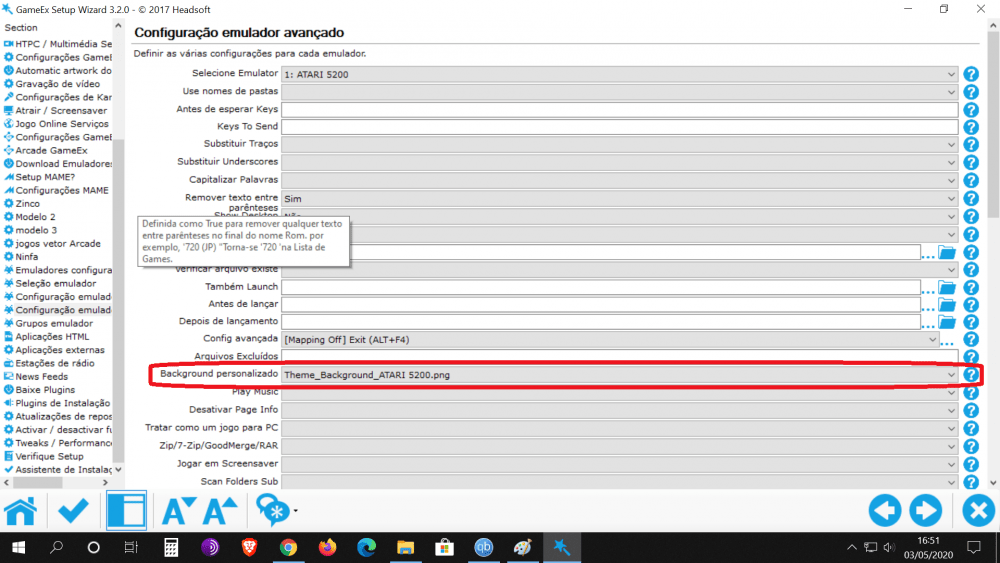
Excuse me... But I can't understand ... when i choose a picture to become a background the gamex renames the file chosen by me and creates a copy inside the MEDIA folder. This copied figure is renamed THEME_BACKGROUND_ (file name). all the background screens of my old configuration look like this. Are you asking me to rename the .PNG file to .BAK? And forgive me, but I'm not able to see where you saw the name "Atari 5200" in the first picture ... Sorry again for the inconvenience ....
-
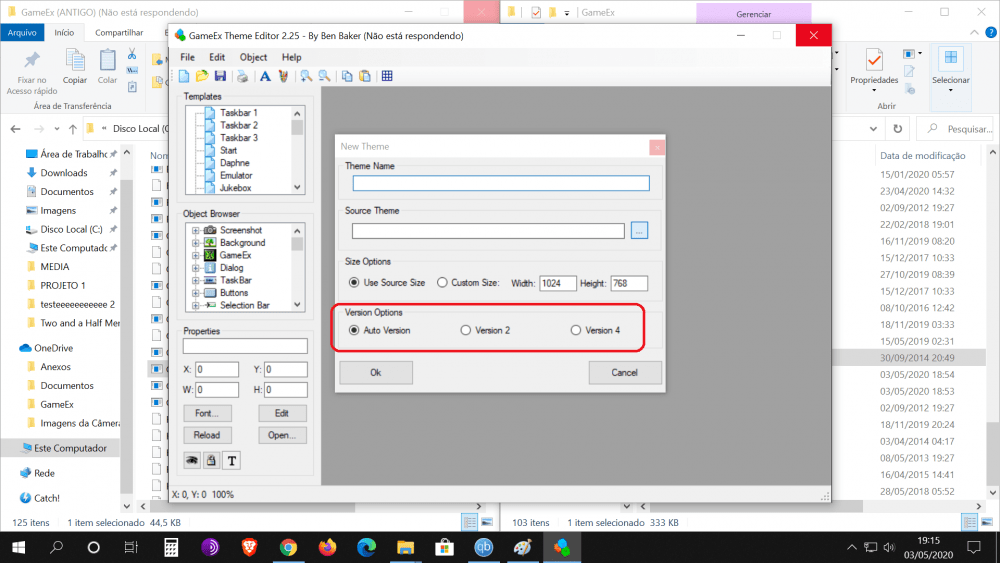
Would it be important for me to specifically choose any of these options ??
-
Thank you Draco1962.... I will follow your suggestions in the first and second paragraph you wrote. But I didn't understand your third paragraph: "One thing that stands out is that you Atari 5200 and Super Nintendo do not match the name in the Theme Editor Template window. Keep it simple and consistent with what Theme Editor is referencing. Also makes it easier for someone to help if they are able " I can't see that name difference you saw ... Could you show me?
-
Could anyone tell me the appropriate command line to make the MAME emulator open the FM TOWNS MARTY system games through gameex? I'm searching here ... but I didn't find anything that could help me. I currently use the UNZ emulator. But I wanted to give MAME a chance.
-
I tried: -fullscreen / fullscreen But without results.
-
Yes. Mesen.exe "[ROMPATH]\[ROMFILE]" --fullscreen MesenDevWin-0.9.9.42
-
Good afternoon. In view of an insurmountable problem (link attached) : I decided to do a clean installation of Gameex. To see if I can get rid of this problem that haunts me. However, shamefully, I'm having a problem with one of the most basic parts, which is adding background screens to the home screen of gameex and also that of each system I have (snes ... mega drive ... etc ..) I add the background screen but they don't appear. Please ... can someone tell me what I'm doing wrong? Attached are photos that effectively show the configuration made by me. I sincerely apologize for the silly post but I can't see my mistake. CustomMenu.ini GameEx.ini Theme.ini
-
I added this command inside Gameex, to run after the emulator is started: {F11} it was the way.
-
I absolutely agree
-
Thanks a lot for the help!! Regarding the MESEN emulator, I already managed to make it work in full screen through the command line ... using this command: (--fullscreen). The strange thing was that I talked to the developer and he gave me the same command line that you used. And the STRANGE thing is that this command line didn't work. As I said I used this --fullscreen and everything worked out. And yes ... My computer is haunted. There are problems reported by me on this forum that no one can help me with. Regarding the editing of the xml file, from the MESEN-S emulator, where should I make the change to get the full screen ??
-
Thanks for answering. But the question is this: The latest updates to the mesen emulator have changed some command lines. Currently, if you want full screen on this emulator you have to use --fullscreen. Regarding the MESEN-S emulator, the developer spoke to me. He has not yet implemented a full-screen command line for him. Now just wait.
-
I really appreciate it. I had thought of that. However I was looking for a command line for the following reason. When I open the emulator through gameex I would like it to start with a full screen window. However I try to leave this option disabled directly on the emulator. Because whenever I open an emulator directly, it is because I need to configure something. So even starting in full screen would only hinder me. I know it sounds silly. In fact, I think so too. But when I set up gameex I installed 61 different systems. So I created a protocol for everything to make my life easier. Hehehe... But if I don't get the answer from the developer, I will definitely follow your suggestion. ps. MESEN command line: --fullscreen MESEN-S command line: I don't know yet.
-
yes, i tried. Either way. Together and separate. I sent a message to the developer. But he still hasn't answered me. Thanks for the help anyway.
-
problem solved. It was an emulator mistake. The developer fixed it. ps. does anyone know the command line to make this emulator run in full screen? I tried these here: / fullscreen -fullscreen However, none of them work.
-
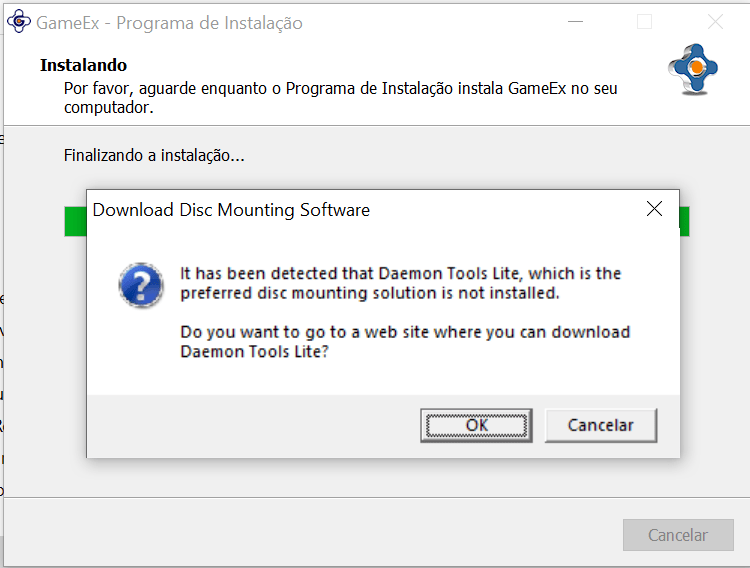
I have been receiving the following message for a while now for the installation of a new version of the Gameex program. I receive this message stating that the Daemon Tools program is not installed. However, this is not true. The Daemon Tools program is installed on my computer. Is there any need for additional configuration? Can this warning in any way impact the functioning of Gameex, when we talk about creating virtual units? Daemon tools installation location: C: \ Program Files \ DAEMON Tools Lite Gameex installation location: C:\GameEx log.txt SetupWizard.log GameEx.ini
-
I made it. I'll watch to see if it worked. I checked the "prioritize performance" setting. I will observe. If it does not work I will check the BIOS options, just as you suggested.
-
I just ran a test here and the problem still persists. Do you think there is anything that can still be done?
-
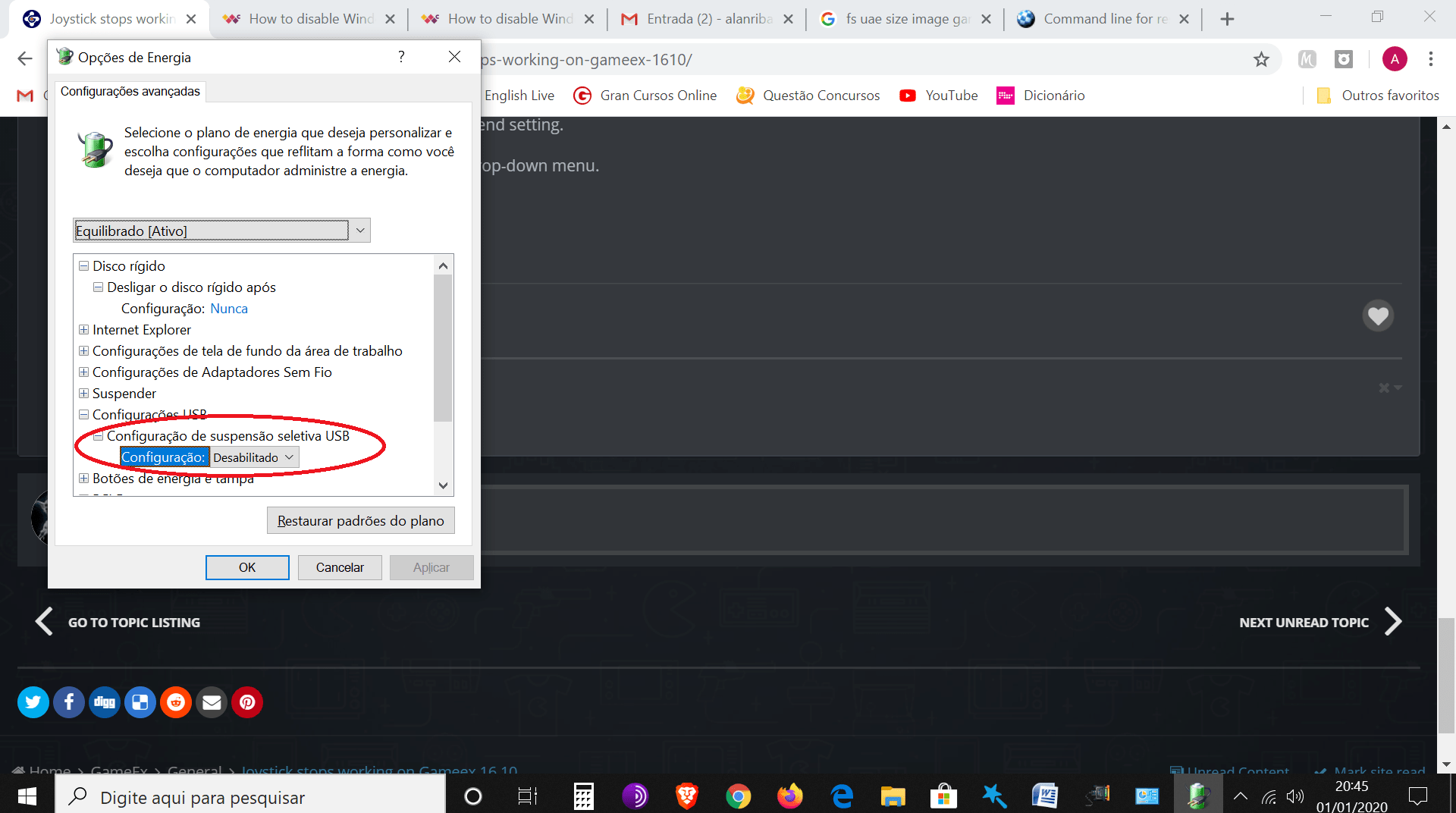
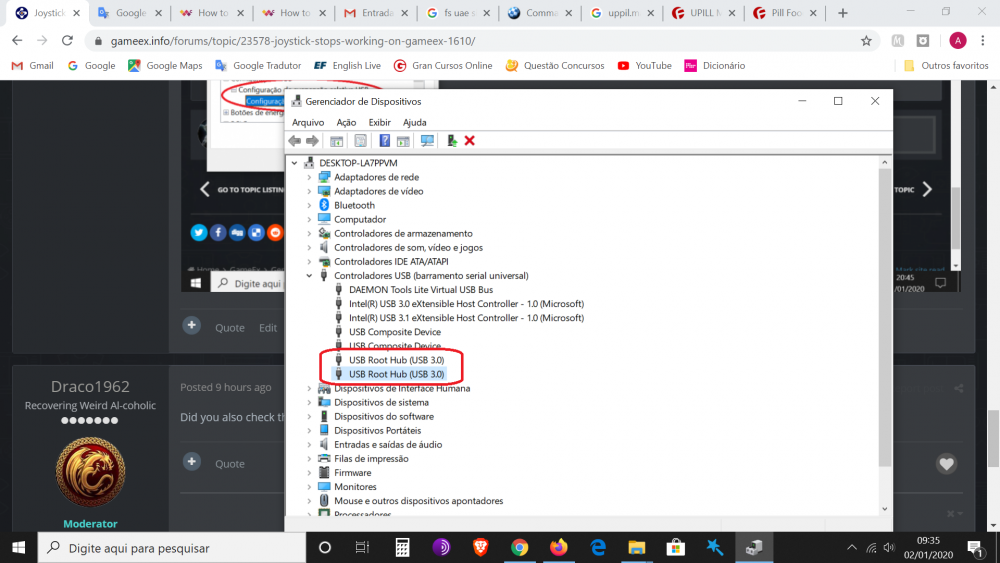
I disabled these two selected as suggested.
-
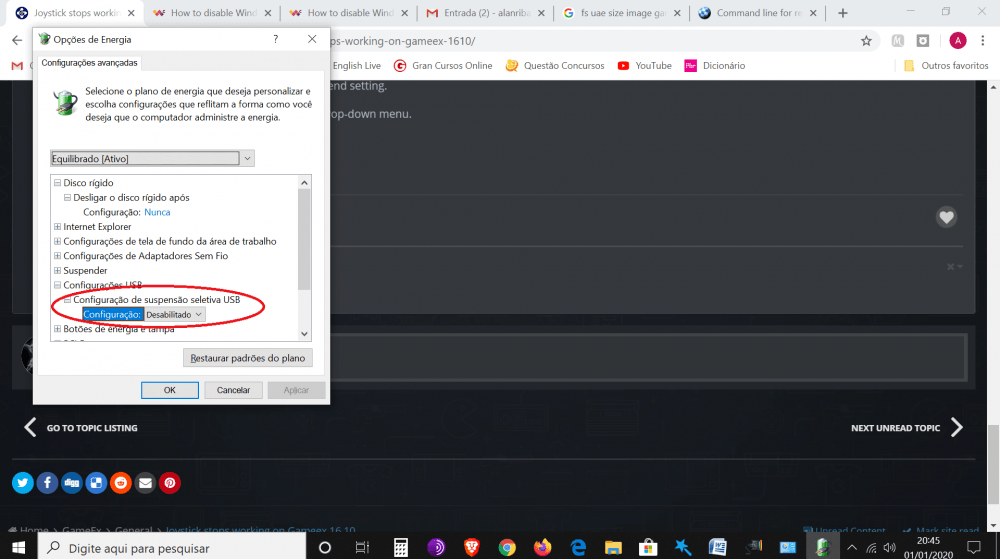
Weird... This option was already disabled !! And yet the joystick is still stopping responding at times. The first part of his instructions I had already done. And yet the joystick stopped responding within gameex. Wow life !! One more thing to take my patience inside gameex !!!
-
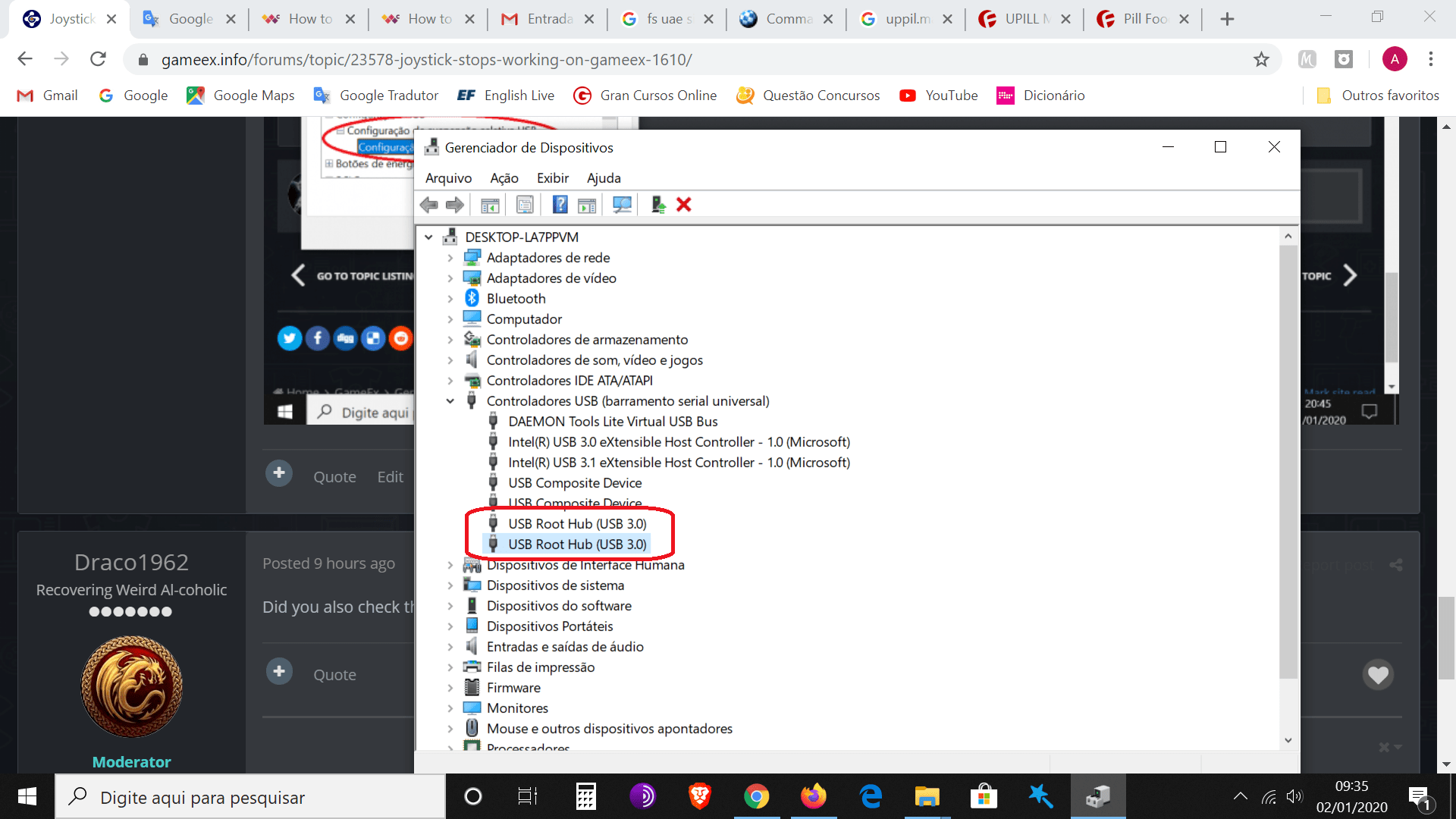
I can't find this option "USB selective suspend." Could you pass me a step by step? Thank you!!!
-
After I upgraded the gameex frontend to version "16.10" a problem started to appear that I had not noticed before. I can not say well if it started in version 16.10 because it was a few months without using gameex. may have started the problem in earlier versions. I have always configured my XBOX ONE joystick to work within the gameex menus. The problem does not always happen. But it happens quite often. The joystick sometimes just stops responding. I press all the buttons and nothing happens. I quit gameex and open it again and the joystick works again. Ps..My computer used updated Windows 10. I am using the joystick connected through the wirelles receiver. I use gameex for several years. This is the first time I've seen this happen. GameEx.ini log.txt
-
I can't answer that question. How can I find this out?