|



Necromancyr
-
Posts
172 -
Joined
-
Last visited
Content Type
Profiles
Forums
Events
Downloads
Store
Articles
Everything posted by Necromancyr
-
Need a bit of help and found a bug (prob. already found, but...this is a long thread). First, the bug - if you go into profile editor and select a system, the options for that system (check marks) come up right. If you go to a second system after that, it just retains the first systems checks but still toggles things based on the second systems settings (i.e., even if a check is shown, selecting it and turning it into an unselected box changes the value to true). I can elaborate on this if needed and unknown (which I doubt). Second, how the heck can I get the plugin to do the following (not clear on what state vs. always on does and which I should be using and that could be causing me to not be able to do this): - In MAME list, show buttons for a particular game. (Working) - In NES/Atari (i.e., individual emulator lists) just show the buttons for that particular emulator since they never change. - Buttons for the system/game lighted up when in game for both mame games (working fine now) and emulators (default for the system is fine) I thought I could just set a default for the systems and it should be good...but doesn't seem to be working that way. Also, my optimal setup would be GameEx controls in most of GameEx, game controls in the 'game info/start' screen in gameex, then system/game controls in the game themselves. Is this possible? (I'm guessing not now)
-
Feature & Enhancement Requests
Necromancyr replied to Tom Speirs's topic in FAQs, Guides, & Other Useful Information
I thought that's where it got the info for the info screen? Well, two of them. I know the history.dat for mame for a rom isn't in there I don't think. Agree it might be useful to determine which rom to use or know about bugs. Maybe as an option in the menu. That screen is one of the few things I have next to no issues with now (Biggest one being that when you go down to marquee's, the marquee disappears from image2...which can screw up the layout). -
So...exactly as I have been using them then, right? Hehehehe....
-
Ok, MAWS/GameEX User Favorites - Both live.png MAME Golden Age - golden.png MAME Not Played - ??? And Draco, one of your themes was where I SAW the icons (http://www.gameex.net/themes/image1/Hexed.jpg). hehe That same theme has a bunch of loco's named like (A).png (U).png, etc. I was assuming they came up for game roms (they are flags) but haven't been able to get them to work.
-
Wait, icon or logo? And damn. Guess it grabs them from MAME 32 or something (the icons) if you put a path to them in. Good to know. Time to semi-finalize. Thanks!
-
[Q] Can you theme/modify the 'Statistics' Screens?
Necromancyr replied to Necromancyr's topic in General
Got it, thanks! -
Thanks for all the info - I was worried about a few of them. I checked one theme - Hexed - and it had a MAWS.png in logos so I was hoping it did something...guess not. And icons - I meant showing an icon next to an item in a list (over on the left of the list) - had an idea for something with that, but not sure how to even get them to show.
-
Few misc. themeing related questions so I can try to avoid trial and error (and associated time) if at all possible. Please Wait: Can this be any size, or is it a set size in all themes? If resizable, two additionals - is the placement of the pleasewaitbar.png bar within the pleasewait.png always in the same place - or can you have it so just a bar with no surrounding area appears? If the bar is sizeable, what's the division of it (i.e., is it always split into 25 parts? Dialog & Status: Are these just expanded into whatever space is needed for the dialog boxes? What dicatates where the text goes (i.e., in the theme I'm using as a base for my theme, galaxian, I notice certain text is always in the yellow portion of the box, other text in the blue) Icons: What dictates if these are on or off, what are the naming conventions, etc? I see that the Hexed theme has a bunch of icons associated with locations in the folder - but they don't seem to actually do anything in themes. Completely confused on what is/isn't possible with these. Logos: Is there a way to change the logos for the MAWS top ten, gameex top ten, etc? I'm not seeing files associated with them and don't know the appropriate names for the files. Docs: More of a general 'make Necro stop asking questions' thing - is there documentation on what file names, ini names, etc., are for GameEx somewhere and any associated parameters for those files? Prob. would help with the above questions and will make things a bit easier...I searched but didn't find anything.More of a general 'make Necro stop asking questions' thing - is there documentation on what file names, ini names, etc., are for GameEx somewhere and any associated parameters for those files? Prob. would help with the above questions and will make things a bit easier...I searched but didn't find anything.
-
Just curious if possible to change the background image for the statistics screens, and if so what the name should be for it. Not seeing it in the editor or anything related in any theme I've taken a look at.
-
Adding some extra transparent 'space' to the bottom of the image and modifying the sides made it look somewhat better, but the text being aligned almost at the top means centering is difficult to do with the kind of selector graphic I have above.
-
[RESOLVED] Faded, shadow of video behind video snaps
Necromancyr replied to Necromancyr's topic in General
Changed topic and this can be considered a bump to get tom or HK or whomever to take a quick look/comment on the issue. -
[RESOLVED] Faded, shadow of video behind video snaps
Necromancyr replied to Necromancyr's topic in General
Nope, still does it. -
So, I'm doing theme development on a diff. computer than my cab and demoing in a lower res window than my cab uses. I saw something interesting when I ran on my cab - basically, depending on how zoom actually occurs, I MAY be able to pull the bottom up a bit by having some transparent area and shifting a few things around to 'fake' the centering. Not perfect and definitely a 'hack' workaround...but it may work. I'll post an update here if I get it working...going camping/paintballing early tomorrow morning so won't be until sun night/monday that I get to trying.
-
[RESOLVED] Faded, shadow of video behind video snaps
Necromancyr replied to Necromancyr's topic in General
Exactly. Know of a way to turn it off? I switched between 2d/3d Transitions and it's present on both. -
Yeah, Adultery hit the nail on the head...I tried changing the graphic and it didn't help because the text is top aligned. :/
-
Basically, to the right and below I'm getting a faded image of the video that's playing for my video snaps. It looks kind of crappy and I can't figure out what setting is making it happen...it happens across themes it seems.
-
Opinions -- KeyWiz or iPac or another encoder??
Necromancyr replied to nizzoatlarge's topic in General
Just a few suggestions - you have too many buttons on there for non-controls. Enter and Config you don't need. Enter, using a keyboard encoder, can be mapped to one of your buttons readily (and is a default mame control for P1/B1) so having a separate button isn't needed. Config should almost definitely be shifted unless you're putting the button inside the cab itself - otherwise people are going to be hitting it and screwing things up readily. Same for the volume buttons - just shift them if not hiding inside the cab. My 'default' config for my cab has the following: 2x 6 button joystick setup (10 inputs each) - 20 inputs 2x Player Start Buttons - 2 inputs 2x Coin Buttons - 2 inputs 1x Config Button (Inside Cab) - 1 input 1x Esc - 1 input 1x Pause (Hidden under the lip of my cab's lower marquee) 1 input So...27 out of 28 inputs? (I have the old, original iPac2). However, I also have a mouse interface (forget which one, older with 3 axis and 3 buttons) and a PacDrive for LEDs. -
Damn, ok. I'm trying to do a loop around the list so that could be the problem... the lists in the theme are all approximately the same width, but height varies. (List=789,64,793,988) Attached a pic of the list and the selector image itself - and another thing I just tried. I made the unselected image the same as the selected image. It seems there's a space above (or below) each item where the selector isn't stretching into... So....the selector is always off a bit and not centered.

-
Hrm...definitely not dropping back to emubak...that's yet another layout. (There not all that different, but one or two background items change between the main layouts) I'll have to screw around with it when I have more time and see...looks like the list of mame gamelists screen is the only one where I've seen it occur...thus far.
-
Hrm...odd. This is occuring on the computer I'm doing theme development on - which I have gameex running windows on...so...might be related to that. It's definitely not dropping back to my standard start layout - it looks completely different than everything else and that's the reason I caught it. Trying to repeat right now to ensure it wasn't an odd load or something... OK - try having attact mode start from within the "MAME Select" menu (not game list or start) and see where it drops back to then....this is where it seems to be doing it. Hitting esc to get out of attact drops it back a level, but the layout doesn't change.
-
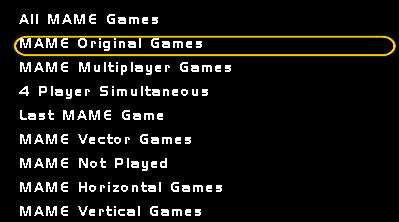
I think this is a bug - if I leave GameEx on the start menu and it goes into attract mode and starts MAME, when I exit out it goes to the MAME Select menu but shows the start menu items. This causes some oddities because of the way I did my logo's for my start menu and I think it's unintended. Not entirely sure.
-
Tom, wanted to get some additional clarity on this as I'm having a problem. In the setup, Dapne is listed as images, flyers, cabinets, titles, marquees, the cpanels. However, image 2 is coming up as titles. If I remove titles, it comes up as cabinets. I haven't gone further than that, but my objective is to have the video/snap and marquee show on the Daphne page.
-
Anyone...anyone....echo...echo.
-
Confirmed, completely fixed.
-
Opinions -- KeyWiz or iPac or another encoder??
Necromancyr replied to nizzoatlarge's topic in General
Based on comments directly from Ultimarc, the IPac driver/setup isn't configured to have it be a device that can wake up a computer from sleep. So if you're going to have you're cab 'sleep' instead of power on/off, you'll need a mouse or some other method to wake it from that state. I personally configured my cab computer so the power button wakes from sleep and that made it a non-issue. Would be nice to wake from any button on the controller, but wahtever. Other thing, semi-unrelated, is the PacDrive doesn't respond to sleep signals and leaves the LED's in whatever state they are when the computer goes to sleep. Tangential, but a good thing to know if you're going to use one.