



|



bobrpggamer
-
Posts
45 -
Joined
-
Last visited
-
Days Won
3
Content Type
Profiles
Forums
Events
Downloads
Store
Articles
Everything posted by bobrpggamer
-
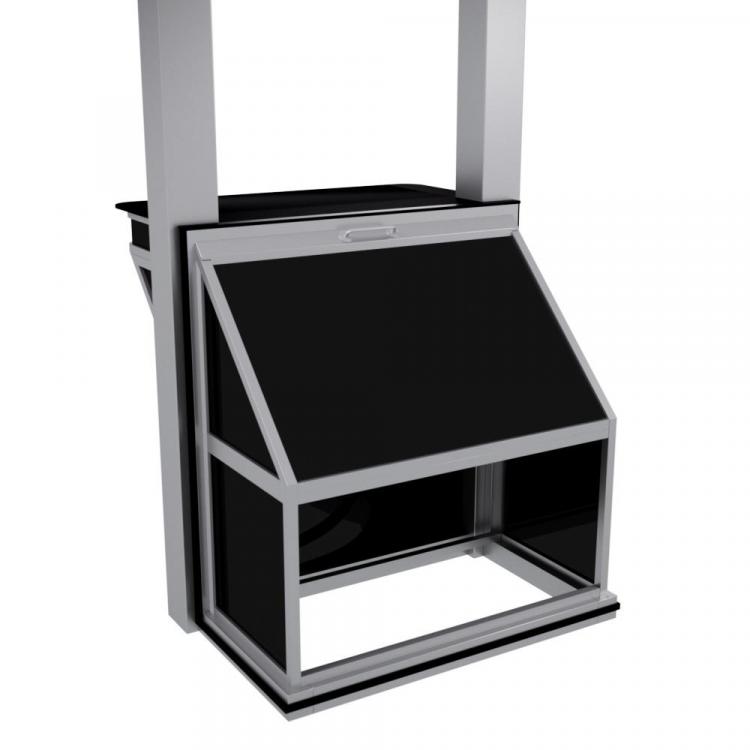
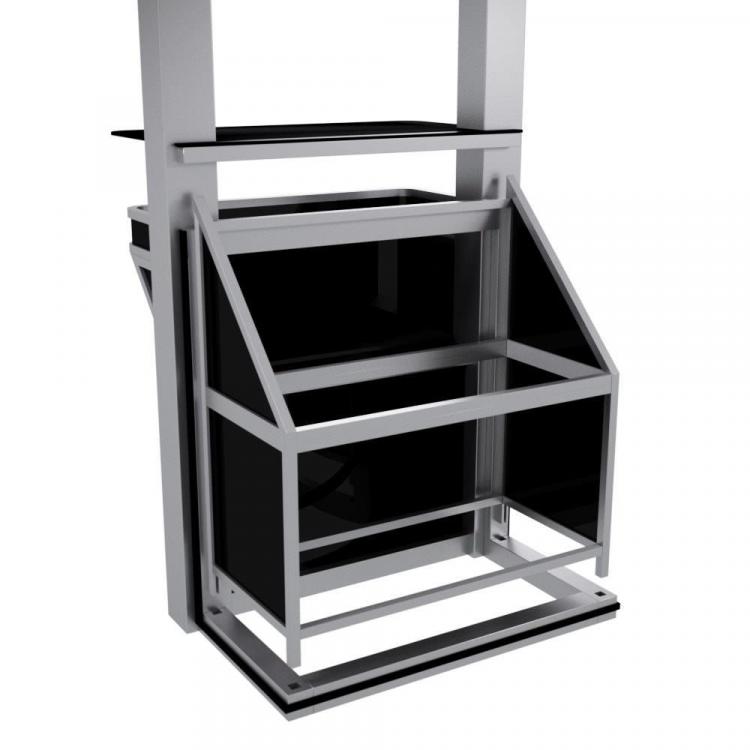
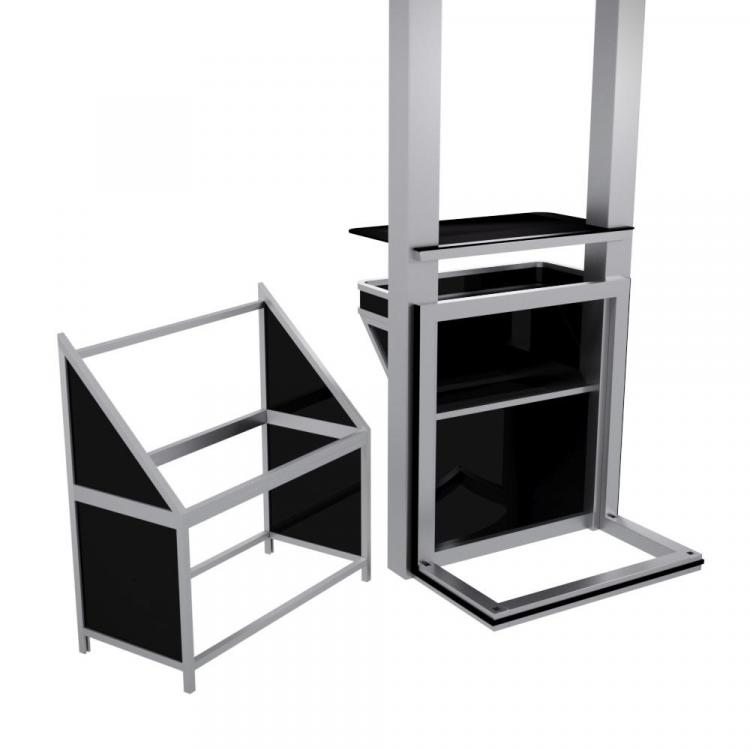
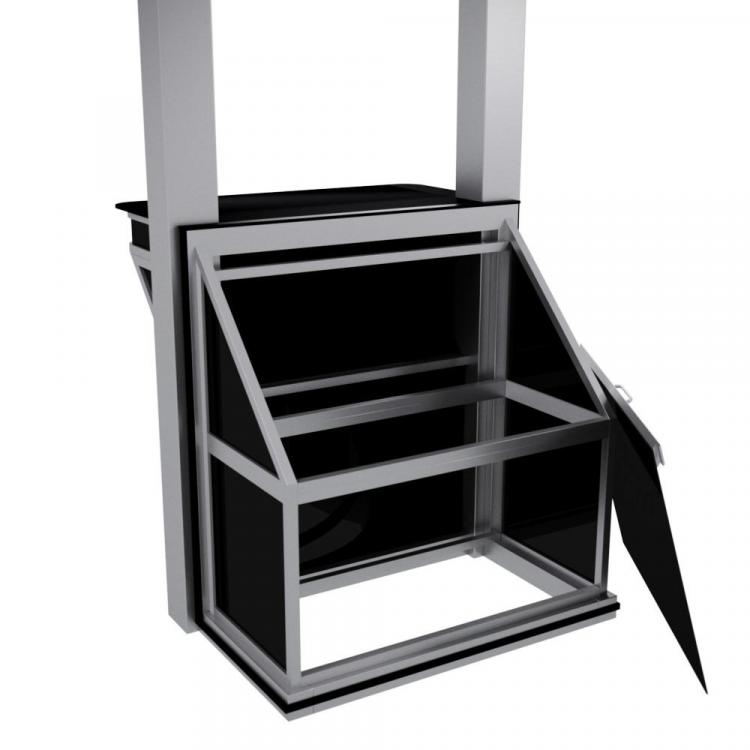
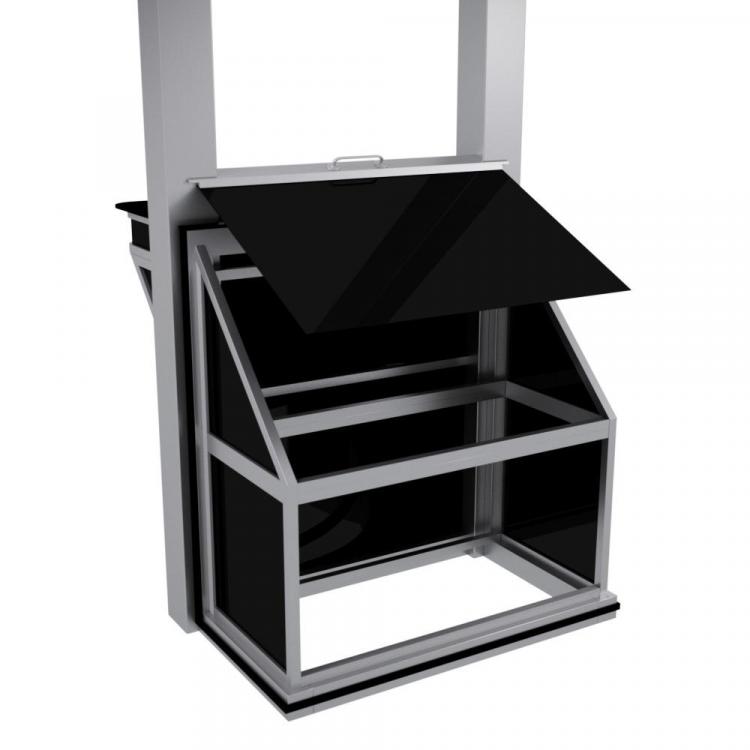
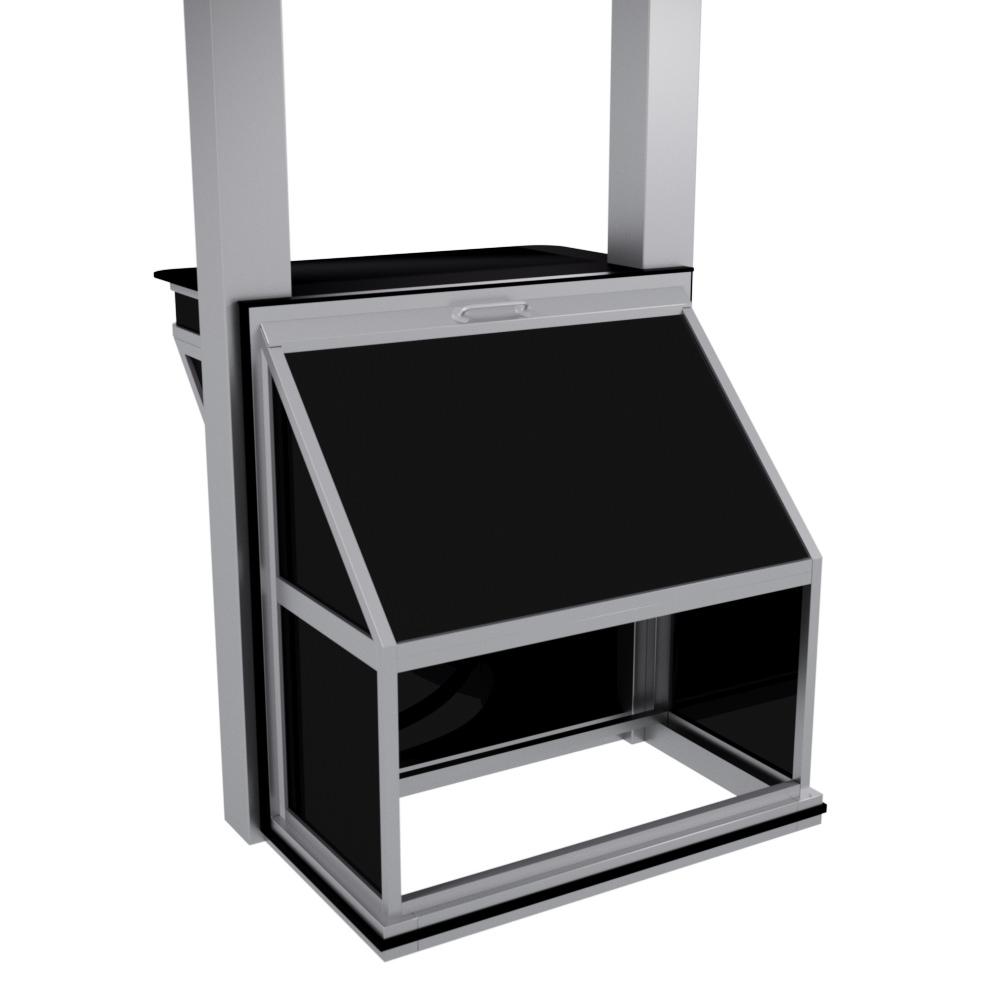
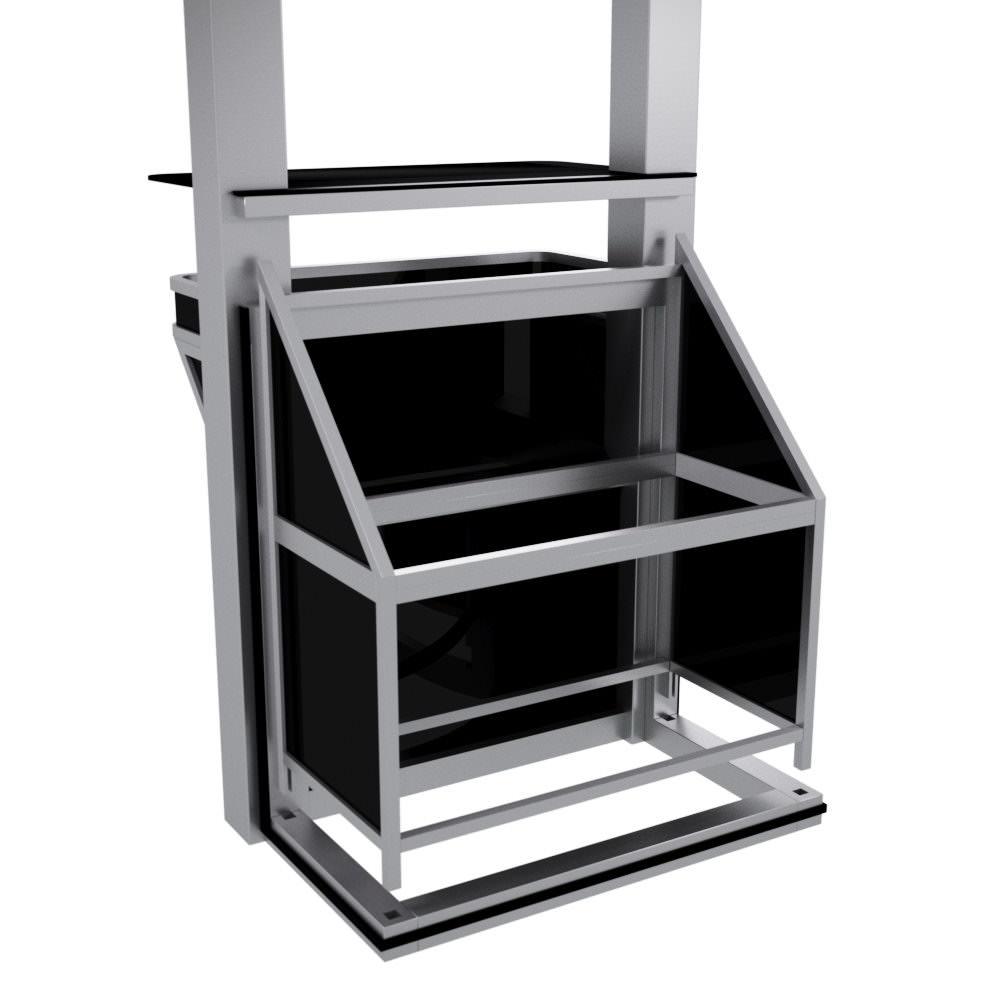
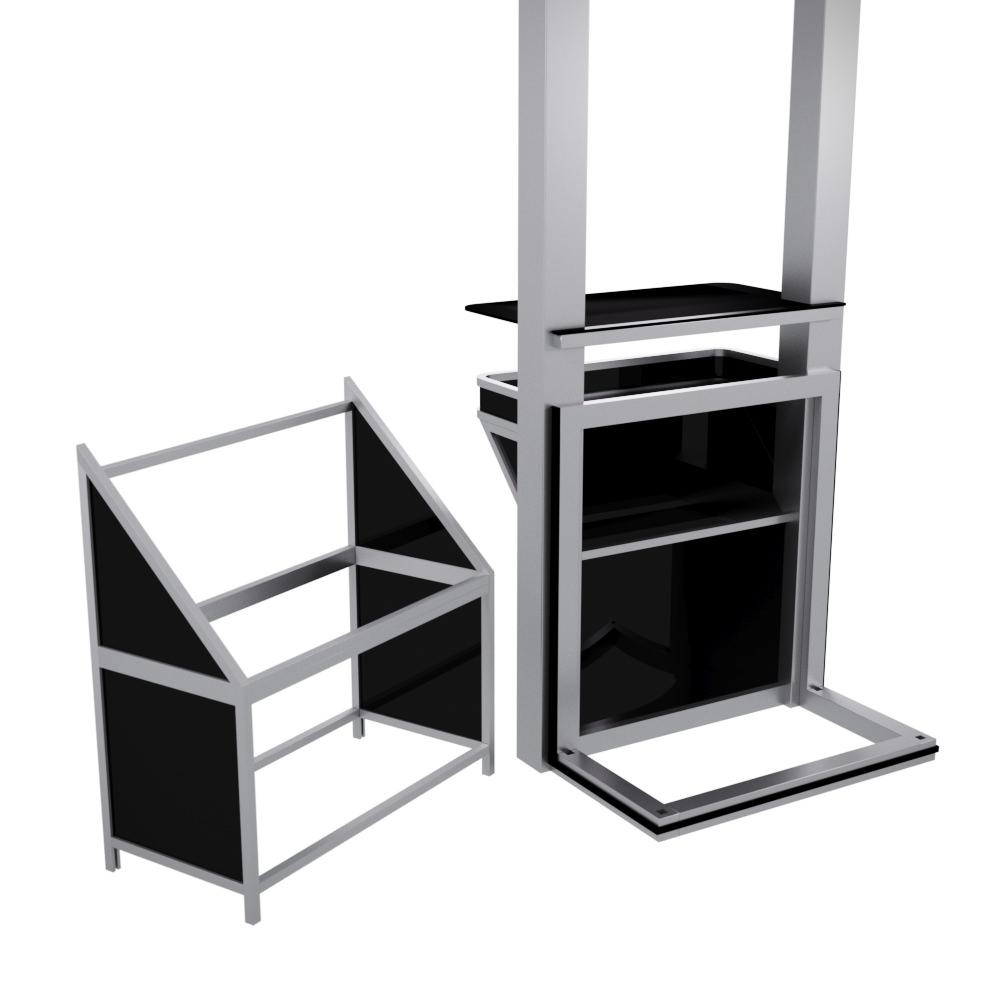
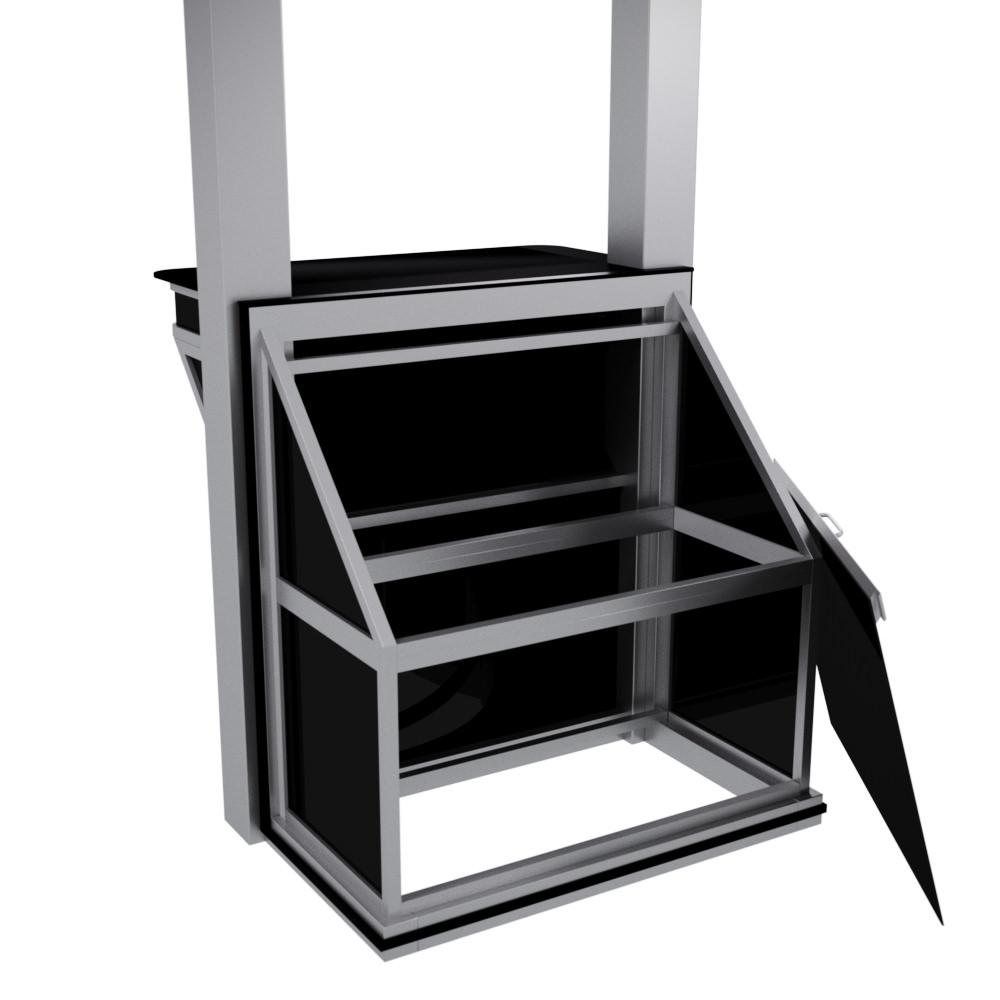
I started work on designing an Arcade Cabinet made completely in Aluminum about 2 years ago and did not get far. I was just wanting to know what some arcade cab fans think of the idea. The back completely comes off to allow access to the PC and the joystick panel slides up to add access to wires and other things for easy access. anyway it was just an Idea that I never completed, so understand the images are just an early WIP.
-
My other computer (pun here) is an i7 860 with 16GB Ram as well but has a GTX 670 in it so its not good for anything newer than about 2010 or so. My retro games drive (the one in the USB case has MAME on it as well, so with 500GB CHDs both wont fit but I can use it for pinball, I just like to keep everything in a organized place, probably OCD. Other than that everything including Amiga, MS-DOS and C64 all have portable paths to the letter X:\, so I will have to either reinstall PinballX or changes all the paths manually. Even GameEX and Launchbox uses that path. Oddly enough the M.2 did not help, but I know what the problem mus be, I am not letting the videos play long enough or something to do with cache in each video, I just flip too fast I think. either way its no big deal I just have to let a vidoo play for a bit and it cleans up. I just thought it had something to do with the FPS or codec or whatever.
-
I am a member of VPforums, I totally forgot that site.
-
I think its your M.2 SSD that makes the difference. I have 2 500GB M.2s also I use 1 for windows and one for Steam and regular PC games on them, but then I got some space so I might transfer my pinball things there. While i have you here, I got a Future Pinball question I was dreading to make a new thread on. Is there somewhere in the Future Pinball editor that I can temporarily turn a 3 ball table to a 5 ball table and play the table with those settings? The reason for this is, when making the videos, I tend to kind of suck and I want 2 minute videos and It takes a few times on a 3 ball table. I am using your manager to add tables now and it is much easier thank you for this great tool.
-
I just installed the LAV Codec and I still get stuttering flipping between videos. I have a i7 9700K @ 4.6Ghz (steady all cores) and 32GB DDR4 3000 and a GTX 1080 so the PC is no problem. Maybe I will re encode them, I don;t know. maybe I expect too much, I do flip between videos quickly, so that is probably the reason. I just thought that maybe a certain codec or dropping the frame rate would help, but @ 4K and you not having nay problem well it is just something on my end.
-
I'm not sure I've heard of lav codecs. I forgot to mention SATA III on a USB 3.0 external case. I have FFD show codecs, but they are probably old.
-
Is there a general rule for good playback and no stuttering as far as video encoding? I have H.264 60FPS MP4 and even though the files are about only 120MB. I get stuttering in the video. The videos are fine outside of the frontend BTW. Maybe stick to 30FPS or would it make a difference?
-
Thank you for the info.
-
I am trying to make an instruction card but the top and bottom are being cropped. So is there a standard size or ratio of like, 1000x500 or something. I would not ask such a thing but making the card the right size will take forever if I do know this.
-
Thank you.
-
Does such a sound file exist somewhere? I know there is an arcade ambience sound file on emu-movies. Well I just googled it and arcade comes up so often I guess I will stick with that. Sorry to waste a thread, unless someone knows of one.
-
I always wanted to learn to program in C or C++, but my extent was programing my C64 in Basic for about a week in the late 80s. I'm more of a 3D designer for the most part, then again I always wanted to be an architect, but it was never meant to be, bummer I guess.
-
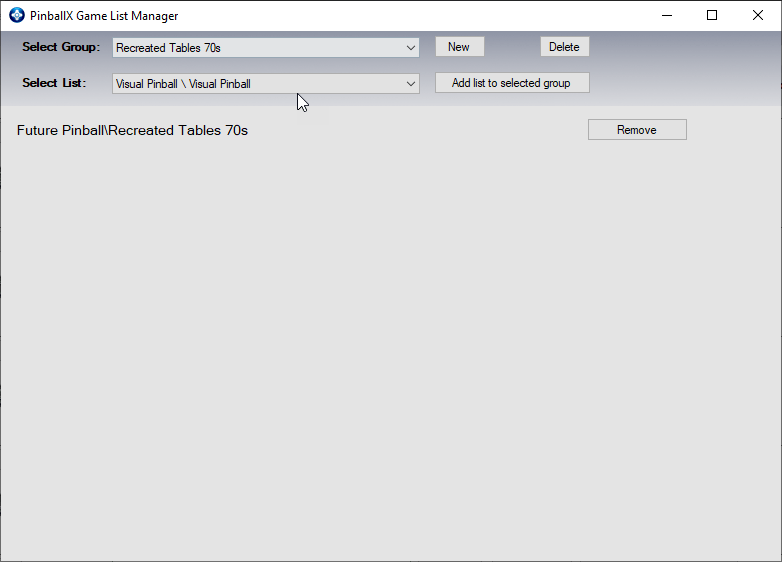
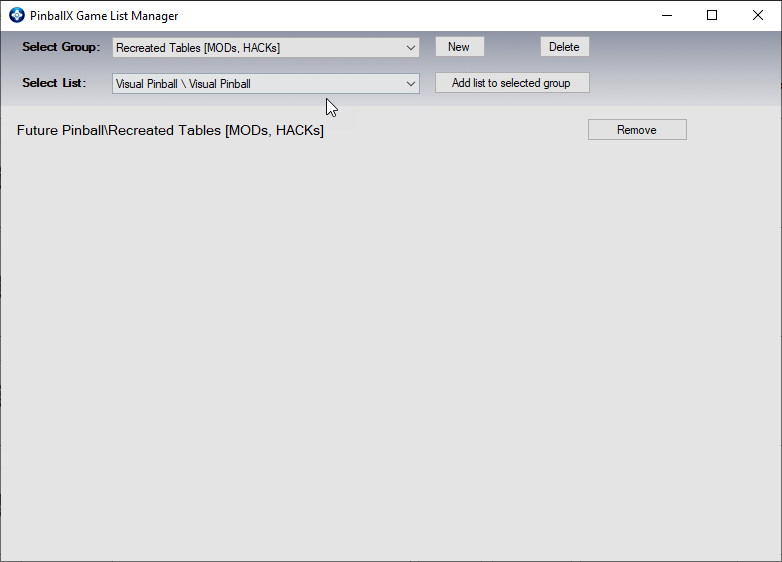
Can you tell me what I am doing wrong? It gets tiring entering tables into the Game List Manager over and over. Well I just added the games back to normal in the Future Pinball XML just to see if they show up and they do. If you can let me know what I did wrong I will be grateful. EDIT: I just figured it out, there was a "Future Pinball" group that had nothing in it, so I deleted it and all is well now.
-
OK. I was really exited about the idea of having groups but if need be I can do without them, I guess. I honestly do not see what could be the problem. BTW, the database in Game List Manager is really amazing, if that's what you work on. PinballX.ini log.txt
-
Jeez mike do you ever sleep? One more question (for now) can I set the resolution to 720P in the XML, because I can only find window resolution fields in the XML from what I can see. Or can I alter the shortcut somehow to force 720P.
-
OK, here is the PinbalX.ini
-
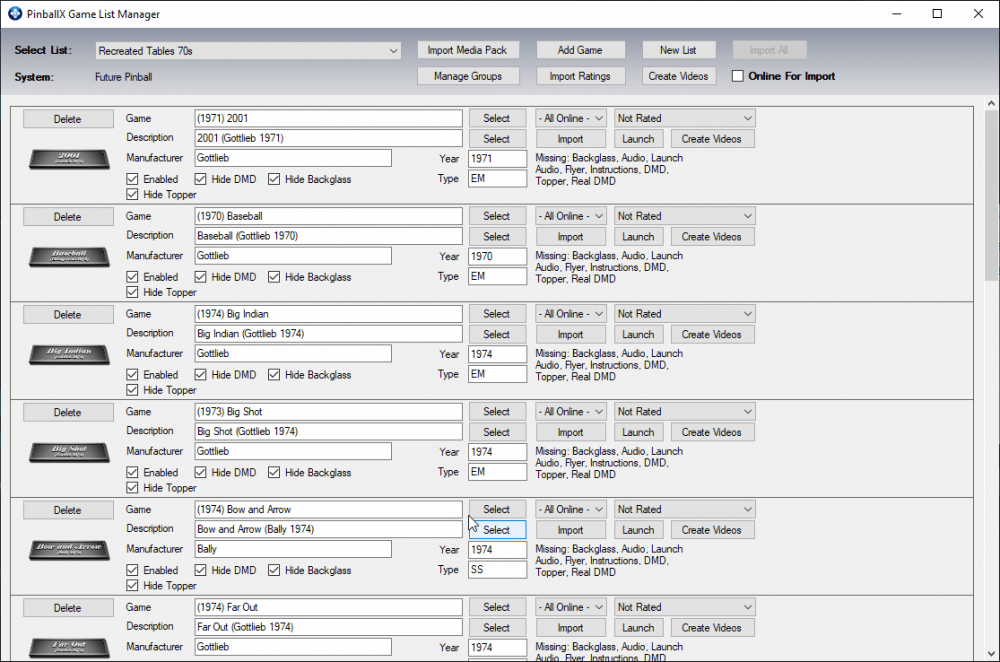
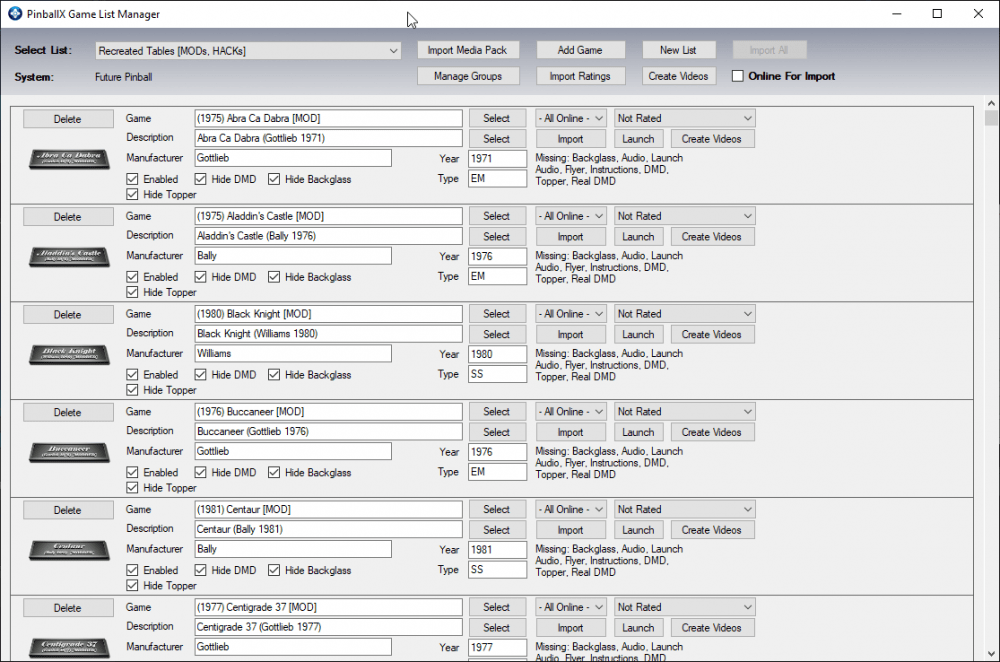
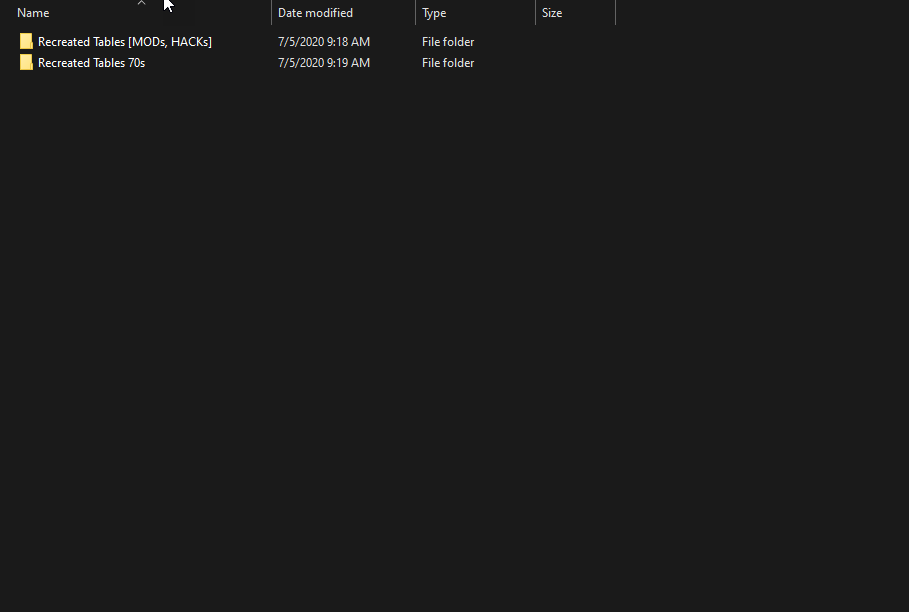
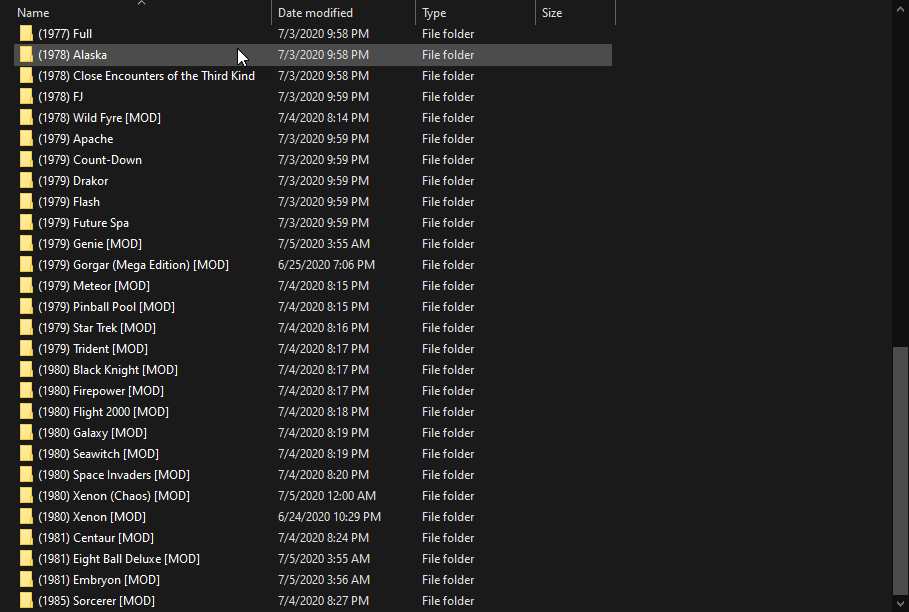
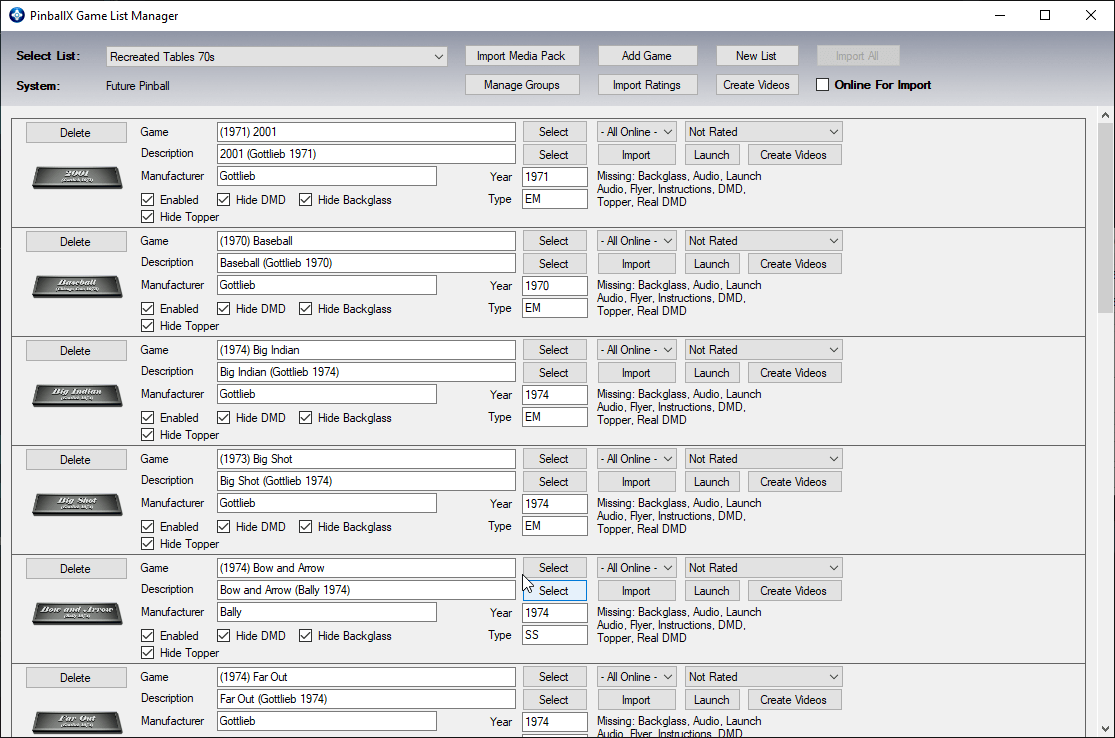
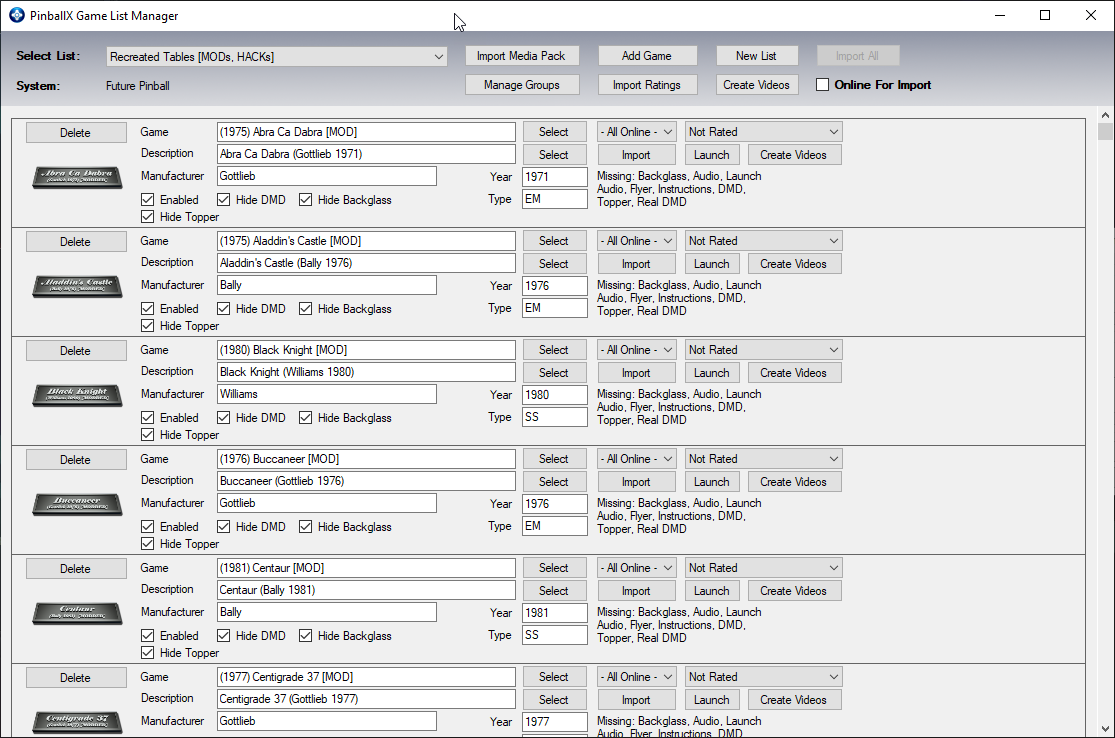
OK so I was experimenting with groups and lists and I screwed up somewhere. I added the lists and groups within 2 different groups and for some reason I see no games in PinballX. I tried making new folders and just put all tables in but no luck either way. I do not have a screen of PinballX, but take my word for it there is no games and not menu at all, when I hit enter PinballX just closes. Here are some screenshots of the problem. What did I do wrong? Also where is the XML with the tables located (in what folder)?
-
OK I will, thank you. I see I had "Basic Menu Mode" on and was not getting am extended menu.
-
Thank you. I just seem to get a list of "play table" and "Exit", but I will stop bugging you guys (for a while at least) and just use trial and error in the setting seeing how I can load and exit the app easy enough and the settings are not near as complex as GameEx.
-
So I want to add flyers and I see the directory but I have "Match Filenames" on in the setting, so can I name the flyers say, Black Knight 1, Black knight 2 and so on if my table name is Black Knight, or am I allowed one matched flyer? Also how do I bring up flyers? I know there is a game controller command for rules but I did not see one for flyers. Also, how can I bring up "Managed Groups" that I set in the Game List Manager in PinballX?
-
Updated Wheel Image 3D Variety
bobrpggamer replied to bobrpggamer's topic in PinballX Media Projects
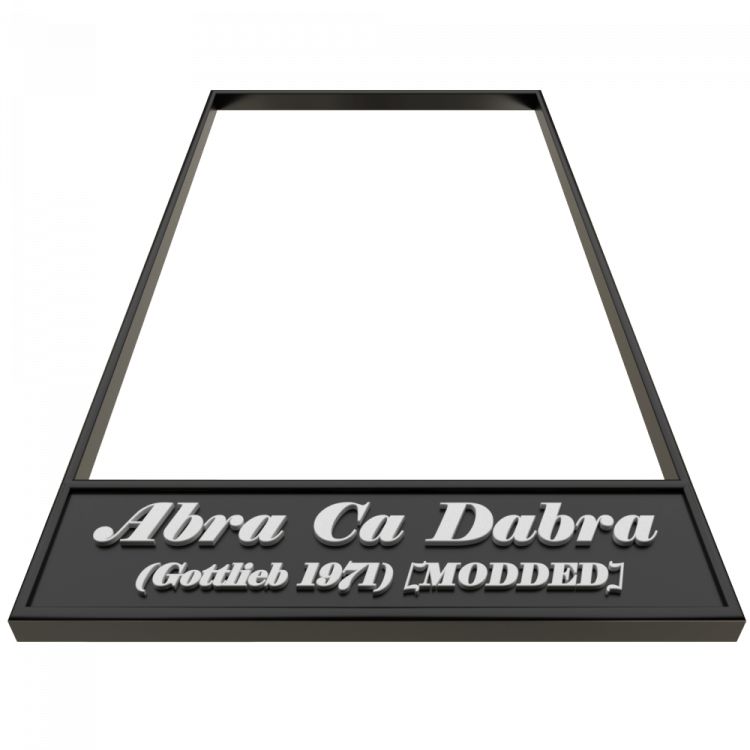
Sorry for the double post, I tried to replace the .png and ended up creating a new post. Anyway if anyone wants similar, let me know. The one below is the ones I will be using, its simple generic but it does not cover up much of the video playing. Not terribly sure what makes me try for perfection for 12 hours for a label and I did not get anywhere what I wanted but it is the latest label for my tables. I added a different perspective angle and tried to get some chrome going for the pinball theme, which is harder to get just right than you may think. the angle change was due to the aliasing on the inside edge that I got tired of and the more of a 90 degree angle means less aliasing. I know I am just talking to myself, but in case anyone wants anything similar let me know. I can pretty much make anything - within reason - in a 3D app like blender. I am working on a frame to go around instruction cards and flyers next. Going with a steel chrome frame theme. Unfortunately I am picky with tables so a media pack would be a very slim collection. I almost like the original better but the text stands out better in the new label. Settings.lnk
BlackKnight.png.b81d1e9e254911da49a8b2b204489152.png)
BuccaneerMOD.png.b095aa26f6471f337fc8896b38a256bc.png)
- 1 reply
-
- 1
-

-
My Updated Wheel image. Quality depends on image of play-field of course. Let me know if anyone wants me to make a few and or upload the frame at least. I prefer just text myself so as not too cover up much of the video playing.
_Abra_Ca_Dabra.thumb.png.baaf53f96b980f4d7f27e33641f9cc66.png)
- 1 reply
-
- 1
-
-
I was working on some wheel images that someone liked in another thread and was instructed to post about them here. Anyway these are an idea of small perspective table from future pinball. They are too big for my taste but some guys liked them in another thread and I will be willing to make some custom ones for anyone if you would like a specific table (that I can download from VPforums or send me a screen of your own).
PinballPool.thumb.png.f3a8f87e32c18dba1a0d157ac3119ba8.png)

-
I just did another. 1000x1000, at this size I would not use them myself but I would be willing to make some for other guys if they wanted some. I have a 1080 monitor and I use Future pinball at 720 so this would not work in my case, but on a 4k system they would be nice.
PinballPool.thumb.png.dd432d4eedfc172b7faff9b86f904627.png)
-
I Could continue work on the mini tables if you think they are decent enough to bother.


_Abra_Ca_Dabra.png.f6a93480b83a8fe4c43d6b07a07c76e1.png)


PinballPool.png.f2ccac068d5c4755927b210d858d151b.png)

PinballPool.png.b044e6cc5824a811067ae396544cdf07.png)