|



Marker0077
-
Posts
141 -
Joined
-
Last visited
Content Type
Profiles
Forums
Events
Downloads
Store
Articles
Everything posted by Marker0077
-
What about keyboard mapping? There a way to bind the emulator to exit on multiple key press's?
-
Alright, I'll try some of this out. This will be very useful for PS emulators. Thanks. LATE EDIT: I use a Logitech RumblePad & the software that comes with it allows me to bind certain gamepad buttons to keys, is there a way to exit back to GameEx via multiple keyboard keys like we can with gamepad keys?
-
New to MAME & getting frustrated (n00b Q's), help please...
Marker0077 replied to Marker0077's topic in General
There is no option to update the list. I do have it enabled in GameEx configuration. LATE EDIT: Found it, that was the problem, thank you. -
Alright, first off I'd like to know how to get GameEx to show the MAME games I do have. I'll run MAME32 FX, the game will work, but GameEx does not list any of the games (yes I double checked the roms path in GameEx). secondly, I'd like to know where n00bs like me go to learn about MAME. I can't find any documentation stating what the controls are. I can bind any mouse button/movement or keyboard movement to my controller (love logitech rumblepad 2, highly recommend one) but it does me no good without knowing what's what. Any feedback would be appreciated. Thanks in advance. LATE EDIT: I also have AdvanceMAME, again, no installation instructions or any idea how to use it.
-
Thanks man.
-
When I switch to full screen with certain emulators, like Project 64, it doesn't remove the mouse cursor. Anyone know of a way to remove it from being viewed in fullscreen?
-
Anyone know where I can get box art for Atari 2600, ColecoVision, Nintendo 64, Super Nintendo, NES, Genesis, Master, GameGear, GameBoy, &/or GameBoy Advance?
-
Anyone at all?
-
Anyone?
-
The image was at 256x256 & I used the EXACT same image for a ROM & for an emulator. For emulators, it displayed it at 259x259 & for ROMs it displayed at 259x193.I originally thought this was due to the theme so I created a cuztom theme & changed the ROM image size, however, it had no effect. It stays the same size regardless.
-
I want to use Mozilla Firefox for browsing but whenever it loads, it goes back to GameEx. Any way to fix this?
-
I'd like to know how to use the "Menu" field with the "PC Games" preset emulator profile. I'd also like to know if there is a way to change all the layouts at once, instead of editing them 1 by 1 (I am referring to the Emulators layout, not main menus). LATE EDIT: Also, even when you change the snap/logo size in the theme editor, it still shows the original size. It's also not saving the changes that I've made in the theme editor. It'll save the different position I put the menu or image field in the actual theme, however, when I load it up in the theme editor again, all changes have not been saved. Any way to correct this?
-
FYI, Emulator images are 259x259 & ROM images are 259x193. No matter what size you make the image, that's what GameEx is going to stretch the image to (tested in 800x600 resolution). I really like the ability to use shortcuts to add/remove pc games in GameEx but appearence is more important so I'm just going to set up PC Games through external applications. Too bad there's no way to change the imaging size, like in a theme or something. I know some themes can change the position of where images are viewed in GameEx, perhaps there's one for size as well.
-
Thanks There really is no 1 right size for pics in GameEx. I suppose I can play around with it.
-
These are small problems, nothing big, but would be nice to see fixed in the future... #1) When using the "PC Apps" emulator profile I discovered that images for .lnk/.rom/.wtf'ever files are sized different vertically than emulator images. I try to keep my emulator/rom images at about 256x256 but when I use the same image size with .lnk files, it's streched out & doesn't have as much eye candy to it (unless your into that normal TV screen stretched into widescreen look :-) (except this is shrunk vertically not stretched horizontally)). #2) While in configuration, I went into "Text/Language" & changed the "Menu - Emulators" option to read "Emulated & PC Games" instead of just "Emulated Games". This had no effect on how the menu is viewed in GameEx. I am using a slightly different profile. I copied the default profile & renamed it to "Default - 0077", then created some images for each individual emulator myself, however, that is the only changes I have made to the theme; But regardless of what theme you are in, I would think that the "Menu - Emulators" field would be universal in all. Thanks for your time.
-
Anyone?
-
There are certain games that I need to use the Escape key for, however, I still want the ability to exit out of the game via GameEx. Is there some way to map a different key to exiting ou of the game other than Escape?
-
thank you.
-
Fixed it. Put it in OpenGL & checked "set to desktop res in fs" box. Thanks anyways.
-
When loading Fusion, it's really hit or miss on the fullscreen. Configuring "Send to Keys" doesn't help because again, it's hit or miss with full screen. I was curious if anyone knows of a command line parameter of some sort to force fullscreen on start up?
-
I can't get Stella in fullscreen, like real fullscreen. If I go in software mode it's closer to it, but then part of the bottom of the screen is cut off. If I switch to OpenGL I can't up the resolution to fit my entire screen. I realize this isn't a GameEx issue but there are no Stella forums anywhere on the net (at least none I can find). That's why I'm asking here. Any help would be appreciated. Thanks in advance.
-
I'd like to be able to run my PC Games out of the preset "PC Games" emulator (not really an emulator, just set up like one) that comes with GameEx. Thing is, I don't know how to do images for individual games that way. I have 256x256 images for certain games like Tomb Raider Legends, the Sims 2, THUG2, etc; etc & I'd like to be able to use them. Before, I pretty much set up each game as their own emulator because there was the "LOGO" field. Now that I'd discovered that PC Games can be run off of .lnk files like ROMs, I'd much prefer doing it that way, unless it means losing the large picture icon availability. I'd also like to know how to set up images for certain ROMs as well. Any feedback would be appreciated, thanks in advance.
-
Did that, works fine, thank you.
-
When you say "manual install" I am thinking you are referring to just going to the download page & download 6.41 because I do not see a "update" page anywhere. I just downloaded this version of GameEx less than a week or 2 ago so I can't imagine it being that old.
-
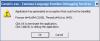
I just updated GameEx & it now crashes when I try to launch it. Couldn't find a technical support forum for GameEx so I'm just posting it here. Figured the staff would want to know. Here's a pic of the error message. I'm going to reinstall & try the update again, if it doesn't work after that, guess I'll have to keep it unupdated.