



|



lingpanda
-
Posts
952 -
Joined
-
Last visited
Content Type
Profiles
Forums
Events
Downloads
Store
Articles
Everything posted by lingpanda
-
How does this feature work? I tried turning this on with a GoodMerge set and it didn't seem to work. I thought what it does is take and move all clones to the info page and leaves one rom to select and play from the top of the info page. Turning this on leaves me with no option to play any rom.
-
Thanks for the updates!
-
HK, I decided to just remove the hitotext.exe from the cpwizard folder. Everything seems to be working faster and better. Any side effects to this as I have no desire to use the Hiscore feature?
-
Bah! Still not working correctly. The bezel will now show only after I go into mame setting as choose it. Then after that, it will show any time i play that particular game.
-
Now the Bezel won't show when the screensaver is running. DOH!
-
Well it was enabled in mame.ini. Although in mame32(which I'm using) bezels = 0. I changed that to 1 and now it works! Thanks! I have a slew of issues with this cab. The Bezels was just one of many. I just don't have an easy way of backing everything up. Now I'm tempted to try and change the bezel again.
-
Thats how I got into this mess. Trying the Bezels you and HK made. The only way the border will show now is if I go into mame settings via. tab and turn it on. Otherwise I just get black borders. I'm tempted to just format my cab and start over. I'm sure it could use it.
-
I tried changing my Bezel with a custom one, and never could get it to work. Now I'm unable to use the default GE one. I just get black borders. I tried deleteing any border pics and files and letting GE reinstall those. No luck. Still no border. I've made sure it's on in the config app. Anything I could be over looking?
-
That was my main reason for wanting to use it. Any chance that could be added without applying the patch in a future version?
-
On a side note. How do I use the patch for viewing bezels? I don't see any documentation in the quick install tab.
-
Hi HK, Just wanted to say all is working again. I ran a registry cleaner app, and it has appeared to fix any issues I was having. I don't use the hi score support in mame. Hence nothing was in my hi folder to delete. Anywho, It's working again!
-
Installed v2.04 and no crash. Except now after I pause the game CPWizard will lose focus. I have to alt tab back to it.
-
Still no luck. When starting a game now it will pop up the error message. I click to continue and I see cpwizard. Any time I call cpwizard I get this error. The only thing I did different was update from an older version. I think I was using 2.12 before updating.
-
I would go with Vista 64.
-
I would go with XP64 if you can. I don't see it listed as a choice though.
-
-
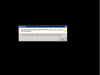
I'm getting a HiToText error when starting CpWizard from within GE.. Anyone else? When I press pause. An error pops up. If i close the error messagebox. All is fine.
-
The databases are being worked on by a few folks here. It's just a matter of having the time to get around to them. Unless you wanted to do your own. I don't have MS Access on my system so i can't confirm if thats your issues. Compare the ones that do work to the visual pinball one.
-
It seems that the roms you have do not match the datatbase? If you have MS Access you should be able to view the database file in GameEx/Data/Emulators. What rom version are you using?
-
Make the folder read only? Could cause an error within GE though.
-
I've noticed it as well. Thought it was just me.
-
What about setting up an emulator group?
-
Congrats everyone! Many people have helped with time,knowledge or skill with GE.
-
I'm not sure what you ask. A custom menu option or background?
-
+1 for the i-pac. Although I've never used or owned a GP-Wiz. Install and setup was easy. Purchased a few years ago. Still going strong. PS2 adapter worked great with it.
