|



pepeleches
-
Posts
24 -
Joined
-
Last visited
-
Days Won
1
Content Type
Profiles
Forums
Events
Downloads
Store
Articles
Everything posted by pepeleches
-
How can I check the windows event viewer?
-
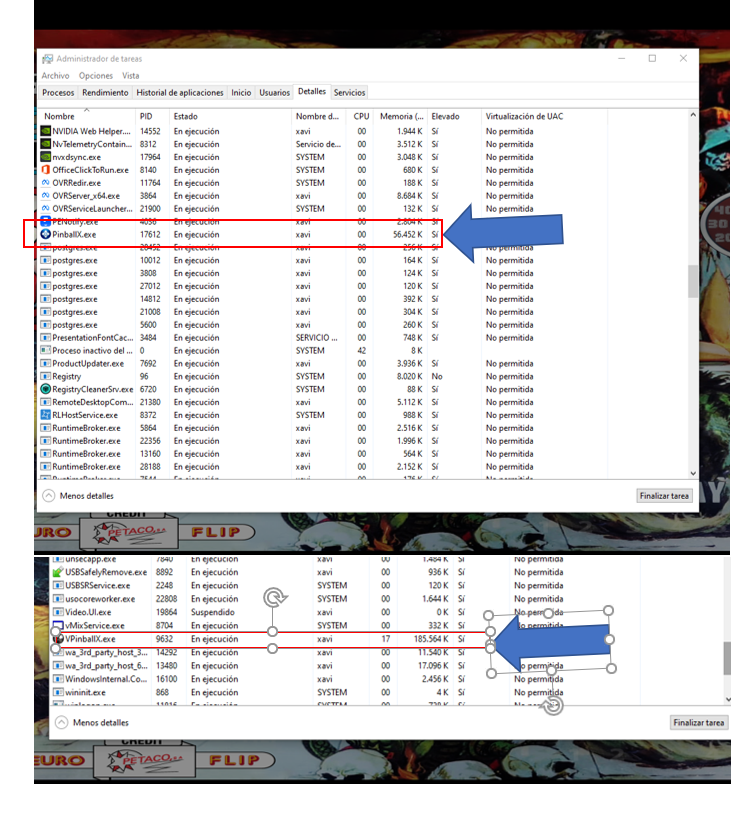
Hello. I installed px and vp in my laptop, and it works perfect. Both, pinballx and vp run as administrator. I atached a screen shot

-
Hello. I bought the computer in a shop. A very proven company. I had this problem with my old computer. Any way to solve this?
-
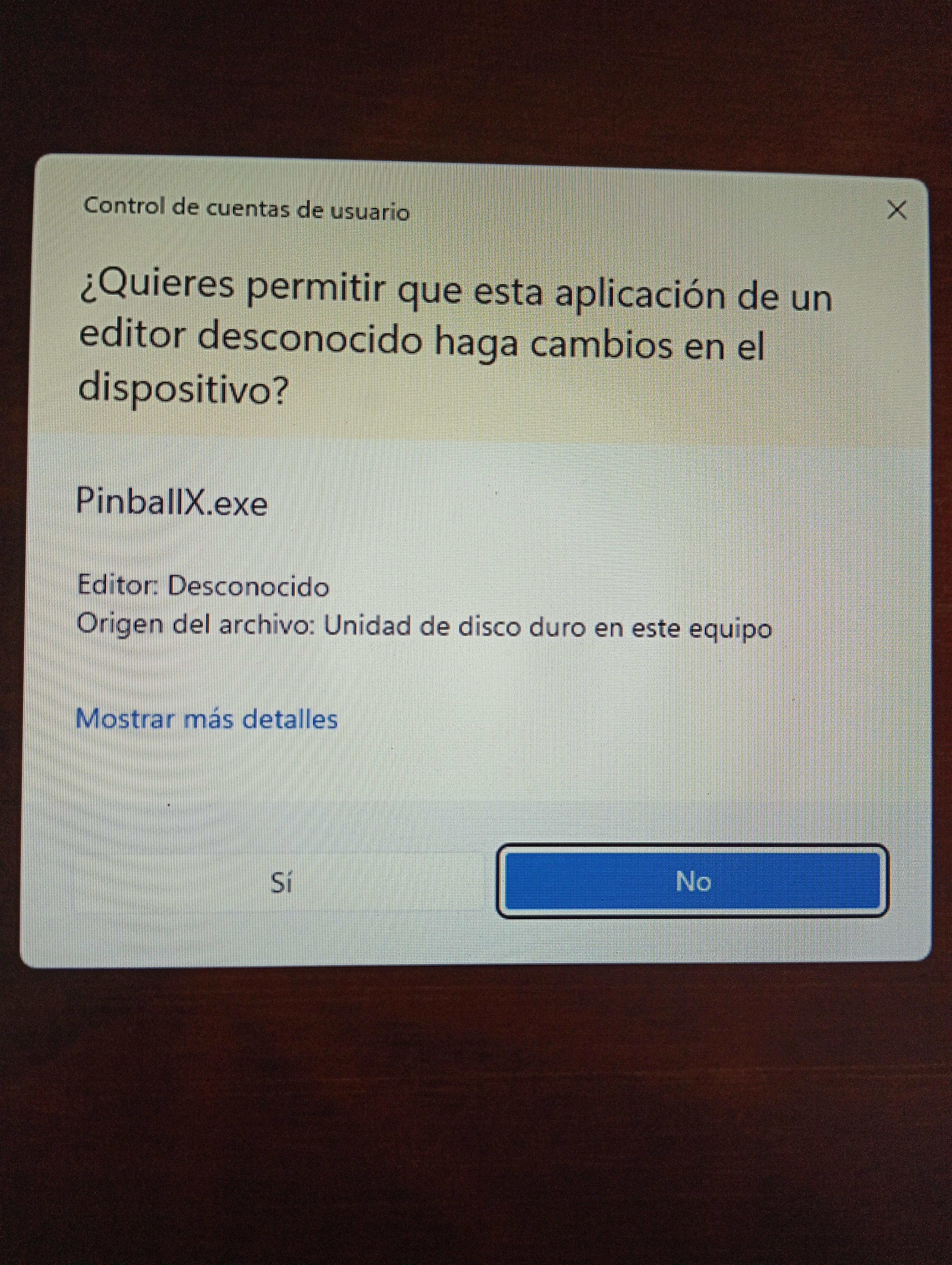
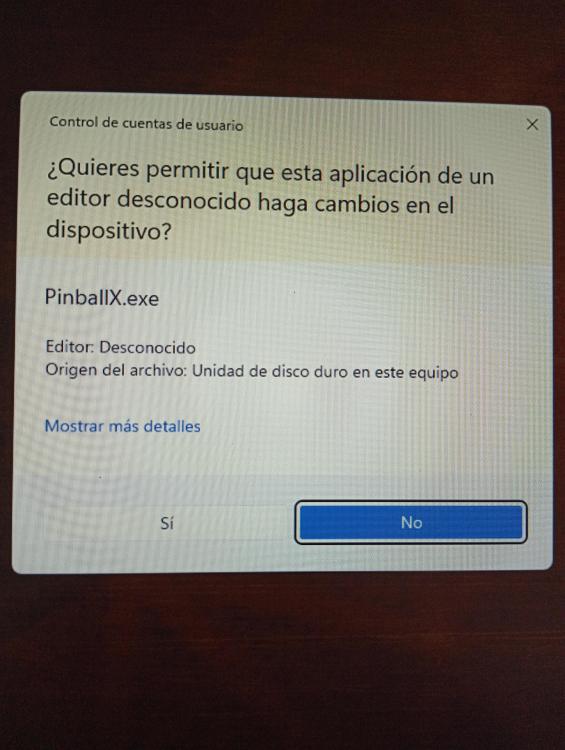
If I make this, pinballx doesn't open. I attach the two images. When I try to open px, it prompts me to say yes or no. If I say yes, everything goes the same. If I say NO, pinballx doesn.t execute

-
I don't understand what you mean. The problem is still there. I don't know what to do @scutters told me to run a prompt command and it works well from this command, but it doesn't involve pinballx. Visual pinball works fine. What doesn't work is pinballx
-
Yes, it works perfect, using the command prompt you said
-
The boxs are unchecked. I don.t run px and vp as administrator but they do. Do whatever i do, they run in admin mode and don.t know why
-
I use a zerodelay. No joytokey. I have only those buttons in the cabinet: Flippers, exit, start, coin and launcj. It worked fine some time ago. I.ll try the command when i arrive home
-
I noticed that. The box is unchecked and i can,t find the way to run px without afmin privileges. Maybe this is the problem. E What can i do?
-
here it is I must say that for two years it went perfect And one day whit no reason.....

-
Here it is I must say that pinballx opens visual pinball but at the back of the front end I don't understand whats happening Thank you for your help PinballX.ini
-
bandicam 2025-05-27 17-02-09-468.mp4 hello. Everything was fine with pinballx and visual pinball. Suddenly, pinballx doesn't launch vp tables. After a while with this problem, I bought a new computer and the problem is still there. Sometimes px open the table but when I try to quit for loading another table, it appears the visual pinball menu for exit a table. I understand nothing and don't know what to do. At least one year with that problem Visual pinball, without pinballx works fine. I enclose a video of the problem and the log from px Please, help me. Thanks everybody log.txt
-
[RESOLVED] Pinballx database manager doesn't open
pepeleches replied to pepeleches's topic in General
hey boys......the problem was, as scutters said, that windows media player was not installed. It is incredible. I don't know what happens when it didn't open before the hardware changes. The people who installed me windows 10 didn't install windows media player, as I fount out that now it doesn,t come with windows and you have to add this feature. What a silly problem I had and I couldn't see..... Thanks everybody for your answers, for your help, and of course, for your time...... -
[RESOLVED] Pinballx database manager doesn't open
pepeleches replied to pepeleches's topic in General
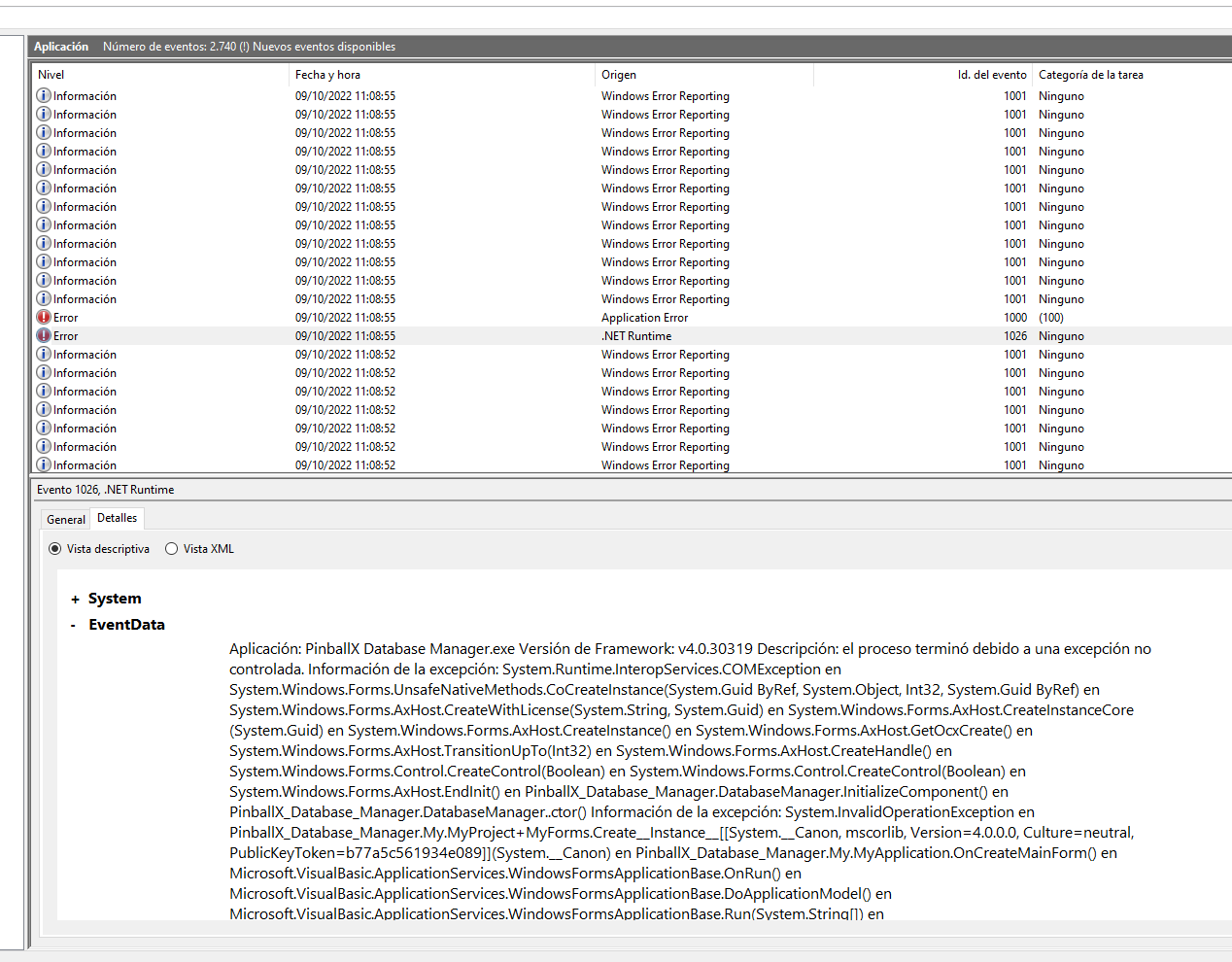
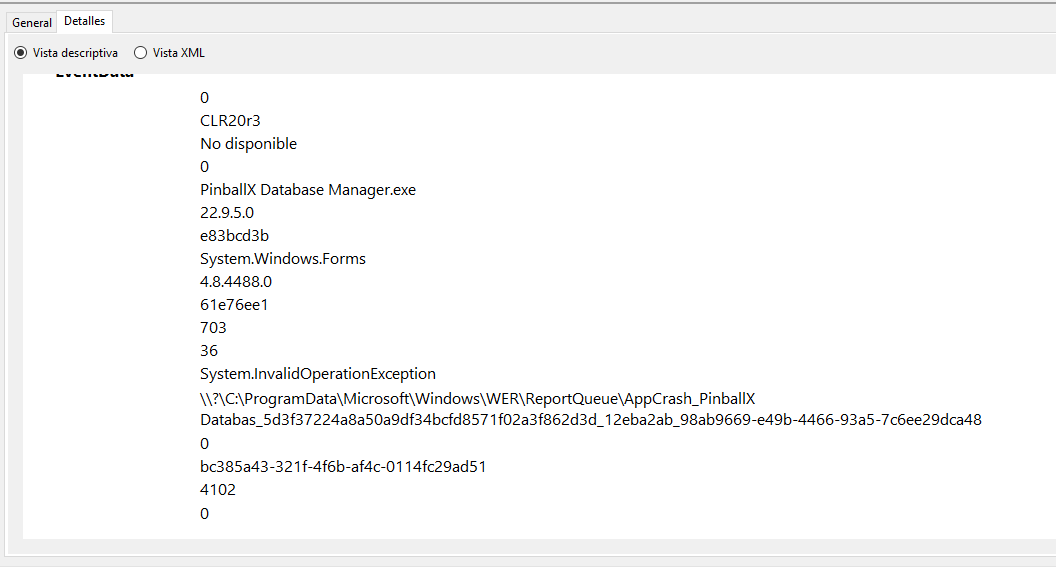
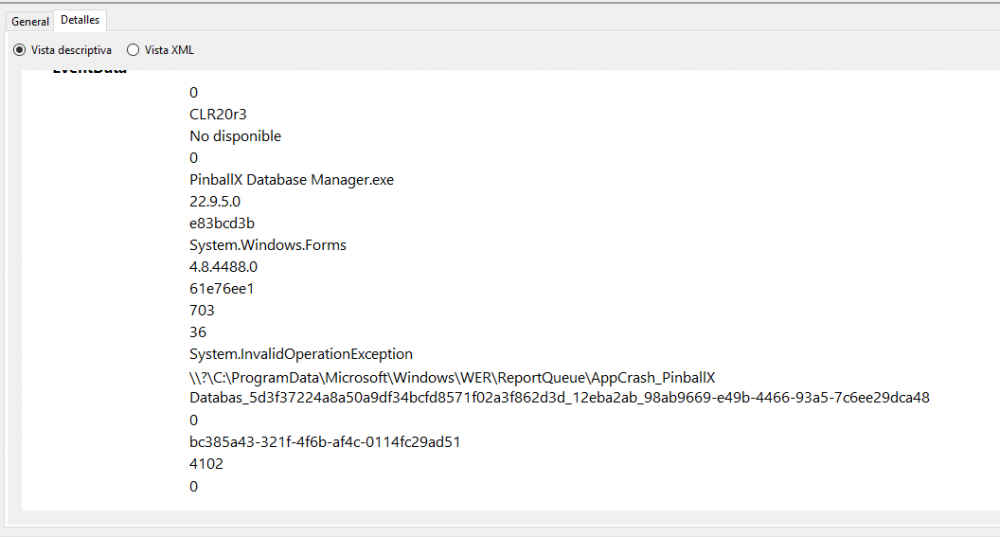
It starts with the pop up you say, and no more pop ups. Then I looked up event viewer. I put 2 screen shots. Maybe with this you can know what's happening?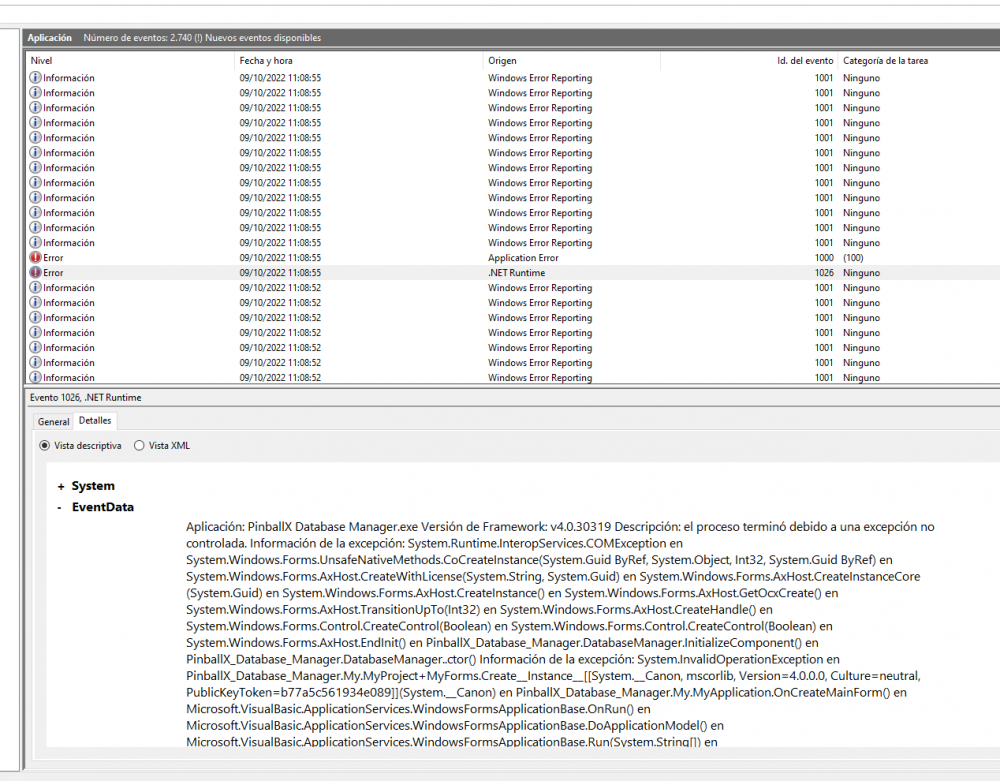
-
[RESOLVED] Pinballx database manager doesn't open
pepeleches replied to pepeleches's topic in General
No log is created. I see there's no ini file as you mention. I tried to reinstall the soft but always the same. I tried even viewer but I don't know what to do. It is very odd.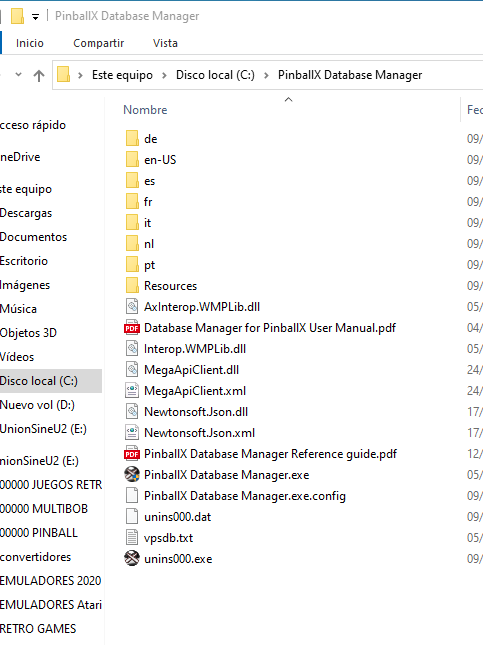
-
[RESOLVED] Pinballx database manager doesn't open
pepeleches replied to pepeleches's topic in General
Thank you for your help. I have installed in my laptop and it works fine. When i firts installed in the cabinet, it made the same. don0t know why. One day it worked. Now I made some changes in my hardware and had to re-install everything. Same issue now. It doesn't open. I tried and old version, nothing. The last, nothing. I have framework 4.5 installed (the last), and no log at the database manager folder. -
Hello. I recently installed visual pinbal and pinballx I installed pinballx database manager on my cab and it doesn't open. I changed something in my cab and I had to reinstall everything. Now the pinballxdatabase doesn't open. I checked the task administrator and I see it appears for a moment and the dessapears, and the app doesn't start. No log files, and no log folder is created. What can I do or what can I try for running this beautiful app? Thank you very much
-
 It's a very good application. It replace the pinballx data manager. It is more visual and helpfull. Great app
 -
Nice. I'll have a look. Other way, maybe to search a specific table is something to implement in a new release of pinball x. I hope so. Thanks
-
Oh, i.ll try when i get home. Thanks
-
Hello everybody. Is there any chance to go to an especific table in pinballx? When you have many tables it,s difficult and slow to play a specific table. You must jump from one to one. Any filter for jumping to the tables that begin with "s", for exemple?
-
Thanks...... It's good to know where people can help you.....I will need more help with the cabinet. Here you will be. Thanks
-
thank you for trying to help me. I thank you very much. Now I looked at the pinbalx compatibility, as you said, and it's not running, but i was running pinballx in "not administrator mode". I disable this because I also use joytokey for the controls on fx3 through pinballx, and it didn't work well, and anyplace I read that pinballx must not run in administrator mode. Now I run pinballx in administrator mode, and everything seems to run perfect.....future pinball, pinball fx3, visual pinball.....I'm surprised. I will check more times to see if it works
-
Hello friends. I use future pinball with pinballx and a controler "zero delay" made by me. In future pinball, without frontend, it works fine. If I use future pinball trhroung pinball x, and use the keyboard, it works fine. The problem is when I use future pinball with pinball x and I use the controller. Everything works fine except the" start button". It makes the job, it loads the future table focused, but it still remains pinballx below. I don't know how to explain. I noticed that because the sound I have in pinballx for paging the tables, sounded the same playing the table on future pinball. I realized something was going wrong. I tried to remap the keys....to start the game with the keyboard instead of with the controller, but always it creates (or doesn't leave) the pinballx main page. IN visual pinball it doesn't happen. Only in future pinball. Any one can help me? Thank you everybody