



|



PhilA
-
Posts
22 -
Joined
-
Last visited
Content Type
Profiles
Forums
Events
Downloads
Store
Articles
Everything posted by PhilA
-
I spoke too soon about the list update. Retested and sometimes it works, sometimes not. Not going to complain about documentation - I agree - dull work! gameex -listupdate should do it for me, thanks!
-
Is there a way to request enhancements to the plugin subsystem - is that still being worked on? I wanted to perform an action depending on what custom list a user has opened. But in this function, Event_MenuChange(MenuNumber As Integer), MenuNumber is always 0 whichever custom list I enter. Also, when Event_CommandLine is entered, I don't see a way to tell whether the game is going to be run or it is an attractmode demo. I have identified what looks like a bug which I can leverage to work it out, but would be nice if it explicitly indicated attractmode.
-
Hey, I worked around the list update issue. The idea was that I only have a limited number of game roms in my custom lists so if I add a new game via the pluging I wanted to trigger a list update. Turns out though, if I add all the roms initially and trigger a list update manually, then if I cut the list down and add back on game, it appears on my custom list right away - no need to do a list update. Maybe just because Gameex is already aware of from the initial list update.
-
Gameex executable has a number of switches that don't seem to be documented e.g. -mame to run Mame only, -artworkdownload to download artwork etc. Are they documented anywhere? Was kind of hoping there is one to make Gameex run a list update...?
-
Thanks Tom
-
When I navigate down through a list of games and get to the bottom, it wraps/loop back up to the top of the list. Makes it difficult to select games at the bottom of the list. And there doesn't seem to be an obvious way to stop the behaviour in gameex.ini. Any way to stop this behaviour?
-
Yep, I worked out what I needed to do in the plugin. I have one more UI issue to resolve then my set up is complete. When I navigate down through a list of games and get to the bottom, it wraps/loop back up to the top of the list. Makes it difficult to select games at the bottom of the list. And there doesn't seem to be an obvious way to stop the behaviour in gameex.ini. I'll open a new forum thread.
-
No problem. I worked out what I needed to do in the plugin. I have one more UI issue to resolve then my set up is complete. When I navigate down through a list of games and get to the bottom, it wraps/loop back up to the top of the list. Makes it difficult to select games at the bottom of the list. And there doesn't seem to be an obvious way to stop the behaviour in gameex.ini. I'll open a new forum thread.
-
Right after I typed that I might have just figured it out from the "Random Arcade Sound" example plugin. Working on it.
-
Right after I typed that I might have just figured it out from the "Random Arcade Sound" example plugin. Working on it.
-
I got my custom lists and images working as I wanted them - theres some details in my other forum post. Also working on a plugin at the moment to handle plugging in my custom control panels and providing information back to the user. Worked out most of it but I am trying to work out if I can trigger a game list update or an exit of the gameex app but stuggling to work it out. I guess it should be possible to use GameExEventQueue.Add() to send a command - don't suppose there is a list somewhere of commands that can be sent?
-
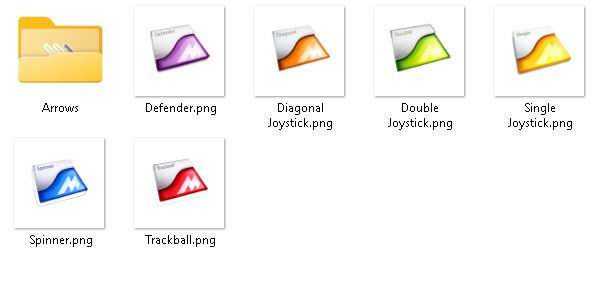
Image of my images attached - I put those into C:\GameEx\THEMES\Default - Default\MEDIA\LOGOS. Video attached too - all lists except "All Mame Games" are custom lists. You can see that they load the relevant image with the same name as the list. Just have to have the entry in gameex.ini set correctly. Don't really know what those ini entries do but works as I want it to. GameEx is great but lots of the great functionality is sparely documented. e.g. Working on a plugin at the moment to handle plugging in my custom control panels and provide information back to the user - trickly to build the plugin based on the documentation. Worked out most of it but I am trying to work out if I can trigger a game list update or an exit of the gameex app but stuggling to work it out. I guess it should be possible to use GameExEventQueue.Add() to send a command but can't find any docs on what commands are available. Custom Lists.mp4
-
For anyone that stumbles on this thread, I figured it out. I update a setting in gameex.ini from "Snap" to "True". After that it display icons in the theme's logos folder with the same name as the list item. [LIST_SETTINGS_8] displaybackgroundimage=True
-
Hi, I am working on a GameEx plugin to intergate my custom built control panls (spiiner, trackball, single or dual joystick etc) with custom Mame game lists. Is there any plugin documentation in addtion to this? Category:PlugIn Development - Spesoft/GameEx Wiki This seems to be a little sparse - for example doesn't indicate a whole list of functions that need to exist for a plugin to work and how to use them. Also, is there a way for an add-in to integrate back into GameEx, for example to initiate a Mame list update, display custom icons etc. I'd also like to be able to display a screen if the wrong panel for the game is connected.
-
Thanks, I'll upgrade the version. Would be a shame if you couldn't add an image. Default lists have them. I found someone online that had mentioned icons - can't find it now - but no documentation - not been able to find any documentation for the ini files. Best I think is here - but all the links are broken.
-
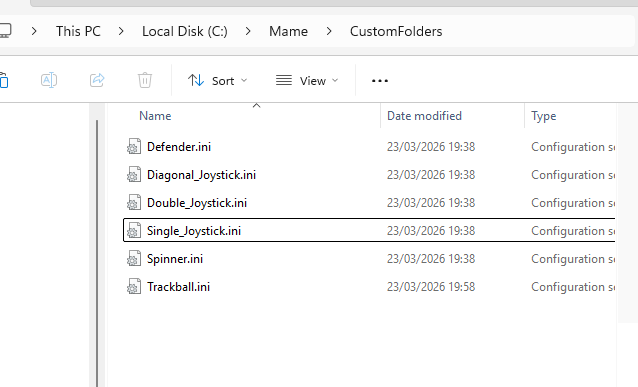
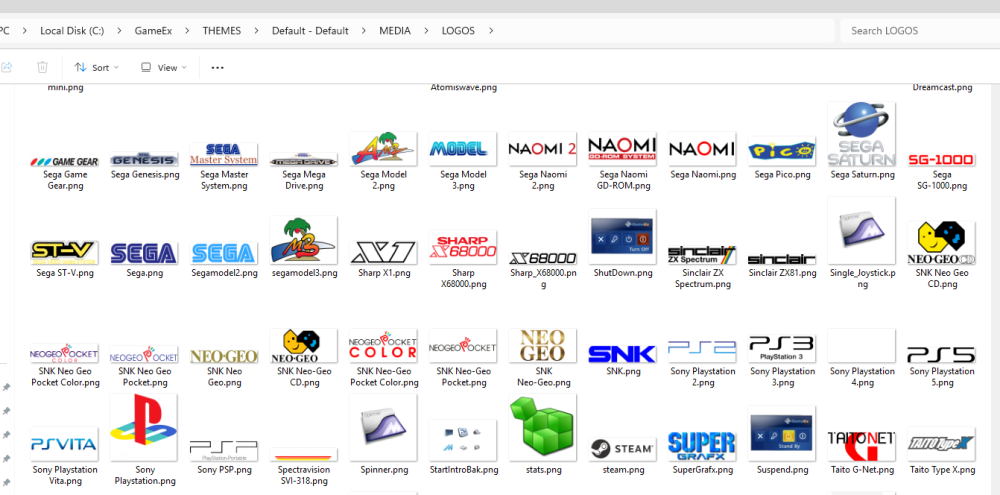
Thanks for your help. ini and log attached. Just for a bit more information, I have created a number of custom lists, for example Spinner.ini, Single_Joystick.ini and created images in logos folder in the theme with the same name. The lists appear but the images do not. GameEx.ini log.txt
-
Can anyone help assign an image to a custom list in GameEx? I have configured custom lists folder in gameex.ini to point to Mame\CustomFolders In that folder I have created ini files to create custom lists. For example, Trackball.ini contains the following: [FOLDER_SETTINGS] RootFolderIcon = cust1.ico SubFolderIcon = cust2.ico [Trackball (Red)] centiped lemmings milliped missile1 This works fine - when I Update List is see the customs in GameEx. But how do I assign an image to the list? I read that if I create an image with the same name as the ini - for example Trackball.png in the media\logos folder of my theme Default - Default that should be displayed on the folder. But it doesn't work. Any ideas how to achieve this? Thanks.
-
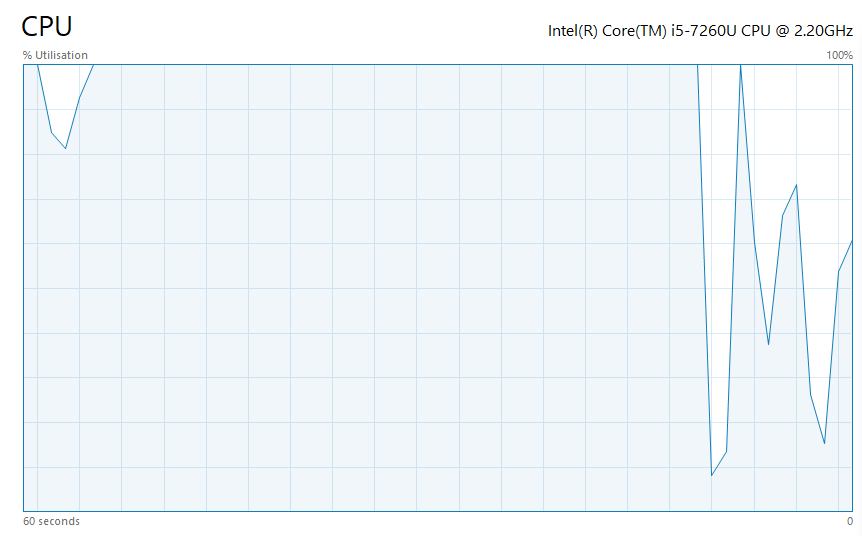
I only installed it a couple of weeks ago on a brand new windows build. Its behaved this way since it was installed. CPU maxes as soon as gameex is started and interface is sluggish to the point of being slow.
-
Could you explain specifically which ini item looks like a problem? I don't have an ArcadeVGA card. And in has these options. ArcadeMode=False UsingArcadeVGA=False
-
Apologies for missing that. Attached. GameEx.ini log.txt
-
Hi, I have installed latest version of GameEx on a new machine, single machine, dual core plus hyperthreading. I've installed the license key that I had from 2013. When GameEx is running the cpu is completely maxed out and the interface is really sluggish. I have tried some ideas from other forum threads - disabled all the performance integration with MCE etc. Any thoughts? Phil.
-
I have recently registered GameEx and am interested in implementing some of the features, but I haven't been able to find any documentation on them. Can anyone help, please? I'm particularly interested in: Automatically create all game snaps as images or video MAME to emulator mapping. Launch specifc MAME games or MAME game types with alternate versions of MAME or emulators Game manual PDF viewer

