



|



pcraenme
-
Posts
37 -
Joined
-
Last visited
Content Type
Profiles
Forums
Events
Downloads
Store
Articles
Everything posted by pcraenme
-
When that happens, when you quit PBX and start VPX directly from its exe, how long does it take then to start VPX? I have had similar issues and found out that VPX startup (without loading a table) itself could take up to 20 seconds, where normally that is 1-2 seconds. The only fix I have for that is a complete restart of my system and then VPX startup (and also starting tables from PBX) is fast again. I never had that issue before with VPX when I was not using PBX yet, so I think it must be PBX related somehow, but have no clue why.
-
I have found a solution now. I am using the 'Comment' field for VR information and use @scutters PBXStatsDisplay V2_3 plugin to display the information. The standard Information option in PBX is not showing that info, so it is nice to have the plugin. @scutters Why does the PBXStatsDisplay V2_3.zip file contain 2 DLL's? PBXStatsDisplay.dll and PBXStatsDisplay1.dll.
-
I understand your point of view Mike. I already was looking for possible solutions within the current options PBX and DBM offer. Creating a List ‘VR’ within the ‘Visual Pinball’ system with only tables that support VR is an option. But then these tables would have to be added twice to also make them appear in ‘All Tables’ and the created list for ‘VR Tables’. Why isn’t the ‘All Tables’ filter not displaying all the tables for the ‘Visual Pinball’ system? The new ‘VR’ list is a subset of all tables within the Visual Pinball system? Using any of the current metadata options is also a possibility, but it will have to be visible within the PBX frontend. Using the Rating for this looks like the only user-friendly option, because it is visible and you can easily filter on it. Using the Description field is also an option, but then you need to access ‘Information’ from the PBX menu to make that visible. It works, but not very practical.
-
@Tom Speirs @Mike_da_Spike Having this option now to start tables in VR, made me think of another additional new VR feature that would be nice to have. VPX tables need to have support for VR to be able to run them properly in VR. I was looking in DBM and PBX (Game Manager) if there was an attribute for VR, but there is none that fits the bill. If such an attribute would be available, to make use of it in PBX, it should be possible to make it visible for the selected table. That way you can see, if the table has VR support, so you can start it in VR or not. VPS and VPU have this info for most of the tables as well by the way. The VR attribute could have several values: 1. No VR support (= Table has no VR support) 2. Hybrid VR (= Table script detects automatically if VR is used or not) 3. Manual VR (= VR needs to be enabled in the table script manually, some 'older' VR supported tables still have this) 4. VR Only (= Table only works in VR, not sure if such tables exists by the way)
-
@Mike_da_Spike You read my mind on the TEXT for the ‘Play Alternate’. I upgraded already again to the new version and added the text “Play in VR”.😄 @Tom Speirs Thanks for another quick update. You mentioned the alternate parameter is not optional, but when I upgraded the alternate parameters value was empty in the settings. I copied the value of the normal ‘Parameters’ to it manually. But I could als make that value empty again, so having a value in it is not enforced by the Settings program?
-
Thanks Tom for adding this, also at this short notice! Just tested it and it works great.
-
I was considering posting this a a feature request, but was not sure this may be possible already. I knew there is alternative exe support, and maybe that could be used somehow. Most new or updated tables that support VR now are ‘hybrid’ tables (e.g. all the tables VPW is releasing have this). They detect automatically if you are playing in desktop or VR mode.
-
Now PBX has become stable on my system I am added more and more tables to it and also using it more and more to play pinball on my desktop. But I have not used it in VR (Quest 3) yet. I play VPX tables in Desktop and VR. Sometimes I prefer Desktop, sometimes VR, for the same table (vpx file). Is there a way to choose from the PBX frontend what VPX executable you want the use (e.g. Start in VR, Start on Desktop). For desktop I always use the 64 bit DX version of VPX and for VR the 64 bit OpenGL. A possible workaround would be adding all tables twice, but… that is no ideal of course.
-
Last few days things seem to have stabilized. Let’s hope it stays like that for now. When issues return, I will make sure to capture the logfile and post it here. Thanks.
-
I already tried disabling all the plugins (I only use 2, the Pinemhi plugin and FlexDMD plugin), but… that did not help. I have a high spec system (AMD Ryzen 7 7800X3D, 32GB DDR5, NVIDIA RTX4080), so when startup of VPX is taking more than 15 seconds, something serious must be going on. I checked Windows event logging as well, but there is nothing noteworthy in there that could explain it. It is not affecting anything else on my system, and I play very high demanding sim racing games (in VR), which use all my CPU and GPU power. I also never had these kind of issues with VPX on my current system (almost 2.5 years old now). Just recently, when using VPX from PBX, these issues started. VPX was installed via BallerInstaller and is up-to-date. I really like PBX, so it is really unfortunate I am having these issues. Thanks for all the support I already got on my issues. Let’s hope we can tackle them.😋
-
When Tom said "change the backglass monitor from 0 to something else" I got a bit confused yes, since I had it already set to 1 in the settings. Your plugin is not causing the issue, but is affected by it somehow. When I set the Back Glass display to anything else than 'Display 1', FlexDMD is not showing anymore in the foreground (and Backglasses also disappear). I see FlexDMD initializing and then when PBX frontend appears, FlexDMD is not visible anymore. With Back Glass display set to 'Display 1', FlexDMD remains visible. I think my system is 'special'.... since I keep on having these strange issues. After playing around with it for a while, VPX is also getting very slow to startup. This morning is was very extreme, 15-20 seconds. Normally VPX starts within 1 second. A system reboot is needed to fix that issue.
-
I have only one monitor indeed, an 3440x1440 ultrawide. In PBX settings the Back Glass Display is on 'Display 1' (see attached screenshot). In the ini file monitor=0. When I change the value in the ini file to 1, the PBX settings shows it as Display 2. Is that normal? When I run PBX with backglas on monitor=1, the backglass and also Mike's PBXFlexDMD plugin is not showing in PBX. When I change it back to monitor=0 for the [BackGlass], but set Monitor=1 for [Display], it seems to work again.... for now... PBX just does not want to run properly on my system it seems, since it can run fine and a few hours later, it does not anymore.

-
Button 7 is the small button (with 2 small windows on it) to the right of the left thumbstick, so it’s not a trigger on my controller. It works when I use it in the PBX frontend and also when I map it in the VPX button settings. It just does not work to exit a VPX table and return back to PBX.
-
When I exit a table in VPX, I get a flickering screen and PinballX is not working anymore. Upgrading to the latest PBX version did not solve the issue. I am using NVDIA driver version 591.86. I have attached the logfile and ini file. log.txt PinballX.ini
-
@Mike_da_Spike I found out PDM easily can create these backglasses from directb2s files. I assumed that would be problematic only having one screen in desktop mode, but… the program is very clever. For tables that have no directb2s, I will have to be creative.😊 Thanks!
-
For some tables I have no backglass image or backglass video (yet) and in that case the 'No Back glass.mp4' video is displayed. Is there a way to disable this? I tried renaming the 'No Back glass.mp4' file and 'No Back Glass.png' file, but then a black rectangle is displayed. Is there an option somewhere to disable/hide the backglass from displaying, when there is no backglass video or image available for a particular table?
-
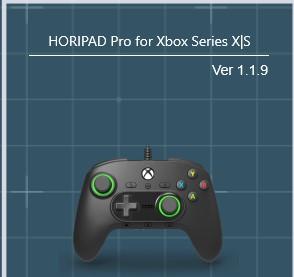
@scutters Tried a different table (Team One from VPW), but same issue there. Changed VPX input API to Direct Input, but issue remained. Ran PBX as admin, but issue remained. Probably I had done all these test before, but can never hurt to test again.😁 @Tom Speirs I am using a HORIPAD Pro controller, connected via USB to my desktop. I am using VP v10.8.0 Final (Rev. 2058) DirectX 64 bits when playing in Desktop Mode and VP v10.8.0 Final (Rev. 2058) OpenGL 64 bits when playing in VR. Thanks!
-
Aha... that's what you meant. Makes sense! I mapped the 'X' key to 'Exit Emulator' in PBX, which was not mapped yet in PBX or VPX. When I press the X key now in VPX when started from PBX, it works fine, table and VPX is closed and I return to PBX frontend. So... it looks like key presses are detected by PBX when VPX is running, but controller button presses are not detected. Controller is working fine though in PBX frontend and VPX.
-
I think April Fools started early this year.. this morning I started up PinballX to continue troubleshooting my issues and... starting VPX tables from PBX works fine again! I did not change anything! Even not a system reboot. Just woke the PC up from sleep this morning. I also updated PXB to the new version now and it still works. Let's hope it stays this way now. Thread can be updated again to RESOLVED @Draco1962? If the problem returns, I will create a new thread, also because the issue was different than when I created this thread. Thanks.
-
Not at home now, but will do that tomorrow. Some more info already below. I added a few tables to PBX earlier today and also recorded some videos with PDM (which worked great!). That was the only thing I changed. Everything was working fine. I put my system to sleep. A few hours later I came back, started table Playboy 35th Anniversary, and it did not work (VPX won’t come to the foreground anymore). I thought it may be an issue with that particular table, so tried others that worked before. But they were all having the same issue now. I removed the last table I added (Playboy 35th Anniversary), and suddenly PBX worked again. Added the Playboy 35th Anniversary table again, and starting VPX tables from PBX did not work anymore. Removed the table again, but this time that did not help. So… something else must be going on.
-
And... it stopped working again. Now suddenly when I start a table from PinballX, the table loads, I hear the rom sound, but I don't see the table. The Loading Screen of PinballX is displaying. Even an alt-tab to the Visual Pinball Player window does not work. Why is something that was working a few hours ago, suddenly not working anymore? I am about to give up...
-
@scutters Renaming Backglass directories showed the default Pinballx backglass video for all tables. But... I found the fix! After changing 'Full Screen Windowed' to 'Yes', the Backglass videos or images were displaying with 'Use DirectB2S in Front End' setting set to 'No'. And... it is also starting now without having to use Administrator. Problem solved! Thanks everyone!
-
@scuttersI mapped a different button, which was not used in VPX and PBX, but also that button does nothing when VPX is running. @jcsk8I changed that setting, but still nothing happens when I press the button in VPX. However, when I exit VPX with the Q key and rerurn to VPX, I get a popup from PBX to hold down the Exit button for several seconds to exit.
-
First test with Full Screen Exclusive Hack on No, waited more than a minute after pressing button7 on my controller, nothing happened. Pressed Q to leave VPX. See log1.txt. Second test with Full Screen Exclusive Hack on Yes, waited more than a minute after pressing button7 on my controller, nothing happened. Pressed Q to leave VPX. See log2.txt. log1.txt log2.txt
-
No problem @Draco1962, I should have made several threads from the start, so that’s my bad.😵💫 Sorry about that. I tried to split them up as logically as possible yesterday.

