



|



movieman317
-
Posts
121 -
Joined
-
Last visited
Content Type
Profiles
Forums
Events
Downloads
Store
Articles
Everything posted by movieman317
-
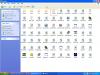
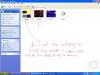
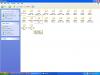
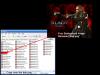
I am using gameex new version 5.88 1. i did Look at headkaze's image 2. blade trinity is now a png file i changed the png file to bak.png no i am in the Default - Deep Purple folder in program files on the gameex now i clicked on the media folder inside the default deep purple folder and i pasted my bak.png file into the the media folder 2. now that the bak.png is in the media folder on the default deep purple do you want me to now go to the gameex folder and click on the upgradeconfig to update it

-
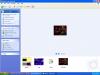
1.ok the blade trinity file is now a png file 2. i copyied and pasted it in to the Default - Deep Purple folder in program files on the gameex folder in the thems folder and i renamed the blade trinity picture called bak.png now what do i do from there
-
1.ok the blade trinity file is now a png file 2. i copyied and pasted it in to the Default - Deep Purple folder in program files on the gameex folder in the thems folder and i renamed the blade trinity picture called bak.png now what do i do from there
-
1.kinda under stand first off i have a blade trinity picture and the file is now a png file ok 2.do i go in the gameex folder in the program files 3. where do i go from there 4. and what do you mean Save the Blade trinity as all of these: i already have a png file for blade trinity can you explain where is this at bak.png daphnebak.png emubak.png jukeboxbak.png picturesbak.png radiobak.png startbak.png videobak.png
-
ok Blade trinity picture is now png file and i named the folder called "bak.PNG then i put the folder in the gameex 5.88 folder then went to themes and pasted it into the theme folder but when i went to gameex config the "bak.PNG was not there am i doing something wrong
-
my pictures are in jpg format i need to convert it to .PNG what it a free download so i can change it to png
-
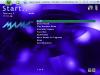
no that is not what i meant for gameex 5.88 when gameex lauches for the theme on the backgroung of gameex i am using deep purple which is pretty sweet but i want to change the background theme to movie theme wallpaper or screensaver or desktop what ever you call it that is what i want to do do you see the deep purple theme on gameex that is what i am using right now the movie themes i would like to use is these blade trinity alien vs predator how do i make the movie themes blade trinity and alien vs predator look like the deep purple theme on gameex


-
i have background movie themes in my pictures folder how do i use the theme editor to put my background movie themes on gameex right now i am using deep purple but i want to use my own movie themes to see how it looks can you help thankxs
-
thankxs for the update
-
hey tom on the new current version of gameex 5.88 for the theme picker on gameex is there a way i could put my own theme picker like movie theme in the backround on gameex right now i am using deep purple pretty sweet but just wandering if i could put my own themes on gameex 5.88
-
fixed it
-
thankxs tom i found out what it was it was winar program that was keeping me form accessing it so i removed it off of my pc now it works thankxs for the help
-
i have my easy mame emulator on my D: drive and when i go to GameExBasicConfig to set it for my settings on the D: drive then i go to GameExConfig to set my basic settings and this is the error i get i am using the new Current Version: GameEx 5.88 here is the error below 22:45:58.5 4/16/2006: GameEx: Version 5.88: Starting Log 22:45:58.5 4/16/2006: Operating System Platform: Win32NT 22:45:58.5 4/16/2006: Operating System Name: Windows XP 22:45:58.5 4/16/2006: Operating System Version: 5.1.2600 22:45:58.5 4/16/2006: Checking for versions of .net Framework installed 22:45:58.5 4/16/2006: .net Framework 1.1 Installed 22:45:58.5 4/16/2006: .net Framework 2.0 Installed 22:45:58.5 4/16/2006: Checking Registration 22:45:58.5 4/16/2006: Running Randomize() 22:45:58.5 4/16/2006: Initialising Video/MNG DLL's 22:45:58.6 4/16/2006: Running Misc startup tasks 22:45:58.6 4/16/2006: Setting Menu types 22:45:58.6 4/16/2006: Opening Configuration File 22:45:58.6 4/16/2006: Getting Configuration Values 22:45:58.6 4/16/2006: Using Theme: Default - MCE Glossy 22:45:58.6 4/16/2006: Checking for alternate Image Directory for Theme: Default - MCE Glossy 22:45:58.6 4/16/2006: Is Media Center running? 22:45:58.6 4/16/2006: Check Media Center Exit/Start Mode 22:45:58.6 4/16/2006: Media Center Mode 2 22:45:58.6 4/16/2006: Text/Language: English 22:45:58.6 4/16/2006: Applying Language/Text 22:45:58.7 4/16/2006: Custom Keyboard Input enabled: Getting custom codes 22:45:58.7 4/16/2006: Custom Game Device Input enabled: Getting custom codes 22:45:58.8 4/16/2006: Creating Scancodes.txt (List of DirectInput scan codes) 22:45:58.8 4/16/2006: Snap Delay set to: 3 22:45:58.8 4/16/2006: Get other settings 22:45:58.8 4/16/2006: Set: Find emulator artwork on best match basis 22:45:58.8 4/16/2006: Using DirectInput for keyboard input 22:45:58.9 4/16/2006: Start work for Form 22:45:58.9 4/16/2006: Getting Original Screen Size 22:45:58.9 4/16/2006: Loading ICON 22:45:58.9 4/16/2006: Checking for applications to Launch On Startup 22:45:58.9 4/16/2006: Initializing Component 22:45:58.9 4/16/2006: Initialising Bass Audio Library 22:45:59.3 4/16/2006: Loading default loading screen 22:45:59.4 4/16/2006: Using 2D Animations 22:45:59.4 4/16/2006: Using General Font: Trebuchet MS 22:45:59.4 4/16/2006: Using Title Font: Trebuchet MS 22:45:59.4 4/16/2006: Initialising DirectDraw 22:45:59.5 4/16/2006: Creating DirectDraw Device 22:45:59.8 4/16/2006: Creating DirectDraw Surfaces 22:45:59.8 4/16/2006: Creating Primary Surface - Windowed Mode 22:45:59.8 4/16/2006: Creating Back Buffer 22:45:59.8 4/16/2006: Loading graphic surfaces 22:45:59.9 4/16/2006: Creating Surfaces Misc and Dialogs 22:46:00.3 4/16/2006: Creating Surface Volume 22:46:00.3 4/16/2006: Creating Surfaces Arrows 22:46:00.3 4/16/2006: Creating Surfaces GameEXlogo Text 22:46:00.3 4/16/2006: Creating Surfaces Toolbar 22:46:00.3 4/16/2006: Creating Surfaces Backgrounds 22:46:00.7 4/16/2006: Creating Surfaces Toolbar Controls 22:46:00.7 4/16/2006: Creating Surfaces GameEx Logo 22:46:00.7 4/16/2006: Creating Surfaces Home & Exit 22:46:00.8 4/16/2006: Creating Surfaces Snaps 22:46:00.8 4/16/2006: Creating Surfaces Menu and List Bars 22:46:01.0 4/16/2006: Creating Fonts 22:46:01.0 4/16/2006: Creating Menu Font 22:46:01.4 4/16/2006: Creating Game Font 22:46:01.6 4/16/2006: Creating Game Font Standard Size 22:46:02.3 4/16/2006: Creating Font Black 22:46:02.4 4/16/2006: Creating Font Black Small 22:46:02.5 4/16/2006: Creating Game Font Faded 22:46:02.7 4/16/2006: Creating Title Font 22:46:03.1 4/16/2006: Creating Control Panel Font 22:46:03.8 4/16/2006: Fonts Created Succesfully 22:46:26.0 4/16/2006: Initialising Windows Media Player Component 22:46:26.1 4/16/2006: MAME Path is: D:\MAME 22:46:26.1 4/16/2006: MAME EXE file is: mame.exe 22:46:26.1 4/16/2006: Cannot find the ROM path: G:\-DATA-\-MAME ROMS- 22:46:26.1 4/16/2006: 22:46:26.1 4/16/2006: ERRORS DETECTED: EXITING
-
i have the gamecube emulator on my pc and i have a bunch of gamecubes that are mine that i bought my gamecube finally broke down how do i get the gamecube games into roms that way i can play them off of my pc
-
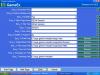
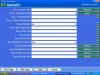
for those who need the settings for sega genisis fusion emulator for gameex the Zadduk for your help buddy got it going thankxs

-
did i space it right this time if not show me how k thankxs

-
thankxs Zadduk i did exactly what you told me to do here is a link below i hope this works well i tried it again this is what happened when i go to click on the sega gensis console the roms com up but when i go to play the game gameex try to load it but it fails then it goes right back to gameex no what what am i doing wrong this is what my setting look this is what you told me to change i did not work and ideas

-
if anyone one could help i would really app. it
-
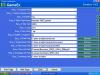
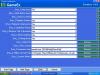
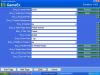
for those of you need to know the settings for SNES9x emualtor for gameex with help from the other members thankxs guys
-
thankxs zadduck for helping out with the setting when i go to click on the sega gensis console the roms com up but when i go to play the game gameex try to load it but it fails then it goes right back to gameex no what this is what my setting look like now in the pictures below


-
correct it how what do i put for Emu_7 for sega genisis fusion emulator i will show you picitures of my settings on gameex i think i set up everything the way it is suppose to gameex loads up then i go you choose sega genisis console and when i go to click on it gameexs tells me no games ar found all my sega roms are in seperate zip files on my c: drive i really do not get it what am i doing wrong


-
i need some help on this to guys can you help please
-
can someone please help me out give me some ideas or some clues i would really app. it thankxs
-
sega genisis emulator called fusion on gameex i get this error when starting gameex 23:44:20.4 1/7/2006: GameEx: Version 5.31: Starting Log 23:44:20.4 1/7/2006: Operating System Platform: Win32NT 23:44:20.4 1/7/2006: Operating System Name: Windows XP 23:44:20.4 1/7/2006: Operating System Version: 5.1.2600 23:44:20.4 1/7/2006: Checking for versions of .net Framework installed 23:44:20.4 1/7/2006: .net Framework 1.1 Installed 23:44:20.4 1/7/2006: Checking Registration 23:44:20.4 1/7/2006: Running Randomize() 23:44:20.4 1/7/2006: Initialising Video/MNG DLL's 23:44:20.7 1/7/2006: Running Misc startup tasks 23:44:20.7 1/7/2006: Setting Menu types 23:44:20.7 1/7/2006: Opening Configuration File 23:44:20.7 1/7/2006: Getting Configuration Values 23:44:20.7 1/7/2006: Using Theme: Default - Default 23:44:20.7 1/7/2006: Checking for alternate Image Directory for Theme: Default - Default 23:44:20.8 1/7/2006: Text/Language: English 23:44:20.8 1/7/2006: Applying Language/Text 23:44:21.0 1/7/2006: Custom Keyboard Input enabled: Getting custom codes 23:44:21.0 1/7/2006: Custom Game Device Input enabled: Getting custom codes 23:44:21.0 1/7/2006: Creating Scancodes.txt (List of DirectInput scan codes) 23:44:21.1 1/7/2006: Snap Delay set to: 4 23:44:21.1 1/7/2006: Is Media Center running? 23:44:21.1 1/7/2006: Check Media Center Exit/Start Mode 23:44:21.1 1/7/2006: Media Center Mode 2 23:44:21.1 1/7/2006: Checking for applications to Launch On Startup 23:44:21.1 1/7/2006: Get other settings 23:44:21.1 1/7/2006: Using 2D Animations 23:44:21.1 1/7/2006: Desktop set to Hide ICONS and set Background to Black 23:44:21.1 1/7/2006: Backing up Registry Wallpaper Settings 23:44:21.1 1/7/2006: Set: Find emulator artwork on best match basis 23:44:21.1 1/7/2006: Using DirectInput for keyboard input 23:44:21.2 1/7/2006: Start work for Form 23:44:21.2 1/7/2006: Getting Original Screen Size 23:44:21.2 1/7/2006: Loading ICON 23:44:21.2 1/7/2006: Initializing Component 23:44:21.3 1/7/2006: Initialising Bass Audio Library 23:44:21.9 1/7/2006: Loading default loading screen 23:44:21.9 1/7/2006: Using General Font: Trebuchet MS 23:44:21.9 1/7/2006: Using Title Font: Trebuchet MS 23:44:21.9 1/7/2006: Initialising DirectDraw 23:44:22.8 1/7/2006: Creating DirectDraw Device 23:44:23.2 1/7/2006: Creating DirectDraw Surfaces 23:44:23.2 1/7/2006: Creating Primary Surface - Windowed Mode 23:44:23.2 1/7/2006: Creating Back Buffer 23:44:23.2 1/7/2006: Loading graphic surfaces 23:44:23.3 1/7/2006: Creating Surfaces Misc and Dialogs 23:44:23.5 1/7/2006: Creating Surface Volume 23:44:23.5 1/7/2006: Creating Surfaces Arrows 23:44:23.6 1/7/2006: Creating Surfaces GameEXlogo Text 23:44:23.6 1/7/2006: Creating Surfaces Toolbar 23:44:23.6 1/7/2006: Creating Surfaces Backgrounds 23:44:23.9 1/7/2006: Creating Surfaces Toolbar Controls 23:44:24.5 1/7/2006: Creating Surfaces GameEx Logo 23:44:24.5 1/7/2006: Creating Surfaces Home & Exit 23:44:24.6 1/7/2006: Creating Surfaces Snaps 23:44:24.6 1/7/2006: Creating Surfaces Menu and List Bars 23:44:24.9 1/7/2006: Creating Fonts 23:44:24.9 1/7/2006: Creating Menu Font 23:44:25.5 1/7/2006: Creating Game Font 23:44:25.7 1/7/2006: Creating Game Font Standard Size 23:44:26.4 1/7/2006: Creating Font Black 23:44:26.6 1/7/2006: Creating Font Black Small 23:44:26.7 1/7/2006: Creating Game Font Faded 23:44:26.9 1/7/2006: Creating Title Font 23:44:27.4 1/7/2006: Fonts Created Succesfully 23:44:52.8 1/7/2006: Initialising Windows Media Player Component 23:44:53.3 1/7/2006: MAME Path is: C:\easymame 23:44:53.4 1/7/2006: MAME EXE file is: mame.exe 23:44:53.4 1/7/2006: ROM Path is: D:\easymame\MAME ROMS PART 1 23:44:53.4 1/7/2006: Catver.ini is located at: C:\Program Files\GameEx\DATA\catver.ini 23:44:53.4 1/7/2006: controls.ini is located at: C:\Program Files\GameEx\data\controls.ini 23:44:53.4 1/7/2006: History.dat is located at: C:\Program Files\GameEx\DATA\history.dat 23:44:53.4 1/7/2006: nplayers.ini is located at: C:\Program Files\GameEx\DATA\nplayers.ini 23:44:53.4 1/7/2006: MAMEinfo.dat is located at: C:\Program Files\GameEx\DATA\mameinfo.dat 23:44:53.5 1/7/2006: Loading Controls.ini map file 23:44:53.5 1/7/2006: Loading Custom Emulators 23:44:53.5 1/7/2006: Loading Emulator 2: Nintendo SNES games 23:44:53.6 1/7/2006: Loading OfflineList Dat File for emulator: 2 23:44:53.6 1/7/2006: Cannot Find Offline List Dat File 23:44:53.7 1/7/2006: Loading Emulator 4: Nintendo NES Games 23:44:53.8 1/7/2006: Loading Emulator 7: 23:44:53.8 1/7/2006: Error: Emulator_7: StartPageName= Not Set 23:44:53.8 1/7/2006: 23:44:53.8 1/7/2006: ERRORS DETECTED: EXITING
-
nes emulator on gameex when i go to play the game it trys to load the game then a black dos screen comes up then it tells me to hit enter then it goes right back to gameex why? can you help please thankxs 23:49:39.3 1/7/2006: GameEx: Version 5.31: Starting Log 23:49:39.3 1/7/2006: Operating System Platform: Win32NT 23:49:39.3 1/7/2006: Operating System Name: Windows XP 23:49:39.3 1/7/2006: Operating System Version: 5.1.2600 23:49:39.3 1/7/2006: Checking for versions of .net Framework installed 23:49:39.3 1/7/2006: .net Framework 1.1 Installed 23:49:39.3 1/7/2006: Checking Registration 23:49:39.3 1/7/2006: Running Randomize() 23:49:39.3 1/7/2006: Initialising Video/MNG DLL's 23:49:39.3 1/7/2006: Running Misc startup tasks 23:49:39.3 1/7/2006: Setting Menu types 23:49:39.3 1/7/2006: Opening Configuration File 23:49:39.3 1/7/2006: Getting Configuration Values 23:49:39.3 1/7/2006: Using Theme: Default - Default 23:49:39.4 1/7/2006: Checking for alternate Image Directory for Theme: Default - Default 23:49:39.4 1/7/2006: Text/Language: English 23:49:39.4 1/7/2006: Applying Language/Text 23:49:39.5 1/7/2006: Custom Keyboard Input enabled: Getting custom codes 23:49:39.5 1/7/2006: Custom Game Device Input enabled: Getting custom codes 23:49:39.5 1/7/2006: Creating Scancodes.txt (List of DirectInput scan codes) 23:49:39.5 1/7/2006: Snap Delay set to: 4 23:49:39.5 1/7/2006: Is Media Center running? 23:49:39.6 1/7/2006: Check Media Center Exit/Start Mode 23:49:39.6 1/7/2006: Media Center Mode 2 23:49:39.6 1/7/2006: Checking for applications to Launch On Startup 23:49:39.6 1/7/2006: Get other settings 23:49:39.6 1/7/2006: Using 2D Animations 23:49:39.6 1/7/2006: Desktop set to Hide ICONS and set Background to Black 23:49:39.6 1/7/2006: Backing up Registry Wallpaper Settings 23:49:39.6 1/7/2006: Set: Find emulator artwork on best match basis 23:49:39.7 1/7/2006: Using DirectInput for keyboard input 23:49:39.7 1/7/2006: Start work for Form 23:49:39.7 1/7/2006: Getting Original Screen Size 23:49:39.7 1/7/2006: Loading ICON 23:49:40.0 1/7/2006: Initializing Component 23:49:40.8 1/7/2006: Initialising Bass Audio Library 23:49:43.1 1/7/2006: Loading default loading screen 23:49:43.2 1/7/2006: Using General Font: Trebuchet MS 23:49:43.2 1/7/2006: Using Title Font: Trebuchet MS 23:49:43.2 1/7/2006: Initialising DirectDraw 23:49:44.7 1/7/2006: Creating DirectDraw Device 23:49:46.8 1/7/2006: Creating DirectDraw Surfaces 23:49:46.8 1/7/2006: Creating Primary Surface - Windowed Mode 23:49:46.9 1/7/2006: Creating Back Buffer 23:49:47.0 1/7/2006: Loading graphic surfaces 23:49:47.1 1/7/2006: Creating Surfaces Misc and Dialogs 23:49:47.4 1/7/2006: Creating Surface Volume 23:49:47.5 1/7/2006: Creating Surfaces Arrows 23:49:47.5 1/7/2006: Creating Surfaces GameEXlogo Text 23:49:47.5 1/7/2006: Creating Surfaces Toolbar 23:49:47.7 1/7/2006: Creating Surfaces Backgrounds 23:49:47.9 1/7/2006: Creating Surfaces Toolbar Controls 23:49:48.0 1/7/2006: Creating Surfaces GameEx Logo 23:49:48.5 1/7/2006: Creating Surfaces Home & Exit 23:49:48.6 1/7/2006: Creating Surfaces Snaps 23:49:48.6 1/7/2006: Creating Surfaces Menu and List Bars 23:49:48.9 1/7/2006: Creating Fonts 23:49:48.9 1/7/2006: Creating Menu Font 23:49:49.6 1/7/2006: Creating Game Font 23:49:49.8 1/7/2006: Creating Game Font Standard Size 23:49:50.4 1/7/2006: Creating Font Black 23:49:50.6 1/7/2006: Creating Font Black Small 23:49:50.7 1/7/2006: Creating Game Font Faded 23:49:50.9 1/7/2006: Creating Title Font 23:49:51.4 1/7/2006: Fonts Created Succesfully 23:50:16.7 1/7/2006: Initialising Windows Media Player Component 23:50:16.8 1/7/2006: MAME Path is: C:\easymame 23:50:16.8 1/7/2006: MAME EXE file is: mame.exe 23:50:16.8 1/7/2006: ROM Path is: D:\easymame\MAME ROMS PART 1 23:50:16.8 1/7/2006: Catver.ini is located at: C:\Program Files\GameEx\DATA\catver.ini 23:50:16.8 1/7/2006: controls.ini is located at: C:\Program Files\GameEx\data\controls.ini 23:50:16.8 1/7/2006: History.dat is located at: C:\Program Files\GameEx\DATA\history.dat 23:50:16.9 1/7/2006: nplayers.ini is located at: C:\Program Files\GameEx\DATA\nplayers.ini 23:50:16.9 1/7/2006: MAMEinfo.dat is located at: C:\Program Files\GameEx\DATA\mameinfo.dat 23:50:16.9 1/7/2006: Loading Controls.ini map file 23:50:16.9 1/7/2006: Loading Custom Emulators 23:50:16.9 1/7/2006: Loading Emulator 2: Nintendo SNES games 23:50:17.0 1/7/2006: Loading OfflineList Dat File for emulator: 2 23:50:17.0 1/7/2006: Cannot Find Offline List Dat File 23:50:17.0 1/7/2006: Loading Emulator 4: Nintendo NES Games 23:50:17.1 1/7/2006: Loading Emulator 7: 23:50:17.1 1/7/2006: Error: Emulator_7: StartPageName= Not Set 23:50:17.1 1/7/2006: 23:50:17.2 1/7/2006: ERRORS DETECTED: EXITING if you are wandering Emu 7 is sega genisis called fusion


