



|



movieman317
-
Posts
121 -
Joined
-
Last visited
Content Type
Profiles
Forums
Events
Downloads
Store
Articles
Everything posted by movieman317
-
xbox ps2 emulators does any of these actually work on your pc because i have the games i just want to play them on my pc that would be sweet! and if they do how would you play it on your pc with the xbox game
-
never mind i just installed the 5.97 version
-
the version of gameex is the new one GameEx 6.27 having problems installing the new gameex i am going to show you pictures on how i am doing it k when it goes to the install it keeps on telling me to retry abort or ignore why this is all taking place when it is installing on to my C: on program files how can you help
-
mame screensavers is there any recent for my desktop or screensaver
-
Gameex version 5.97 on Windows XP is running very slow can you help me out The video card I am using is a Nvidia GeForce 6600 My System information below: System: Mircosoft Windows XP Home Edtion Version 2002 Service pack 2 Computer: AMD Athlon(â?¢) 64 Processor 3000+ 1.98 GHz, 1.00 GB of RAM Physical Address Extension do you think it is because i need a newer driver for it to run faster if so where do i get the new driver Nvidia GeForce 6600 here a link to the driver for Nvidia GeForce 6600. i am suppose to download this driver and is it compatible for my Sytem info to make my gmaeex to move faster http://www.nvidia.com/object/winxp_2k_66.93.html
-
can i install windows xp media center 2005 on my computer if i do not have any windows on my computer . will that work
-
what if you bought a modded xbox or a modded 360 could you then play al the arcade games and the snes n64 and sega gen and nes and other emulators on the modded boxes i metioned could it be possible here is a link be sure to hold down your Ctrl on your keyboard to get to this link http://www.xbox-modchips.com/premodded.htm if you have this can you tranfer all you data to the xbox modded computer and play your emulators on that
-
k thankxs i will really soon i will donate 50.00 dollars to this program as soon as i get my taxes back in 3 weeks you can count on that
-
1.i put the karaoke files in a folder inside the mame folder Then i went GameEx config the i went to karaoke and set the path in there.mp3/.cdg or .kar files in there in order for it to work. Also when you install GameEx called "Install DirectX Karaoke. 2. i did what you told me to do i went to go click on gamex it loaded find of course then i scrolled down to karoke clicked on it then it said Registered Version Only what does this mean can you help

-
how does the karoke work where does the karoke folder go does it go in the gameex folder or can i put it in my music folder and then call it karoke folder do i have to make a folder for just karoke and what about my settings
-
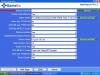
1.cool the mame_videos_shrunk are in motion live a game play when choosing a game SWEET 2. do i leave this blank where the red line is on the GameExConfig on the Startup Video/Dir:

-
mame_videos_shrunk i really confused where to put folder in mame folder
-
2.ok now when i go to close out gameex 5.97 version i goes to a black screen and takes awhile to like 1 minute or so to get back to my desktop got any ideas
-
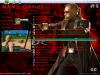
k thankxs here is a shot of the blde trinity default- theme below
-
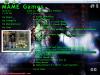
thankxs headkaze for your patience with me and also the others members i have another big i got the new version of gameex 5.97 any way there is a photo below when i was watching the gmaeex demo video when it was scrolling threw games how to you get the picture of live gameplay when trying to choose a game i wrote the word in red marker on the page can you help thankxs
-
this is what i did below what you told me to do i still have gameex version 5.88 [General] AlphaBlendVideos=False DisplayBackgroundImage=True TextColor=-16711936 [TEXT] then i went to save as then i went to the gameex folder in the program files then i went to the UpgradeConfig and then loaded up the gameex and still nothing the mame list is still the same it did not change the color
-
ok i put the setcode and i opened up theme do i put it like this below the text [General] AlphaBlendVideos=False DisplayBackgroundImage=True [TEXT] Set Color -16711936 i went to upgrade config i did not change the color so how do i fig this out
-
sorry about me acting like that it will not happen again so let me get this straight i need to download the newversion of gameex for me to change the font color but can you tell me what the color would be for neon green that is the color i would like to have for the font color for the mame list and red font color for the mame list for the blade trinity theme or would it be easier for you if you can get all the font colors for me for V2 THEME AND V1 THEME and if not get you make it on the new version please thankxs for listening
-
Can someone please FOR THE LOVE OF GOD tell me how to do this also hey tom if you can not change the font color on the mame list can you make it so you can change the font color for the mame list on the new version when you come out with it thankxs

-
can someone help me on how to change the font and the font color for my mamelist please thankxs
-
thankxs but how do i change the font color for the mame list on gameex 5.88 can you change the font color on the letters how do i do that where in the gameex config do i change the font color for the mame list i want to change the font color this color for my mame list neon green it would fit perfect for the Default- Alien VS Predator

-
i gues i done it right b/c it looks like this check this out awesome

-
ok awesome thank you so much now i want to do alien vs predator this is what i have to do right 1.go to media folder then call it Default - Alien VS Predator 2. then copy the Default - deep purple folder and paste it into the Default - Alien VS Predator folder right 3. then i use the same image but rename it to bak.png inside the Default - Alien VS Predator folder and erase the old snap file of deep purple 4. so do i erase these old file of deep purple like bak.png daphnebak.png emubak.png jukeboxbak.png picturesbak.png radiobak.png startbak.png videobak.png and do i replace it with the new the bak.png file for the default- Alien VS Predator bak.png daphnebak.png emubak.png jukeboxbak.png picturesbak.png radiobak.png startbak.png videobak.png is this right so far
-
still waiting on the zip file i had to disable my spamkiller and my privacy try to send it again
-
i made a zip file for you amos_82 the zip is movie theme maybe you can see what i am doing wrong maybe you can fix it i followed your to the best of my knowlege instructions Save the Blade trinity as all of these: bak.png daphnebak.png emubak.png jukeboxbak.png picturesbak.png radiobak.png startbak.png videobak.png this bak.png file i saved it isd the same picture but called just like this for all of them bak.png daphnebak.png emubak.png jukeboxbak.png picturesbak.png radiobak.png startbak.png videobak.png is that right


