|



flocke28
-
Posts
135 -
Joined
-
Last visited
Content Type
Profiles
Forums
Events
Downloads
Store
Articles
Everything posted by flocke28
-
hi all, I tried to add the Citra-Emu . All roms has a separate sub-folder but every file has the same name "game.cxi". scan subfolder in the setup wizard is enabled. rom names is used from the folder names . on start of a game it starts always the first found game.cxi. the complete rom path is ignored in the map file.. which are the right settings for my citra setup without rename all rom files? thanks
-
Hi all, for few years i ask for more lcd drivers for the lcd plugin to work with graphic lcds for example Alphacool 240x128. any prospects to add lcdhype drivers to work with the lcd plugin to show icons and more like betabrite on a graphic lcd?
-
Hi there. Last weekend I updated my Arcade Maschine from Win 7 to 10. After update works GameEx well but the Extender is buggy. Screengrabber from display 1 is not visible anymore and after finish a game the Extender crashes. Extender Window is hidden also in the taskbar. Only the task manager show that the program is still running. How can I reactivate the Live-Grab in the Extender and how can I stop the breaks? On Win 10 i personalized the desktop background to slideshow. gameex reset this setting. after ending gameex is backgrund set to a black image not reset to slideshow again. best regards rene PS: Works the pindmd with GameEx like the BetaBrite for the LCD plugin? I saw the dmd display in a YouTube video for a virtual pinball Extenderlog.txt log.txt
-
Hi, i tried booth. But now 7z Files are visible in the list. Zip Files not. *.7z;*.zip was the file filter. I use now 7z Files. Thanks to Kustom Kid
-
Hi. The roms are zip files not 7z. I tried to enter *.zip but this won't help
-
okay log.txt GameEx.ini
-
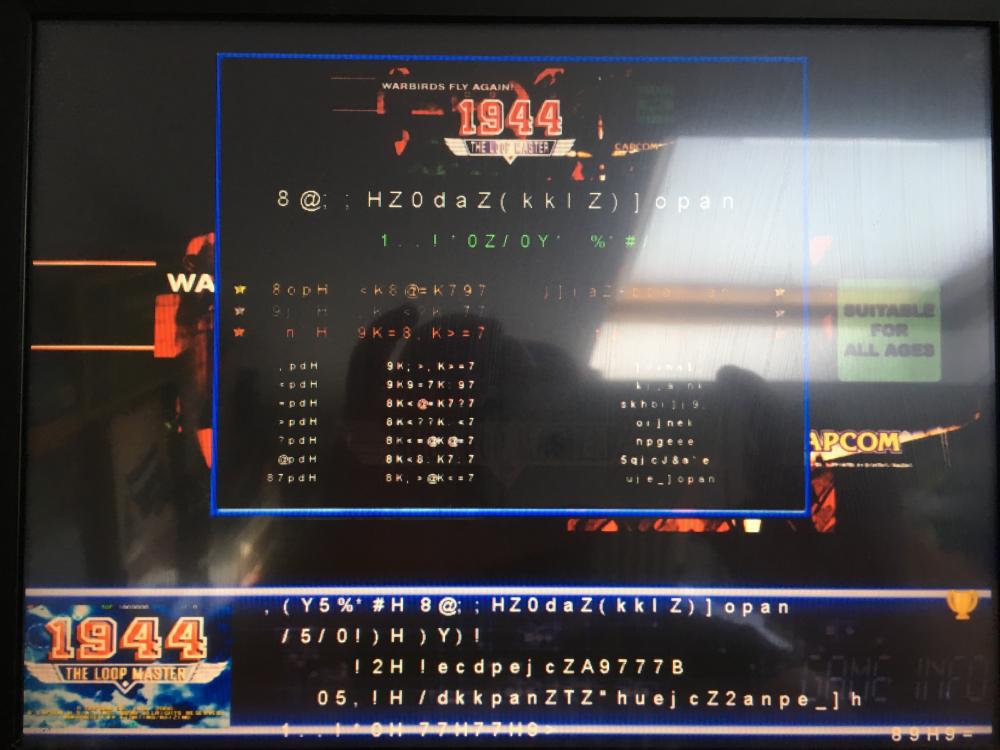
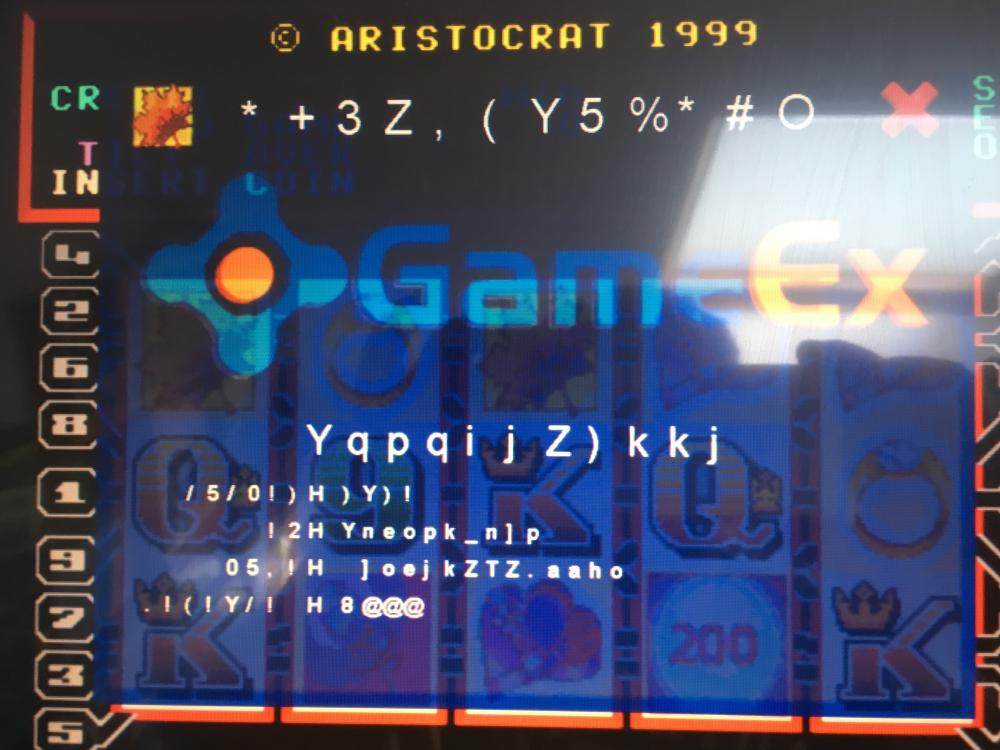
Hi there after update of GameEx shows the Info Screen wrong Data. See the screenshot config is attached under my other post Nintendo DS Rom list empty How can I fix this? Cheers Rene
-
Any updates?
-
sure log.txt
-
here is the full ini and i use the 3d models. but the loadingtime is extremly long (10 seconds).. is it possble to preload or loading faster the 3d models? GameEx.ini
-
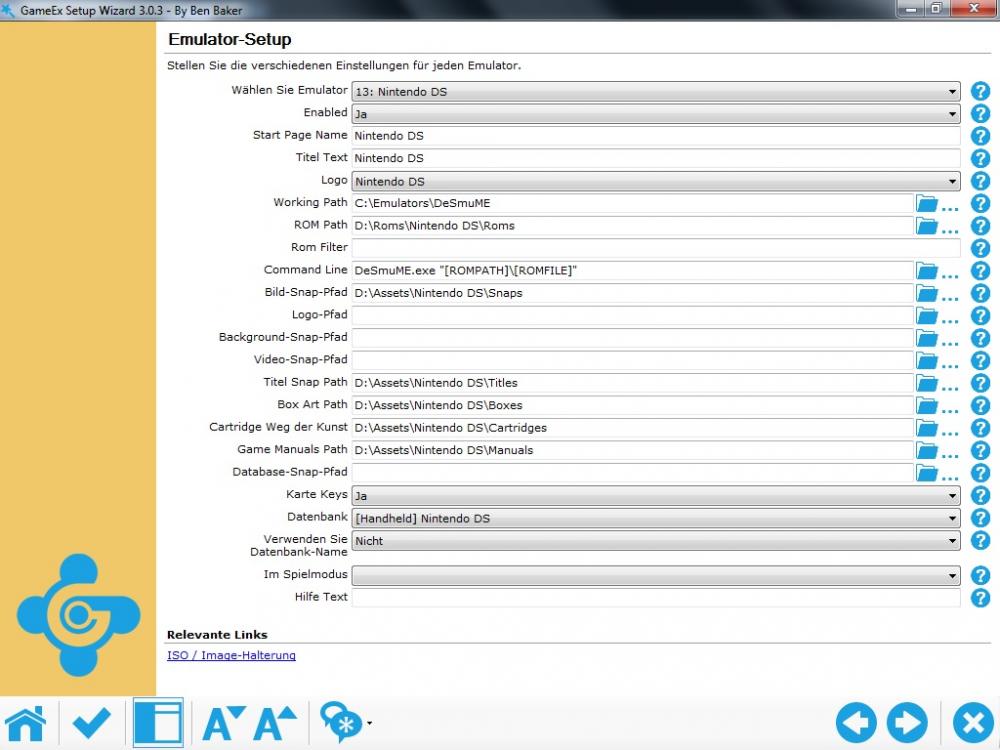
emu_13lastfolderwrite=19.03.2017 16:30:15 emu_13lastromfilter=*.* emu_13_dbcachemodified=17.01.2017 18:34:49 emu_13_lastnumgames=562 emu_13_dbcachelastname=[Handheld] Nintendo DS emu_13_dbcacheinicreated51=True emu_4_usedbname=True emu_8_usedbname=True emu_13_enabled=True emu_13_system=Nintendo DS emu_13_category=Handheld emu_13_emulator=DeSmuME emu_13_version=0.9.8 emu_13_rating=7.6 emu_13_downloadurl=http://www.gamesdbase.com/setupwizard/emulators/download/DeSmuME.7z emu_13_requiredfiles= emu_13_website=http://www.desmume.com/ emu_13_info=Nintendo DS emulator emu_13_titletext=Nintendo DS emu_13_startpagename=Nintendo DS emu_13_startpagelogo=Nintendo DS emu_13_command=DeSmuME.exe [QUOTE][ROMPATH]\[ROMFILE][QUOTE] emu_13_romfilter= emu_13_database= emu_13_configfile=[Mapping Off] Exit (Process Close) emu_13_mapfile= emu_13_rompath=D:\Roms\Nintendo DS\Roms emu_13_snappath=D:\Assets\Nintendo DS\Snaps emu_13_titlepath=D:\Assets\Nintendo DS\Titles emu_13_boxpath=D:\Assets\Nintendo DS\Boxes emu_13_cartpath=D:\Assets\Nintendo DS\Cartridges emu_13_manualpath=D:\Assets\Nintendo DS\Manuals emu_13_controlpanelpath=D:\Assets\Nintendo DS\Controls emu_13_workingpath=C:\Emulators\DeSmuME emu_13_mapkeys=True emu_13_waitbeforekeys= emu_13_sendkeys= emu_13_replacedash=False emu_13_replaceunder=True emu_13_capitals=False emu_13_removebrackets=True emu_13_showdesktop=True emu_13_debug=False emu_13_alsolaunch= emu_13_oldatzip= emu_13_launchbefore= emu_13_launchafter= emu_13_excludedfiles= emu_13_custombackground= emu_13_playmusic=False emu_13_dontshowinfo= emu_13_playselectionmusic=False emu_13_selectionmusicfolder= emu_13_pcgame=False emu_13_gamesin7zips=False emu_13_playinscreensaver=False emu_13_showmostplayed=False emu_13_randommostplayed=False emu_13_cdcheck=False emu_13_cdcheckfile= emu_13_downloadid=201 emu_13_baksnappath= emu_13_videosnappath= emu_13_usedbname=False emu_13_excludedfileswithnames= emu_13_tvadpath= emu_13_gameextendercustomartpath=
-
Hi there. I tried to setup the Nintendo DS Emulator. All paths are correct defined, datebase was loaded, but in GameEx the Gameslist is still empty. The Roms are .7z files. Other Emulators works well. Only NDS is empty. Also other files extensions like .nds doesnt work too What can I do? Thanks Rene
-
hi there, i use the plugin 'LCD/LED'by Ben Baker for the speech enginen only. i don't have a compatible LCD display.. this plugin needs around 10 minutes to initialize.. how can i shorten this time? Rene

-
Have Headkaze stopped the LCD Plugin? I hoped that my LCD display sometimes work with this plugin
-
Many thanks. Display works again. :-)
-
Feature & Enhancement Requests
flocke28 replied to Tom Speirs's topic in FAQs, Guides, & Other Useful Information
hi there.. i'm waiting a long time that the led/ lcd plugin supports more hardware.. http://www.gameex.info/forums/topic/10189-feature-enhancement-requests/page-15#entry82745 any plans to add more lcd driver? cheers -
hi there, has Gameex finished the lcd smartie plugin support? My lcd doesnt show game infos any more. in which registration table was stored the information? i forgot it.. have the gameex option a feature to disable/enable to write the game infos to the registration table? cheers René
-
i didnt changed codecs. i'm not sure what you need. gameex.ini or the log-file?
-
hi Tom.. at few Versions arent the Videos showing on the main Screen. i have to click mame then the Video thumbs are showing.. if i go back to the main Screen then the Video thumbs are also showing.. but never on program start from windows and could you please take a look at the weather Icon.. the wizard doesnt find any City.. Firewall is okay.. Service isnt blocked
-
Hi Adultry, could you please tell me how can i disable the Jukebox window in the game info plugin? i have only 2 Screens. one for mame and one for the extenter. the Jukebox window is too much, but i cant it disable. In the plug in Setting has enable/disable Feature no effect (Jukebox or Audio). In the screenselektor i can see an Option "None". can you help? tanks in advance René
-
Hi Draco. The gameextender isnt the Problem. The question is must pinmame starting automaticly with visual mame or must i starts separatly. I try to load a table in vp but pinmame isnt start.
-
hi there, i saw a clip with Visual Pinball works on 2 screens.. One for the playfield and one for the backglass.. I installed vpinball and pinmame.. But when i start a table than is the 2. Screen not in use.. Starts vpinball automatical pinmame when a table is loading? What can i do to use Visual Pinball on 2 screens? Thanks for help René
-
[NEWS] Virtual Pinball Machine - Powered By GameEx
flocke28 replied to Tom Speirs's topic in General
Wow.. Can you tell me the configuration of gameex to use this mode? -
i think i found the reason.. if i disable the option vsync in gameex than gameex works without crashs.. in the graphic card option i enable always vsync on.. perhabs that gameex witth also option "vsync on" to get a crash
-
this release crashs