|



mace
-
Posts
127 -
Joined
-
Last visited
-
Days Won
6
Content Type
Profiles
Forums
Events
Downloads
Store
Articles
Everything posted by mace
-
That's an odd one :-) I've renamed the .exe to remove the space for now. Always knew Microsoft hated pinball after the horrible free 'Space Cadet' game!
-
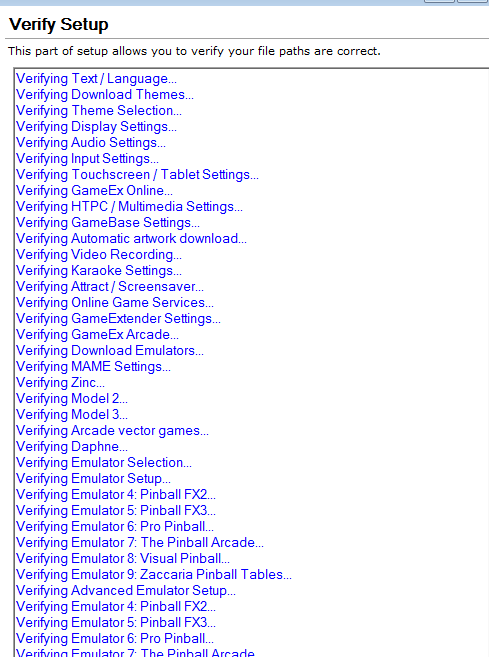
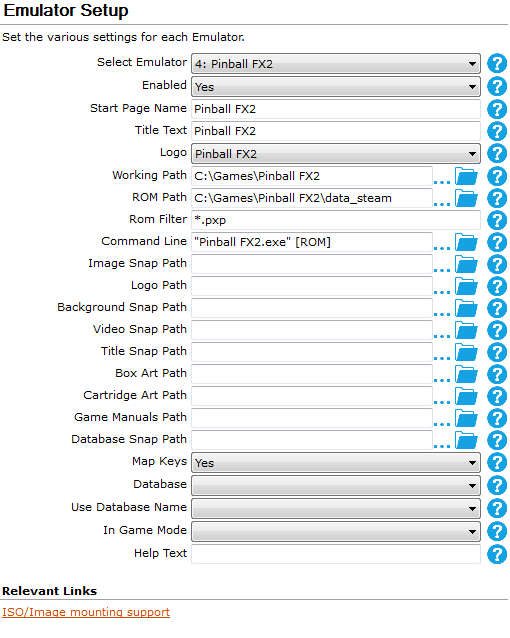
Here are the files: The original pre update file (Gameex(before).ini) shows that the emulator settings have a space in the program name in the command line ("Pinball FX2.exe" & "Pinball FX3.exe") After the 15.68 update to Gameex, those emulators do not run, the reason appears to be that the spaces have been stripped from the GameEx.ini file (Gameex(after).ini) No errors apparent in Log.txt (also attached) Running the setup wizard shows the spaces have gone (FX2aftergameexrun.PNG & FX3aftergameexrun.PNG) I corrected the commands in the wizard by adding back spaces (CorrectedsetupFX2.PNG & CorrectedsetupFX3.PNG) and checked verify performed correctly (verify.png). HOWEVER checking the GameEx.ini file still shows spaces are missing. Reopening setup wizard at this stage still has the correct command line with spaces still shown? This is repeatable. Finally manually editing the Gameex.ini to add the spaces back does not work as they are stripped our again once Gameex is run. So as far as I can tell the setup wizard does not appear to be correctly updating the .ini and Gameex v15.68 seems to be stripping out spaces from the emulator command lines when run. Sorry for the information overload but I wanted to cover the bases. GameEx(before).ini GamEx(after).ini log.txt



-
Just updated to Gameex 15.68 and after running I noticed my Pinball FX3 games would not run. Checking I found that part of the Command Line entry in the Emulator setup tab had changed from "Pinball Fx3.exe" to "PinballFx3.exe". Changed it back, closed and checked the config.ini and all was well however after running Gameex once again my Pinball FX3 games would not run. Checked the config.ini again and it had dropped the space and reverted from "Pinball Fx3.exe" to "PinballFx3.exe" again. @Tom Speirs I noticed that you mentioned that there have been some changes (performance improvements) to ini file processing so I am guessing that the space stripping may be something to do with that.
-

Feature & Enhancement Requests
mace replied to Tom Speirs's topic in FAQs, Guides, & Other Useful Information
Rats. I *thought* I had managed to solve this by editing the CustomMenu.ini file in the GameEx Config folder but unfortunately that reverted so it still seems to be that if an 'item' is chosen as MAME it behaves like a folder. -
Feature & Enhancement Requests
mace replied to Tom Speirs's topic in FAQs, Guides, & Other Useful Information
Really simple request, could we have an 'All Mame Games' option in the menu editor application that's accessible from the start menu please? The menu editor is a great tool but I have a flat menu structure setup where each item on the start menu opens a list of games. Unfortunately the MAME item opens what is effectively a folder if you have everything apart from 'All Mame Games' disabled, So the MAME item opens another screen with 'All Mame Games'. There is already a 'All Games' item that does nearly that but it includes every emu's games. Cheers Tom -
Just realised that I forget to mention a couple of tips to other touch screen users.... - It's vital to set Arcade Mode to off on touchscreen builds - Some of the themes will not work on touchscreen builds. So if you can get the click animation and see the touch working but nothing selects the open your theme folder. Find the theme.ini file and make sure in its 'General' section there is the following entry: ArcadeMode=False - If you want your touch screen to work in Mame then add the -mouse switch to the Mame settings command line section Hope this helps someone.
-
Blast , I owe Carny_Priest for help on my pin cab build, so a BIG thank you goes out to him as well. Yep, I started from the same viewpoint, in my case it went 'if I made it smaller would it fit in the.....' All running on Gameex, Mame dictated that platform in the end and the lists work far better on the vertical (I tried both). Here's the gameex.ini you requested as promised: GameEx.ini
-
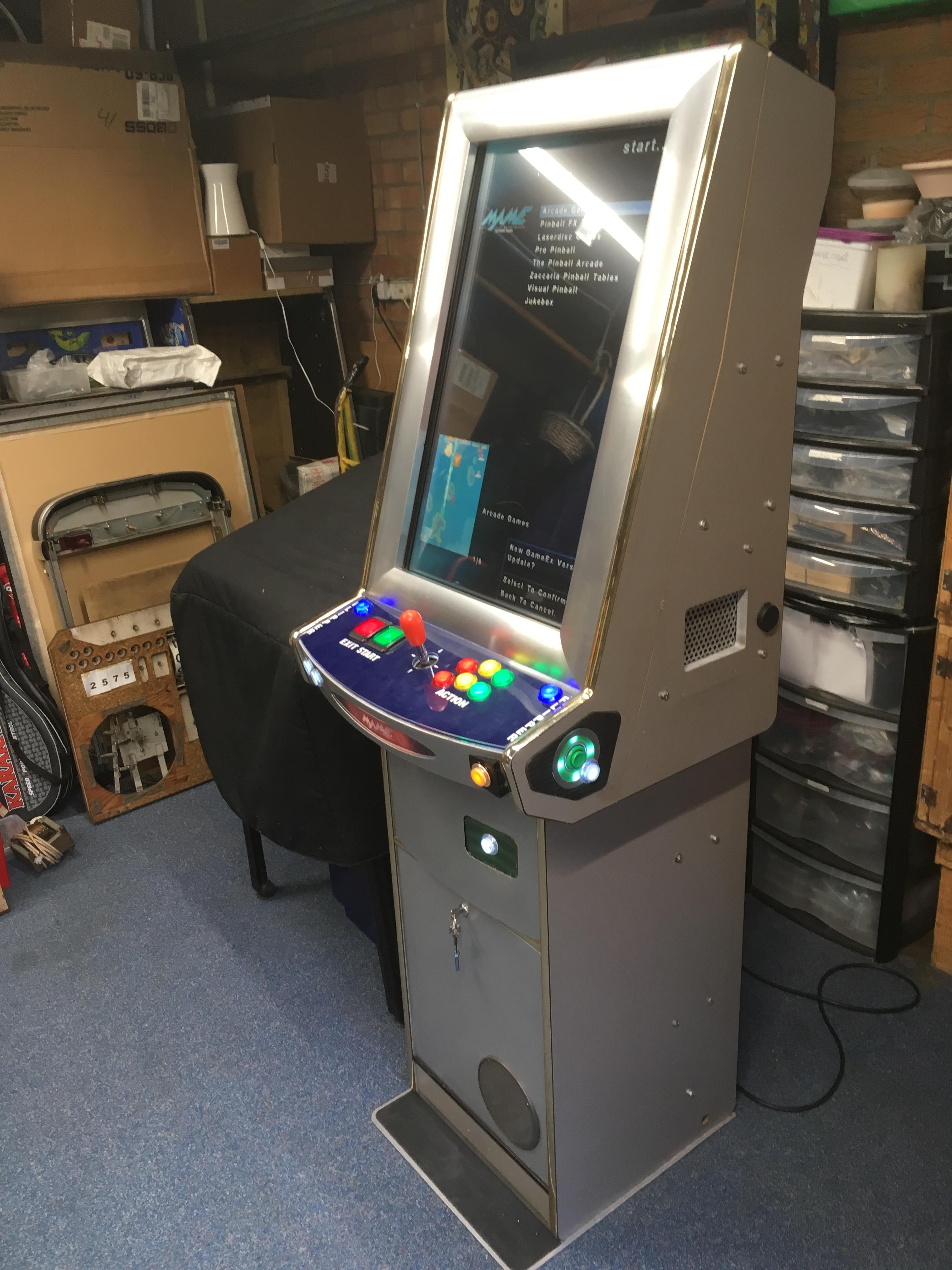
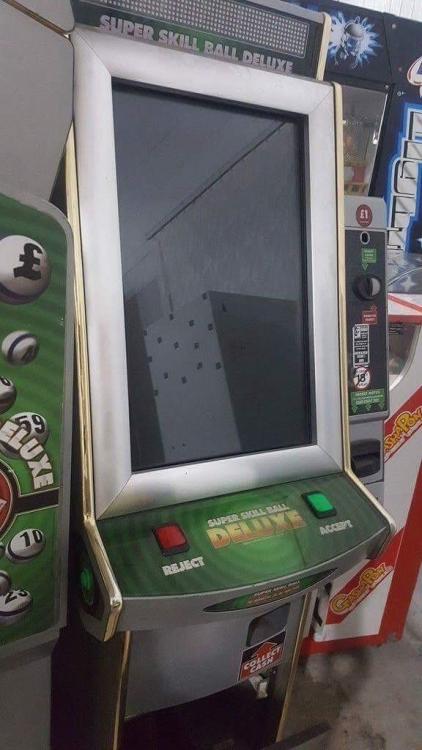
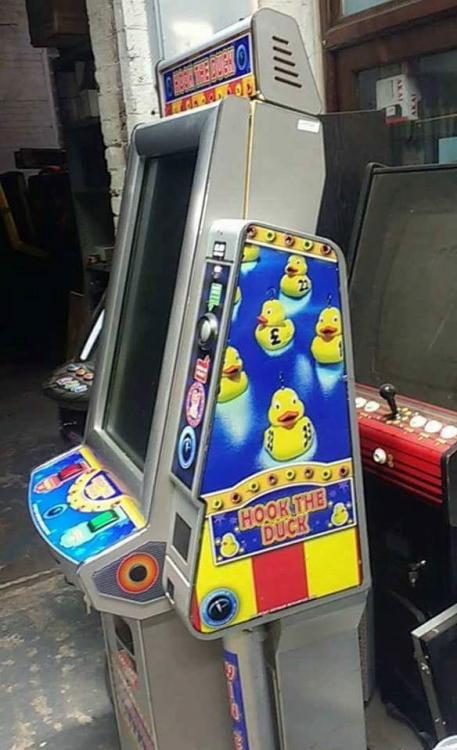
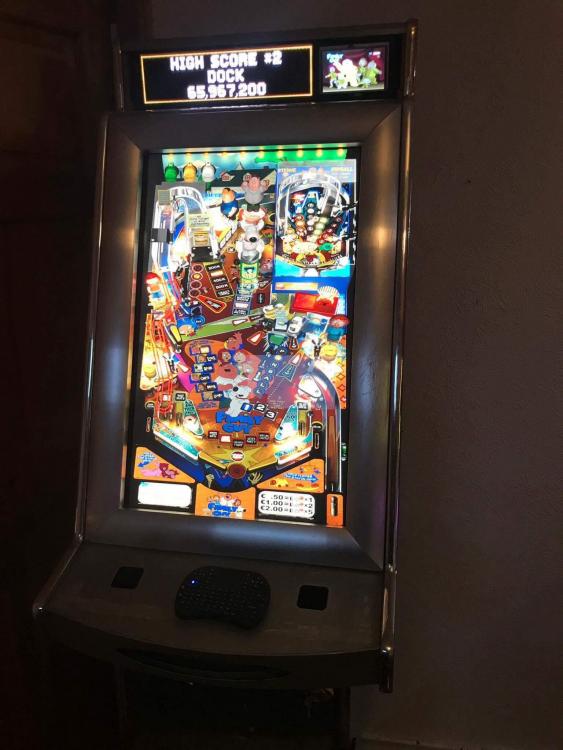
No worries, one other member who is a good friend also saw my cabinet in its raw state and decided to build his own cab from the same base, he did not go down the touchscreen route but added a DMD and a Backglass mini monitor. I've attached images of my cabinet before I started the build and his before and when it was nearly complete too. Jukedock deserves credit for getting his build completed well before me too, especially as he started after I did. I loved his PIN2DMD but as you can't really see it during game play I decided to drop it from my build after initially installing one. One interesting point is I also found full screen pinball tables felt a bit 'odd' on an upright so I leaned all mine back. Hopefully these images will help you track down an old Skillball or Hook a Duck cabinet they are built by Nova as the Four Seasons. I will say that they are well built, the steel base plate is 6mm and cutting through it to lose the unneeded side part was a royal PITA. As for the details of my build the 32" monitor runs at 768x1280 so not many horses are needed under the bonnet to get things running. It's a basic A8-3750K PC running Win 7 x64 with 4Gb of ram and an Nvidea GT 1030 card running DVI to the display. The card was chosen as its low profile, low cost and so frugal on power I was able to use the PC's existing PSU to drive it. The controller is a Kade and when the lower door is opened many of the buttons remap to simulate the arcade service buttons, this is indicated by a change of lighting on the LED's in the buttons. Everything Is held on a 120Gb SSD with a 540Gb HDD for the music and SSD backup. It also has a Bluetooth dongle so you can use the cabinets 2+1 audio (Stereo and Sub Woofer) as a stand alone amp. There's WiFi, control panel illumination and an external USB port too. A 5v feed from the PC is used to drive a switch board which supplies mains power to the Amp. The touchscreen is custom, made by visualplanet, a friend's business, although it should be easy enough to put in another make, it's really for he Jukebox software but it does makes programming a breeze to be able to move the cursor by touch too. I didn't worry about a real plunger this time or nudge sensing as I installed extra buttons for those functions. The build was all sourced from eBay, used parts mainly, and after finding money in the cabinet and selling off its original coin mech the whole hardware part of the project has come in under 250 :-) The software installed is: - Gameex - Mameplus64 - Daphene - Pinball FX2/FX3 - Pro Pinball - The Pinball Arcade (tables called through TPAFreeCamMod) - Zaccaria Pinball (tables called through a modified AHK script I found on the forum, that may have been yours Draco) - Visual Pinball 10 - Ultimate Jukebox They all run as administrator, under an Aero theme except for Visual Pinball 10 which has the desktop composition disabled to help stop micro stuttering. Everything is run full screen for speed, even The Pinball Arcade, although it does prevent adjusting the TPAFreeCamMod settings this way. Hope this helps, I'll pop up the .ini in my next post..... My original cabinet with its missing PC & door: Jukedock's build based on the same cabinet style:
-
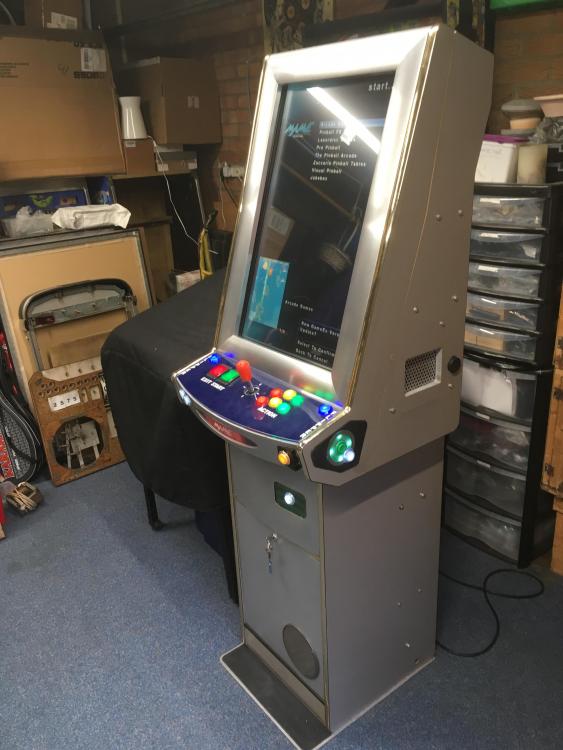
Hi All, Thought that I would post up a video of my latest project, up until now I've only used PinballX for Pinmame cabs but having bought an old Skillball cabinet with a vertical display I thought that GameeX would be the way to go. Here's a video of the complete project: ...and a few pictures too. I need to make the usual thanks, particularly to Jukedock for the controller and jukebox knowledge, Phil for making the bespoke plastics and Mike for making me the touchscreen. This time I managed to get through this by reading the forum and I didn't need to ask any questions - that's a tribute to the group. As for Tom's work and inspiration from posts by Draco and many others, well you all know that you are legends, thank you.
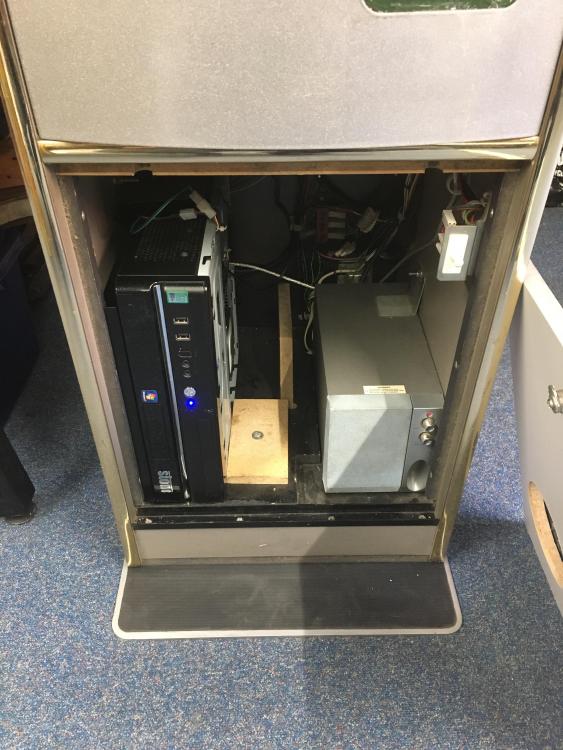
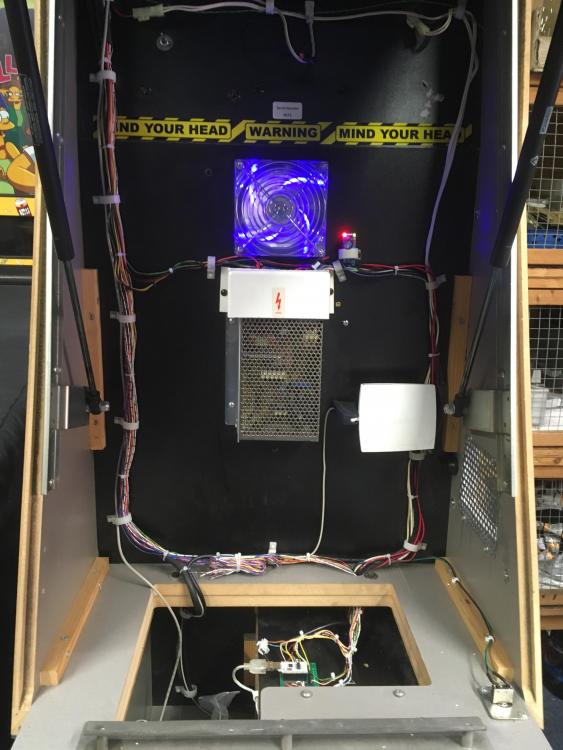
-
Not sure if this was down to my post on the subject a few days ago but it's awesome community support. You all rock.
-
I'd buy that person a beer!
-
Thanks Draco, reliable as ever. I grabbed that .xml, it's just a shame that GameEx and PinballX don't have an export option.
-
Hi All, I've been using GameEx for some time on my upright and now I have a bit of time I would like to transfer the upright roms to my PinballX set up. I can easily sort the vertical games out but to save a lot of time fiddling is there an easy way to get GameEx to export a mame.xml file for PinballX I have Googled to no avail...
-
Hi Tom, The shutdown issue we discussed and you worked on here: Seems to be present again under Win10. I've started a new build using the latest version of Windows 10 and so far its giving me far better results in term of video performance. However any attempt to run a program in the PinballX 'run before exit' option seems to stop the shutdown completely regardless of the 'wait before end' setting. Exit works just fine it just seems that there needs to be a longer delay on the shutdown execution. Alternatively (and probably simpler) would be for the shutdown selection to simply bypass and ignore the 'run before exit' option.
-
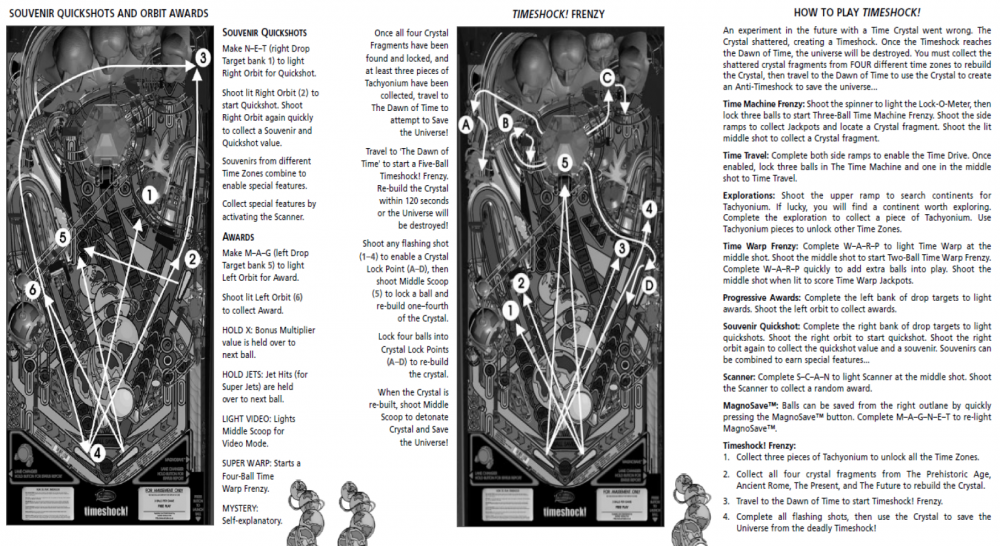
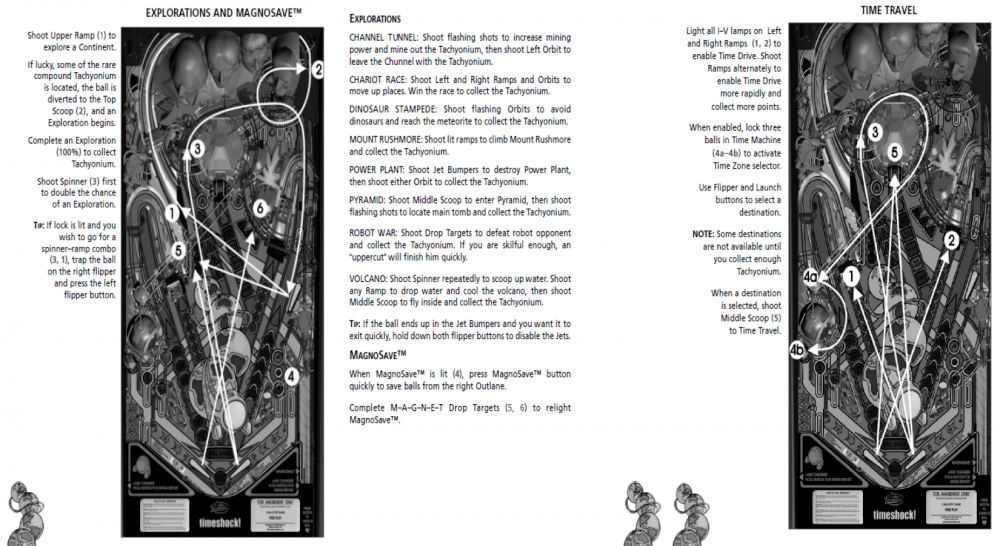
Here's some Instructions too:
-
Yep, I've tried that and the last rows of the last R-Z block are not reading :-( Tom, my suggestion would be to give up on the 'a-z' tab and use the 'owned' tab instead, it has no separators or odd spacing
-
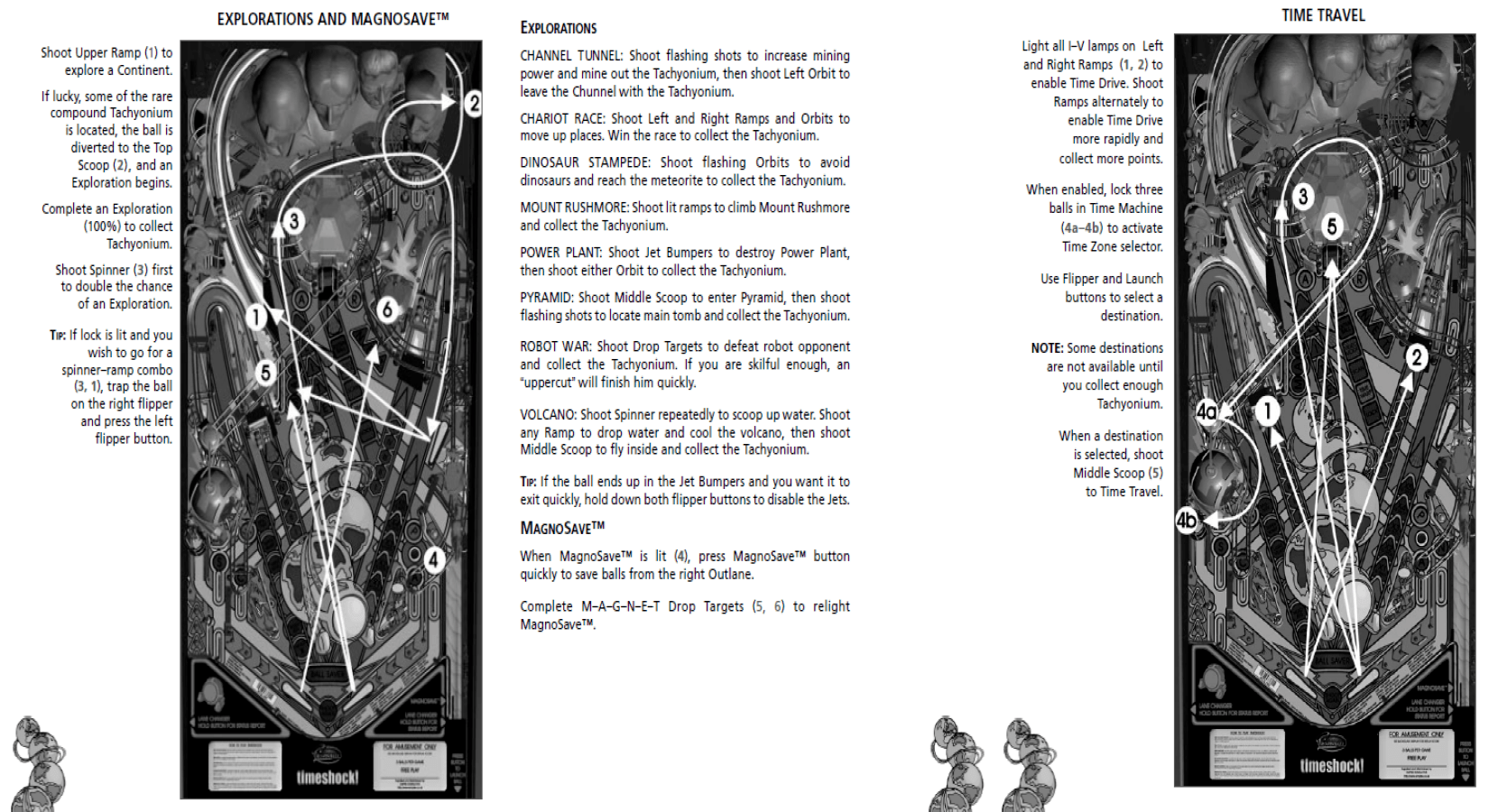
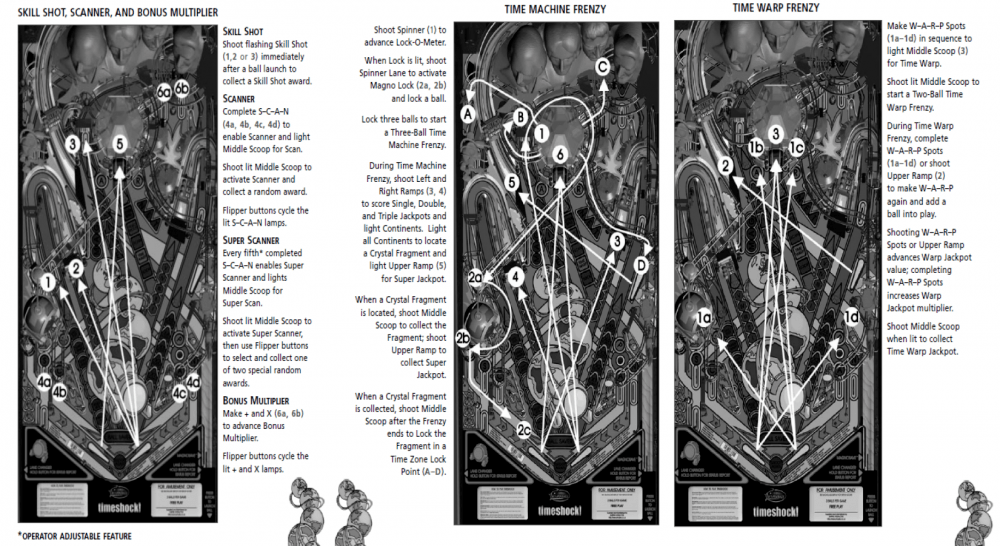
I searched for a DMD Video for Timeshock! with no luck so I've knocked one up, here it is hope it's useful for Timeshock! fans. Timeshock.mp4
-
I keep mine from updating for just that reason, Carny. Draco, that's right but its the work of a few seconds to rename the files, <sarcasm mode on>it's the price we pay for the outstanding community support that Farsight provides <sarcasm mode off>
-
I've just renamed the DX9 version from pinballarcade.exe to pinballarcade9.exe then copied the pinballarcade11.exe and renamed the copy to pinballarcade.exe and dropped it back into the same folder. that keeps Steam happy if that's what you are trying to avoid upsetting
-
Hi Draco, I get that issue if TPA DX11 is running in Full screen rather the Full Screen Windowed in the TPA set up program. Hope that helps
-
Hi Tom, Loaded v2.27 and everything is as is should be as far as I can see. The shutdown issue is fixed, great job thank you. I'll keep testing....
-
I've been called away for work until Sunday Tom but I'll test ot as soon as I get back. Thank you again.
-
Well that will teach me to read the release notes......it now works perfectly on all speeds Tom, well done and thank you. The only remaining issue now is as a game finishes the final score window is out of focus and therefore the only option is to exit and reload the game to play again, not sure if this is fixable other than by moving the mouse. at the moment if anyone else has the issue giving the table a nudge works........
-
2.26 installed by unfortunately not working, videos as before results are consistent: Short: https://1drv.ms/v/s!Ao6k3CIlgOqjnJlPayZf-oFiGN6hHw Medium: https://1drv.ms/v/s!Ao6k3CIlgOqjnJlUSd3Fy-_c4a_HVw Long: https://1drv.ms/v/s!Ao6k3CIlgOqjnJlRUUJC7o0I4QMZoA Very Long: https://1drv.ms/v/s!Ao6k3CIlgOqjnJlSJMghIJp2sdonlA Try to ignore the domestic running commentary in the background....<sigh> One other point Tom, I run a small batch file to rotate the screen on choosing 'Exit' from the PinballX menu, it works fine but I've noticed that I get a CMD.EXE crash every time I choose the 'Shutdown' option. Although this is irritating rather than critical I've tried to fix it by experimenting with the wait for program to end setting but it's made no difference. Disabling the exit batch program stops the error but also stop the 'Exit' functioning correctly. I wondered if it would be possible to check the 'Exit' program had completed before ac tioning //shutdown?
-
2.24 is in, I'll run for a bit and then report back....