|



stigt
-
Posts
162 -
Joined
-
Last visited
Content Type
Profiles
Forums
Events
Downloads
Store
Articles
Everything posted by stigt
-
Hi all, I have a question about launching PC games from within GameEx. For most installed games I have a no-cd patch and can run them via a shortcut without mounting anything. Some games however (like the wing commander series) must have an image file inserted with Daemon tools. I would like to run both type of installs with just one configuration. Is a wrapper of some kind needed? do I need to use a bat file? Any help with this problem is appreciated. Regards, Arjen (Underneath is my current config for PC games) [Emulator_21] Enabled=True STARTPAGENAME=PC Games TITLETEXT=PC Games StartPageLogo=PC ROMFilter=*.lnk;*.bat RomsInFolders=False RomPath=D:\Games\Shortcuts SnapPath=D:\Games\Artwork\Screenshot WorkingPath=D:\Games\Shortcuts MapKeys=False WaitBeforeKeys= SendKeys= ReplaceDash=False ReplaceUnder=True Capitals=False RemoveBrackets=True ShowDesktop=False Debug=False MAPFile= AlsoLaunch= Command=[ROMPath]\[RomFile] OLDatZip= TitlePath=D:\Games\Artwork\Title BoxPath=D:\Games\Artwork\Box LaunchBefore= LaunchAfter=C:\Emulation\Xpadder\Profiles\blank.xpadderprofile CartPath=D:\Games\Artwork\CD configFile= ExcludedFiles= CustomBackground=pcgames.png PlayMusic= PCGame= DATABASE= DumbyValue= GamesIn7Zips= PlayInScreenSaver=True lastgame= ShowMostPlayed=False DontShowInfo= PlaySelectionMusic= SelectionMusicFolder= ManualPath=
-
hmmm, did that, but the problem persists. Strange indeed. Any ideas?
-
Hi there, when running mame32.exe by itself, I figured out a smooth running configuration, stretched to fullscreen. When I run mame through gameex, it doesn't stretch and it stutters, probably something to do with autoskip. How can I run mame32 through gameex and let it use the standard ini which is in the mame folder? Greetings, Arjen
-
OK, I found some sort of workaround for this problem. It might not be the most elegant way, but it works. I discovered that when I reset pinmame with F3,it became visible again. So I added sendkeys {F3} and waitforkeys 4000 to the pinball config, and now it works. Thanks Brian for your help, Cheers, Arjen
-
Hi Brian, do you have any suggestions what I can try ? And also, has anyone else had this problem and knows how to solve it? regards, Arjen
-
Hi Brian, I tested what you suggested and it's very strange: When I run lastgame.bat it's the same error, pinmame is obscured by the table, if I quit to the visual pinball editor and then press play, everything works OK again. I don't understand what's going on.. Arjen
-
I think it went haywire after updating gameex, I can't remember exactly which one. Is this problem with pinMAME familiar for somebody? BTW when I launch VPinball outside gameex, everything is running normal, so it must be some conflict with gameex. I also notice that when I alt-tab to pinmame, it is visible for a second and then disappears again, so it IS running, but hidden by the pinball table graphics. Arjen
-
Hi all, I used to have a working configuration for visual pinball, thanks to Brian's great tutorial. However since a couple of updates ago, pinMAME is obscured by the table, it runs in the background, and I can play the table, but I can't see it. When I set ShowDesktop to No I can see pinMAME, but no table. Probably I am overlooking something, but I can't figure out what. Regards, Arjen PS: This is my current config for Visual Pinball: Enabled=True STARTPAGENAME=Pinball Games TITLETEXT=Pinball StartPageLogo=pinball ROMFilter=*.vpt RomsInFolders=False RomPath=C:\Emulation\Pinball\Tables SnapPath= WorkingPath=C:\Emulation\Pinball\Tables MapKeys=True WaitBeforeKeys= SendKeys= ReplaceDash=True ReplaceUnder=True Capitals=False RemoveBrackets=True ShowDesktop=True Debug=False MAPFile= AlsoLaunch=[apppath]\vpauto.exe Command=..\VPinball.exe -play -"[ROMFILE]" OLDatZip= TitlePath= BoxPath= LaunchBefore= LaunchAfter= CartPath= configFile=Project 64 V2 ExcludedFiles= CustomBackground=pinball.png PlayMusic= PCGame= DATABASE= DumbyValue= GamesIn7Zips= PlayInScreenSaver=True Import= Export= LastGame= ManualPath= ShowMostPlayed=False DontShowInfo= PlaySelectionMusic= SelectionMusicFolder=
-
Hi there, sounds like great work, but can you tell a technologically challenged person like myself what to do with the .exe and .au3 file to run my g&w games? Cheers, Arjen BTW, if you are looking for nice boxscans of Game&Watch games, try the following link Linkylink Go to "Game and Watch" and then "Reviews"
-
Hi all, I have two small questions 1: Since the last three or four updates Gameex insist on installing the italian version for some obscure reason. I have always used the english version, and my operating system is also in english. I have no idea why it chooses the italian language. It is no big problem, because I can manually switch back to english after the update, but it is a bit strange nonetheless. 2: Am I the only one who is experiencing severe lag and dropped connections on the Gameex forum lately? Normal browsing of the forum has become almost impossible for me. All other internet sites and fora work normally, I only experience lag on the GameEx forum. Maintenance of the servers or any other known problem? I hope it returns to normal soon. Cheers all, Arjen
-
Oooops, my bad, didn't do my homework before writing. I forgot to install FFDShow. All is working fine now. Cheers, Arjen
-
Same problem here, avi's for other emulators work fine, only mame avi's show a black screen. Codec issue? Arjen
-
Hi Kenclops, great work, I love these avi's instead of screenshots. Can you explain how you made them? Did you use fraps for the recording? Cheers, Arjen
-
Thanks a million Tom, that seemed to have fixed this nagging problem. The only thing I did was remove the temppdf.pdf file from the DATA folder, because I had no Security tab in my folder properties. However, I can view the manuals now, thanks for sorting this problem out. What was the cause of all this? maybe other users can prevent this problem from happening if we know what caused this problem.. Cheers to all who contributed on solving this.. Arjen
-
Hi Tom, I did what you proposed, and posted the resulting log, I really hope this can help. Regards, and again thanks for great support. Arjen log.zip
-
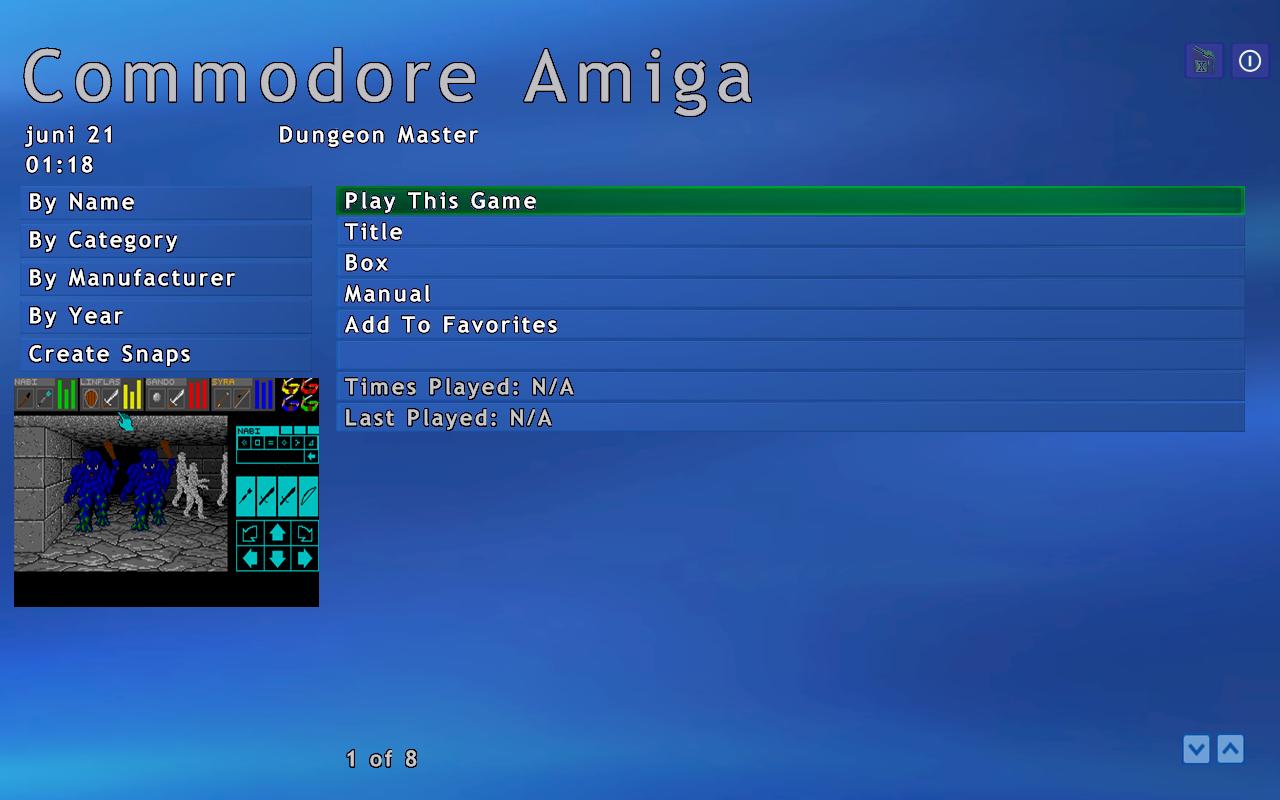
Hi Tom, I am experiencing this with all emulators. An example is the one from which I took the screenshot, the "rom" of Dungeon Master, for WinUAE v 1.3.4 I have a PDF file of the manual, named exactly as the "rom", in the manuals folder, which I also set in the emulator config for WinUAE. The manual shows up in the menu in GameEx, as you can see on the screenshot earlier in this thread, meaning that the folder and the pdf file are recognized. When I select the manual option, the pdf file will not load, no error, nothing. I attached the log and ini with the post. Thanks for your efforts, Arjen logfile_and_ini.zip
-
Anyone having some more suggestions? I am still experiencing this problem. Arjen
-
I'm using the combo GameEx and NOD32 v 2.7 without problems, so I doubt that NOD32 is the culprit.. Regards, Arjen
-
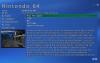
The text I mean is the short summary of the game, I attached a screenshot to show what I mean, Arjen
-
Hi all, I have two questions about GameEx: 1-Is there any way to configure GameEx to start up with the emulators menu? I solely use gameex as an emulator frontend, so this option would be nice. 2-Where can I input my own text for game descriptions? A lot of games are covered, but some are not. Where can I add this text? Cheers, Arjen
-
Any luck with recreating this problem? Was the logfile of any help? Hope anyone can help me, cheers, Arjen
-
Hi Tom, I am running on windows XP SP2, the folder C:\program files\gs is present, and I attached the logfile to this message Regards, Arjen log.txt
-
Has anyone been able to reproduce this error? Arjen
-
Yes, they are the same (they must be, otherwise the item wouldn't show in the GameEx menu..) I am curious if anyone can replicate this problem, or am I the only one?? Arjen (Included example picture, you can see that the item "manual" is in the menu, so the name of the pdf is correct)

-
OK, I uninstalled adobe reader 7.0, and reinstalled adobe reader 8.0. The problem still persists after that. Then I downloaded and installed the file OfflineGameManualInstall.exe another time, but again..no success. The manual appears in the menu list right under the box art/screenshot/titlescreen, so the path of the directory and the name of the pdf are correct. But again If I click it, the menu slides to the right as if loading something, but immediately slides back without loading the pdf. Do I have to change something in the config of GameEx to point where adobe reader is installed, or should it work right away? I'm puzzled. Arjen