



|



repetto74
-
Posts
162 -
Joined
-
Last visited
Content Type
Profiles
Forums
Events
Downloads
Store
Articles
Everything posted by repetto74
-
Any ideas on what could be the problem and how to fix it?
-
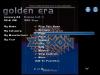
Hi, Here enclosed log, gameex.ini and a screen capture. I am using the Default Media Background V1 theme and therefore I do not see any 'Change View' option in it. In the screen capture you can see the image is displayed in the background but it is not possible to pop it full screen now...I can just hear the jingle several times when pushing the select button but nothing moves. Cheers, Rick GameEx.ini log.txt
-
Hi, I have freshly installed Gameex to run Mame games library on an arcade cab (I had a lot of issues with themes before and could not find a solution to it so decided to do it from scratch and now it's ok). I have set up everything but now I can't get the extra image for each game (title, cpanel, marquees, snap, flyer etc..) to display full screen. I can see the image displaying in the background when selecting it on the list but can't get into the full screen mode when pushing the select button Any idea where to set this correctly?? Cheers, Rick
-
Hi Draco, I understand something is wrong with my XP permissions I will try to collect as much valuable info as I can on the net and try to fix this problem. Thanks a lot for your support on this matter! Cheers, Rick
-
Hi draco, Have tried this guide folder option view tab in advance settings uncheck "simple file sharing(recommanded) go to the specific folder R-Click on it properties security tab advance tab owner tab select your account name check "replace ............objects" error appears click yes and remove the attribute and enjoyI was able to go through all the steps and set rights to my account but I still have the read-only option flagged (the flag is grey color not black actually). Unflagging this option is useless as it will come back again when I click back to properties.. Getting mad here...
-
Hi Draco, Just saw your reply. Well I am trying to understand how to set up those admin permissions but for this I will need to move the entire Gameex folder in the Shared Doc folder according to the guide which I really do not understand why? What is the main purpose of the sharing here? Give access to other users on the network? I am asking this because my config is a PC running XP into a MameCabinet machine with an ArcadeVGA monitor. XP has been installed with a single user profile.
-
Hi Draco, I tried also your suggestions and changed the gameex.ini and default.ini but the result is very odd... Themes are loading fine as I can see but there is just only a Gameex arcade option under emulated games and no games at all (gameex says there was an error loading the database)... Better if I revert back to the previous settings?
-
Hi Draco, I right click on gameex.exe but there is no option related to Administrator rights in the properties tab. There is a 'Run as...' option when right clicking which ask then to select the profile be used to run the application... Let me try to work on the gameex.ini and gameex.default.ini file as you previously suggested and I'll revert...
-
Hi Draco, I have made some testing this morning and found out something interesting. First of all the guide to set up folder permissions do not really help. My XP asks to move the folder I want to share in the Document folder. Why should I do that? I think this will just screw up the whole Gameex installation. I do not want to move it before being sure this will not get things worst. By the way I do not know how to set Gameex.exe to run as administrator in XP. Anyway I have noticed something : I can switch between themes labelled V1 with no issue. If I pick a non V1 theme then the Default Media Center Background (not the V1 version) will be loaded no matter what the non V1 theme picked will be. If I go back to a V1 theme then it's back to normal again....
-
OK Draco have to say to you million thanks!!! I just tried your first step and checked the Gameex folder properties. The folder was in Read Only Access so I unchecked the flag and now it is working! All themes will load with no particular issue ! Thanks a lot for spotting the right solution to this problem...I was affraid my Gameex installation was somehow screwed up!! {EDIT} Actually I have noticed that the Read Only acces flag will come back after a theme is selected and Gameex is stuck on the last theme selected whatever I will pick from the Wizard Menu. I have to unflag each time manually before changing a theme...
-
Hi Draco, Sorry for the late reply, I was not at home this WE. Let me give a try to your suggestions and will revert back as soon as it is done. What I can tell you for sure is that Gameex has been installed in the C:/Gameex directory and nothing has never been moved or changed from there. Thanks Rick
-
Hi, Thanks for your instructions. Concerning DirectX I do not think this is the problem. I am using WXP SP3 which I believe is updated. Also note that I did not have this issue before running the automatic theme downloader. I am using also an Arcade VGA card with the Catalyst Video Drivers to generate modelines for GroovyMame and those are working flawlessly. So I have followed your instructions and here are the outcomes : There is a slight improvement, now if I select a theme different from the one I use (default media center-background V1), the theme will load and work normally. The problem is that the theme loaded is always the same no matter which theme I select from the Wizzard setup list. Let me explain : if I select Default media center Background V1 this theme will load normally but if I select another theme different from background V1 then it is the Default Media Center Background (not the V1 version) which will load. Also the theme will not load from the Start Page but from the Most Played page.... I think there is something wrong with both the Media Center Background versions of my themes and the versions labeled V1...Gameex is looping into those two themes.. Here enclosed the log and ini Thanks again for your support on that matter gameex.default.ini GameEx.ini log.txt
-
Some themes works normally and some not. Here are the themes not working : Default - Media Center Default - Media Center Background Default - Default Default - Arcade VGA Low Res Simple Mode ArcadeVGA (third party theme) Default Glossy V3 Default Blueglass, Default Media Center V1, Default Media Center Background V1, Default Alpha Blue, Olive and Red are properly working Cheers Rick
-
Hi Draco, I have tried that already. Basically I downloaded the whole theme package and installed it manually with the same result.
-
Hi Draco, Here enclosed the log and Gameex.ini just after trying a non working theme (here it is the Defautl MCE Glossy V3). The theme would just not load ('please wait' is keeping displaying) and then gameex just switch on the Theme Picker page with nothing in it. A lot of my themes behave exactly the same way... Cheers, GameEx.ini log.txt
-
Hi Draco, Yes closed and ran gameex again but no changes. I think this is due to the issues I am having with Gameex themes in general. I explained the whole issue I am having with most of my default themes in an earlier post. Some are working and some are just displaying incorrectly...the problem started after I tried to download some themes with the automatic downloader...it might have screwed things up! Also the 'theme picker' option in gameex is not working...just a blank background with the 'please wait' flashing and that's all....
-
I have tried to change the logo color but same problem....maybe the image format is not correct?
-
No sorry actually it doesn't work..... I can't see any logo in the background anymore now...it's pitch black Maybe something wrong with the color?
-
OK KRC got it! Changed AtariLogo with yours and working good now!! Thanks a lot
-
Hi KRC, Thanks it's this one. Shall I give a particular name to the file or is that ok? Thanks rick
-
Hi KRC, Thanks for the tip but the logo is not a picture of the console but actually the Atari company logo (the Japanese Kanji letter). I am using the Default mediacenter Backgound V1 and cannot find this picture in the folder structure (I found yours in the default default theme folder). Cheers Rick
-
Hi, I started installing some console emulators in Gameex with MESS (working flawlessly by the way) and I have a question regarding the console logos used by Gameex. They work good but the default logo for the Atari 2600 is dark brown at a point where is is really difficult to see it clearly with the dark background. Is there a way to change the color of the picture logo?? Where can I find it and how can I edit it? Thanks Rick
-
Hi Draco, Thanks a lot. I went through a detailed guide for MESS and figured out also how to configure it with Gameex! Working like a charm now! Thanks Rick
-
Hi, I would like to use GroovyUME with Gameex. For those who do not know GroovyUME is an optimized port of MAME/MESS to run into cabinets with genuine CRT arcade monitors (ability to generate and pick games native resolutions). Actually I have setup GroovyUME with Gameex to run Mame games but I do not understand how I have to set up the UME.ini file and Gameex to have the consoles emulated also. I would like to start testing this with the Colecovision system. I understood that the path to the BIOS roms need to be specified in UME.ini like the normal MAME Roms but I do not know what to do with the cartridge roms of the console.... And how to set this in Gameex in order to have a Colecovision menu and games list?? Thanks, Rick
-
Hi Draco, No I am not running in Arcade VGA mode. I just tried to load a low res theme after switching resolution manually from desktop (with Avres icon tray) and confirm it is giving also troubles. I do confirm that most of the themes of my list are not working (most of them running at 640x480) and will only display a blank 'theme' page and that's all Here are the themes not working : Default - Media Center Default - Media Center Background Default - Default Default - Arcade VGA Low Res Simple Mode ArcadeVGA (third party theme) Default Blueglass, Default Media Center V1, Default Media Center Background V1, Default Alpha Blue, Olive and Red are properly working Cheers, GameEx.ini
