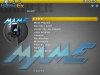
Hello to all the community GameEx. To begin, I ask you to excuse me for my broken English because I'm a little frenchy who struggled to learn English at school and regret that now though. To follow, I want to thank everyone that we do and will the quality of this super front-end for arcade because I've tested a lot of software and frankly this one is really above the rest! Ok, there's another who does serious level graphics but serious train on my pc dedicated to my future arcade. Graphic designer and developer by profession, the 40ene packed, I set myself up as a project of a multi-arcade emulator based on your frontend. Presentations being made now are entering the heart of the matter. I am currently carrying out a theme for GameEx to my terminal and I, of course, some problems with understanding the realization of a theme and especially the interpretation of my theme by the GameEx engine. Start directly with the things that annoy: management transparency PNG files of the software. What is this concept to make transparent the black so that the handles so well the PNG alpha channel? I therefore appeal to (x) encoder (s) of the software (the gift life was made one day after finding this gem): he'll be possible to modify the code to handle once and for all the alpha PNG file correctly? A small line option in the theme.ini would force this option and would keep compatibility with older themes. Secondly super important for me is the font. I did find a file "GameExText.x" in the theme directory home but I did not find more info on that and I wish I could change the font for my original custom theme . My other complaints are much smaller: - In the theme files, what are (that is, or are displayed) image files as follows: 2600.png, 5200.png, 7800.png, (and other images of game consoles), Arcade.png, back . png, folder.png, icons of the language flags. - I do not quite understand how to add backgrounds in theme. How to name the file in the "BACKGROUND" relative to the selected page (especially emulators). Well, I think I'll stop there for my first post on this forum I pass by already for a troublemaker. Anyway, there are some French in the room that can provide a translation more understandable than the Google translation, he does not hesitate and feeling very alone in my project, do not hesitate to contact to discuss it privately. Once again thank you for this superb front-end WarbleWad PS: a small screenshot of my theme in preparation to make your mouth! ----------------------------------------------------------------------------- Bonjour à toute la communauté gameex. Pour commencer, je vous demande de m’excuser pour mon anglais approximatif car je suis un petit frenchy qui a eu du mal à apprendre l’anglais à l’école et qui le regrette bien maintenant. Pour suivre, je tiens à remercier tous ceux que on fait et feront la qualité de ce super front-end pour borne d’arcade car j’ai testé pas mal de logiciel et franchement celui-là est vraiment au-dessus du lot !! Bon ok, il y en a un autre qui le fait grave niveau graphique mais il rame grave sur mon pc dédié à ma future borne d’arcade. Infographiste et développeur de profession, la 40ene bien tassée, j’ai comme projet de me monter une borne d’arcade multi-émulateur basée sur votre front-end. Les présentations étant maintenant faite entrons dans le vif du sujet. Je suis actuellement en train de réaliser un thème pour gameex pour ma borne et j’ai, bien sûr, quelques soucis avec la compréhension de la réalisation d’un thème et surtout sur l’interprétation de mon thème par le moteur gameex. Commençons directement avec les choses qui fâchent : la gestion de la transparence des fichiers PNG du logiciel. C’est quoi ce concept de rendre transparent le noir alors le que le PNG gère tellement bien la couche alpha ? J’en appelle donc au(x) codeur(s) du logiciel (le don a vie a été fait 1 jour après avoir trouvé cette merveille) : serai-t-il possible de modifier le code pour gérer une bonne fois pour toutes la couche alpha du fichier PNG correctement ? Une petite ligne d’option dans le fichier theme.ini permettrait de forcer cette option et permettrait de garder une compatibilité avec les anciens thèmes. Deuxième point super important pour moi, c’est la police de caractère. J’ai bien trouvé un fichier « GameExText.x » dans le répertoire de thème d’origine mais je n’ai pas trouvé plus d’info la dessus et j’aimerai pouvoir modifier la police de caractères d’origine pour mon thème personnalisé. Mes autres requêtes sont beaucoup moins importantes : - Dans les fichiers de thème, à quoi servent (autrement dit, ou sont affichée) les fichiers images suivantes : 2600.png, 5200.png, 7800.png, (et autres images de consoles de jeux), Arcade.png, back.png, Folder.png, les icones de drapeaux de langue. - Je n’ai pas très bien compris comment ajouter des backgrounds spécifiques dans le thème. Comment nommer le fichier dans le répertoire « BACKGROUND » par rapport a la page choisie (surtout au niveau des émulateurs). Bon, je crois que je vais m’arrêter là pour mon 1er post sur ce forum par je passe déjà pour un emmerdeur. Quoi qu’il en soit, s’il y a quelques français dans la salle pouvant fournir une traduction plus compréhensible que la traduction de Google, qu’il n’hésite pas et me sentant très seul dans mon projet, n’hésitez pas à me contacter en privé pour en discuter. Encore une fois merci pour ce superbe front-end WarbleWad PS : une petite capture d’écran de mon thème en préparation pour faire saliver !!!