|



sideshowbob
-
Posts
4 -
Joined
-
Last visited
sideshowbob's Achievements

Member (1/5)
0
Reputation
-
Windows "login in" box still shows with instant sheller
sideshowbob replied to sideshowbob's topic in General
Thanks for the update. Hopefully someone else can chime in -
Windows "login in" box still shows with instant sheller
sideshowbob replied to sideshowbob's topic in General
I was only using instant sheller......regedit edit was proving a real headache with 64 bit. Is this a known problem with 64 bit? Can it be fixed within instant sheller? Thanks for your help -
Windows "login in" box still shows with instant sheller
sideshowbob replied to sideshowbob's topic in General
Hi Draco 1962, Thanks for the response. You got me thinking.......So I installed XP32 bit (Tiny revision), and instant sheller worked perfectly. So it must be a function of 64 bit XP. Is there a "work around" for this? Shame not to use XP 64 bit....as I now lose 4 GB of RAM that I installed. Thanks again -
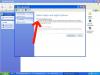
Firstly.....great app. Ok, my problem......... I normally shell my front end using regedit. Since I've upgraded to XP 64 bit, I'm having huge problems with the login in" screen showing very briefly on startup. (I'm running a 15Khz arcade screen). Instant sheller works great, but I can't for the life of me sort out this Login in box showing. I've unticked "change the way users logon/off" Plus ticked enable auto login I can't even maually shell my system (regedit).........so am wondering if it's a 64 bit issue? Please please help......it's driving me nuts!!