



|



Moma11
-
Posts
1 -
Joined
-
Last visited
Moma11's Achievements

Member (1/5)
0
Reputation
-
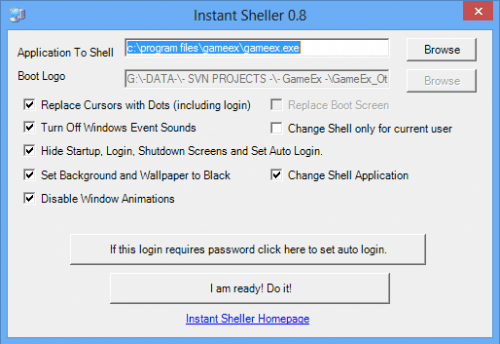 🛡️ Windows "Black Screen" Fix Guide (After deleting UI modification programs like Instant Sheller) The Problem: When deleting programs like Instant Sheller while "Hide" options are active, Windows gets stuck on a black screen because the system can no longer find the Shell file. ⚠️ Important Warning: In many cases, the emergency shortcut (repeatedly pressing the "U" key during boot) does not work. You must use the manual Command Prompt (CMD) method below. Step 1: Open CMD with Administrative Privileges * Press Ctrl + Alt + Delete and select Task Manager. * Go to the File menu and select Run new task. * Type cmd in the box. * Crucial: Check the box "Create this task with administrative privileges" and click OK. Step 2: Shell Recovery Commands Run the following two commands to restore the Windows Desktop for both the user and the entire system. Copy each line and press Enter: 1. To fix the current user's settings: reg add "HKCU\Software\Microsoft\Windows NT\CurrentVersion\Winlogon" /v Shell /t REG_SZ /d explorer.exe /f 2. To fix the global system settings (The Root Cause Fix): reg add "HKLM\SOFTWARE\Microsoft\Windows NT\CurrentVersion\Winlogon" /v Shell /t REG_SZ /d explorer.exe /f Step 3: Apply the Fix Once you see the message "The operation completed successfully" (or "L'opération a réussi"), run the restart command immediately: shutdown -r -t 0 Additional Tips: * To start the desktop "now" without rebooting, type start explorer.exe in the CMD. * Always ensure there is a space before the /f in the commands to avoid "Syntax Error".