



|



Seve
-
Posts
10 -
Joined
-
Last visited
Seve's Achievements

Advanced Member (2/5)
0
Reputation
-
Updated and solved! Thank you very much!
-
Spanish (Spain, International)
-
I've attached my log file. Is there any way of disable it? log.txt
-
Today I've updated to 5.04 version of PinballX and now the mouse pointer disappear after launching PinballX. The worst is when I exit of PinballX the mouse remains disappeared. I must go to panel control to restore it. Is it a bug? Sorry for my poor english.
-
SOLVED! As you say, I've disabled B2S and the controller works. Thank you very much at all of you!
-
I did it copying one xml list from "Visual Pinball 1" to "Visual Pinball 2" folder. All the tables appear in both Game Manager and Database Manager but not in PinballX menu.
-
I'm not able to do that. I've disabled Visual Pinball (OK) and I've added a manual system called Visual Pinball 2 but this new system doesn't appear when I init PinballX. I attach the setup. I don't know what's wrong with it. By the way, without the system visual pinball, no problem with the controller.
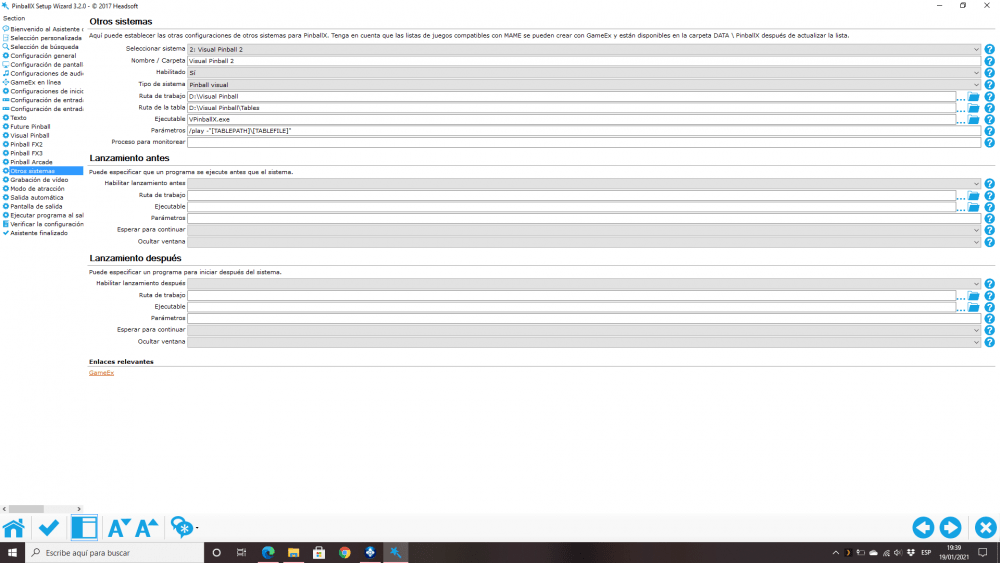
-
No. When I am in Visual Pinball system it doesn't work (or only sometimes) always and must use keyboard and when I am in FX3, FX2 or Pinball Arcade system it works perfect.
-
Thank you for your answers. I attach a copy of my log.txt file. I've started PinballX and I've navigated by the FX3's tables (with the controller without problems) and by the Virtual Pinball's tables (with the keyboard because the controller doesn't respond here). I haven't started any table. I've tried the solution of the thread you mentioned but the problem continues. And I have only this problem in pinballX. In the settings wizard I can configure the buttons without problems and in VPX works perfectly. And, of course, in Pinball FX3, Pinball Arcade, etc. That's very strange. Thanks in advance again and sorry again for my poor english. log.txt
-
I have installed the last version of PinballX using an XBox One wireless controller. When I use pinballX with a pinball FX3 list it works perfectly but when I use any Virtual Pinball list the controller works sometimes but the most of the time I must use the keyboard because it doesn't respond. This only happen in PinballX's menu. When I start any table (using VPX), the controller works again . Anyone Knows what happen? Thanks in advance and sorry for my english. I attach my PinballX.ini PinballX.ini
