|



BrutalJoke
-
Posts
3 -
Joined
-
Last visited
BrutalJoke's Achievements

Member (1/5)
0
Reputation
-
 After a long time messing around on my own but not giving up I decided to join the team being a full member. Just 1 question the team got me up and running. If you have problems? Join this team, they've got your back. Now I will explore more what these guys have cooked for us , I can't hardly wait See you ltrs and cheers, BrutalJoke
 -
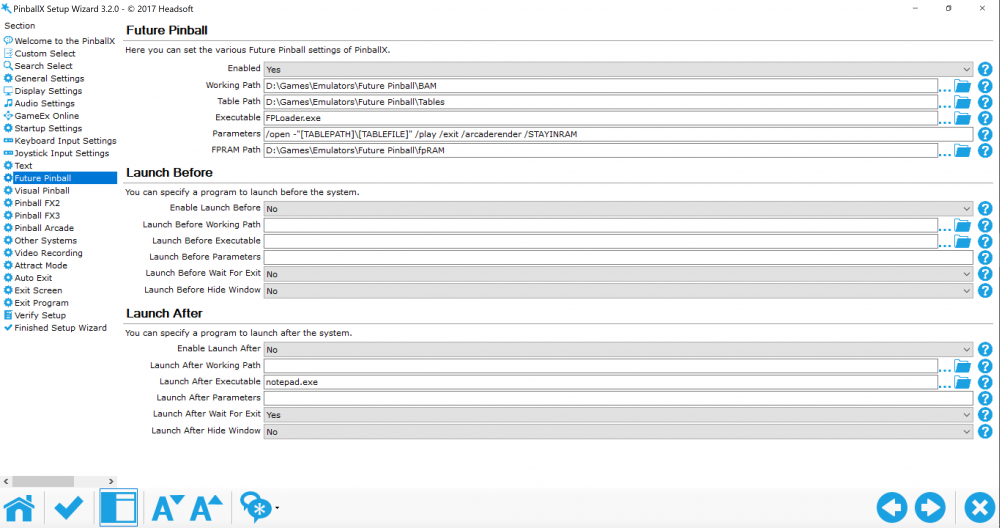
my files are in another location than the tutorials say...
BrutalJoke replied to BrutalJoke's topic in General
Hi all, Here are my files. PinballX.ini log.txt . @scutters When putting vp to no as a result the tables won't show up anymore ... so when I try to load a table of any kind I get this : I hope you will be able to set it straight... and thx in advance. greetz, BrutalJoke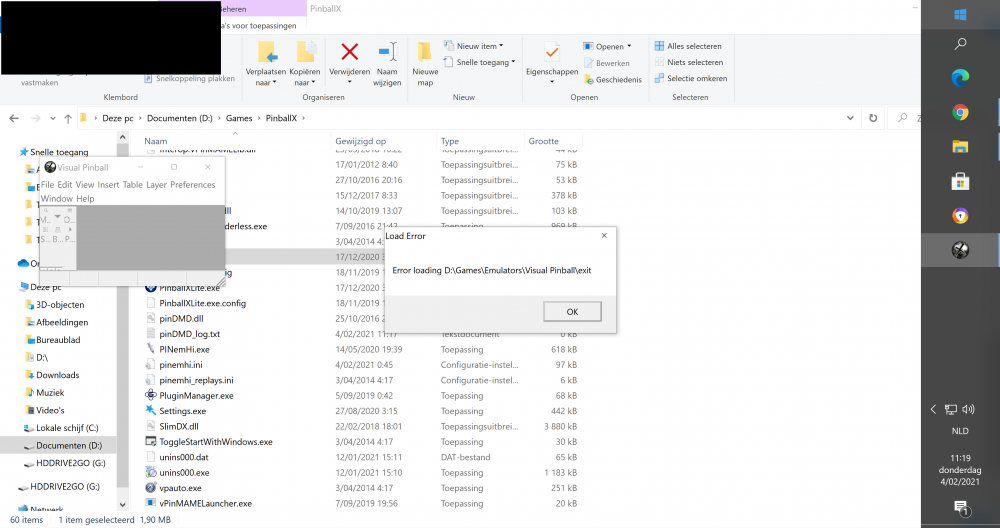
-
Hi , I tried about everything but my files are in this location : D:\Games\Emulators\Visual Tables\Tables . Does that mean I have to adjust these parameters too? /open -"[TABLEPATH]\[TABLEFILE]" /play /exit /arcaderender /STAYINRAM If so I have to do that for mame as well. hope it will get better now