|



mariozeferino
-
Posts
85 -
Joined
-
Last visited
Content Type
Profiles
Forums
Events
Downloads
Store
Articles
Everything posted by mariozeferino
-
thanks tom
-
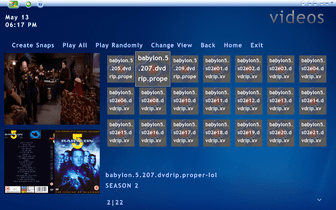
why gameex creates video thumbnails shown on capture 01, and don't apear anywhere shown on capture 02


-
gameex icon high res. GameEx_Thumb.ico
-
by the way, i've made a gameex desktop icon with a better resolution,(exactly the same) your's look bad in window7 , i can send it to you
-
hey tom, sorry i was an ass. i don't know if you made any changes but right now i don't have time to test anything, have some 3d work to do. i'll try again this weekend. thanks again
-
Maybe, escape key is for exiting a table, but i dont think i can map a diferent one, there are some keys you can change in future pinball and visual pinball
-
in the "press escape to create snapshot" it will help if it actualy create it when we press escape not sometime earlyer
-
i have made my donation, so gameex auto update the latest version. i know the feature work but it's useless
-
latest version of gameex or future pinball? do you mean it takes screenshots at the tables, or loading screens?
-
just images
-
thanks i'll take a look, maybe i'll calm down
-
are you shure? i have create some logos for lego games and other stuffs and it work. this is the path: GameEx\THEMES\Default - Default\MEDIA\LOGOS just put your png file in the LOGOS folder
-
now i m realy pissed off,. i have made several atemps to create snapshots in future pinball, and finaly i used the press esccape button to create snapshots. i thought that will solve the issue, well it doesn t. stop make me waste my time, if it doesn t work, remove it from gameex. and remove "Automatically create all game snaps as images or video" from Registered Version
-
i think you'll find the location to put your png file in gameex/themes/defaultdefault
-
 is it possible to make one movie at the time?
 -
how does this work?
-
Thanks Tom, by the way, the video preview is great, my 4 year old son is crazy about it, congrats
-
little question... if the default install path of gameex is diferent, what will hapen if i update gameex now? will i lose all my pc games configurations? do i have to make it all over again?
-
thanks master (bkenobi) now to headkaze..... i have tried this weekend to compile mame 137 but nothing happens, but like i said before i am not sure what was i doing. i'll try again soon
-
thanks guys, i have already try to compile, but didn't understand s*** of what i was doing or what is it for,but i'll try it again,thanks again
-
what i mean is, lets say "slap fight" one of my favorite games. the main rom doesn't work , only bootleg version work and they need the main rom to work and there is alwais the "working with problems" message. do you think it will solve that kind of problems? thanks for helping (sory for the bad english)
-
is there any other emulator for mame roms that ignores the non working or working with problems messages?
-
tried with pacman and it work, i think the autosave doesn t work with non working games
-
i tried with, r type, slap fight, vigilante, but i will try with other ones, maybe it's a problem with non working games