|



yakuzaronin
-
Posts
2 -
Joined
-
Last visited
yakuzaronin's Achievements

Member (1/5)
0
Reputation
-
[RESOLVED] Missing table playfield in full screen (default image only)
yakuzaronin replied to yakuzaronin's topic in General
Hi Tom, thank you very much for the quick response. Now understanding there are different folders for desktop vs cabinet was key. Confirming the table images I did find mismatched file names and one was in a subfolder....this makes perfect sense and the table images are now displaying properly!! Too much random button mashing and trying to learn the import online features. I'll also go through the documentation better, I see this is clearly explained in section 4-12...sorry. Thanks again for everything! Excited to continue setting up my PinballX -
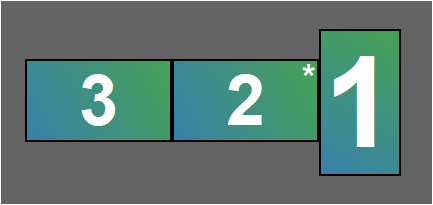
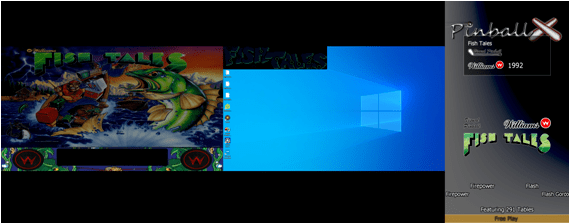
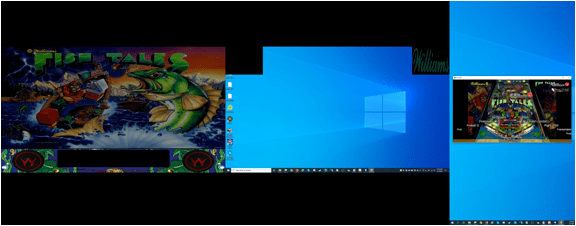
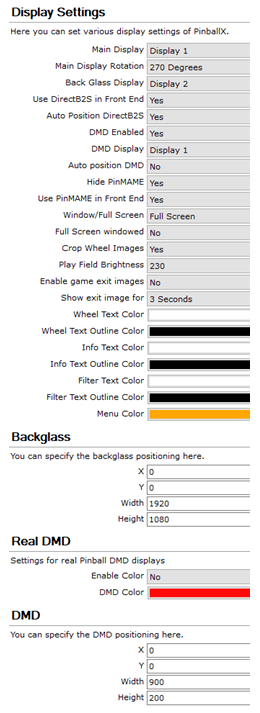
Hi, New to the world of virtual pinball and enjoying what this community has developed. But I'm struggling with my PinballX setup and hoping it's just a noob user error. Below is my desktop three monitor setup. They're all 1920x1080 and would like to use display 1 in portrait as the main screen. But if I use full screen the playfield graphic does not show for the table. If i use windowed mode the playfield will show as expected, but I'm unable to stretch (aspect locked) or maximize the window without losing the graphic again. Is this a setup fix or Is it the graphic file properties that I'm using for my table playfield that is wrong? I've tried desktop vs cabinet, full screen windowed yes/no and a couple different table&media packs. Side question, when I tried the windowed mode, think my dmd gets split so maybe that's related to my setup error? This is usable for me but if it's a simple fix it would be much appreciated. Thanks in advance. PinballX.ini log.txt