



|



jwrmo
-
Posts
19 -
Joined
-
Last visited
Content Type
Profiles
Forums
Events
Downloads
Store
Articles
Everything posted by jwrmo
-
Certainly I went to the emulator to run the game alone and it stated I was missng files or a chd. I then decided I would try to run it through supermodel 3 if that was even possible because I wasnt sure it was a model 2 game. So I downloaded Supermodel 3 got all the roms for it and proceeded to run Daytona USA 2 which then told me I had a network link problem. I pressed f2 and changed the game link to single. Once I did this all of them work now just fine.
-
I have this working now. Thanks for the help. It wasn't at all a problem with the ROM.
-
ok well thanks for trying
-
There I go? I don't know what I need as far as I know I have all the BIOS files installed. Can you please help me figure out what I need. I did do some research and found out that I am missing a driver model1.cpp. I have got that now but I have no idea where to put it. I need some technical help I don't know how to proceed.
-
Here is what happens when I open the game through Mame only. It says this machine is missing one or more required BIOS or CHD files.
-
Yes I have other games that work. Would there happen to be something I could tell mame so that it takes care of this I haven't tried running mame with the game only and not through GameEx. I will try that now and get back to you that.
-
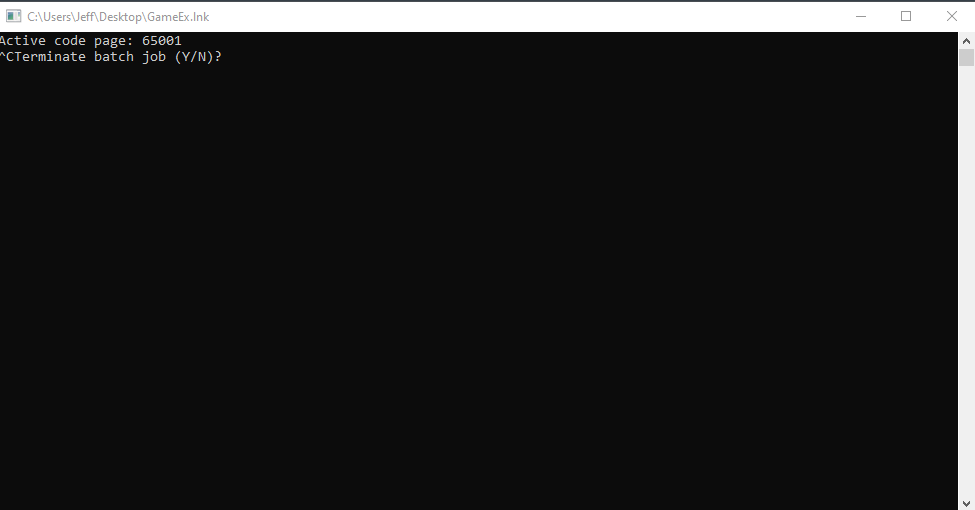
Hello to all. I come here to ask for some help. I am trying to play Daytona USA through GameEx and with a Mame setup. Upon lauching the game I get nothing but a black screen. I have noticed that a command window does open when I run the game but I have no way of getting to that command window to enter what it is asking for as it pops up underneath the GameEx UI. I am not able to minimize the GameEx UI to put the input in, Not only that but I wouldn't know what to tell it. Here is a screen shot of the command window that opens. I guess my question is how to go about fixing this so I can run the game. I have tried to disable HideOS in GameEx but I do not see the option to do that anywhere.
-
Thank you so much this worked I appreciate the time and effort to help me.
-
They are not in either of these locations
-
I have looked in both of these places and don't see these images.
-
That would be appreciated. Thank you for your time and help.
-
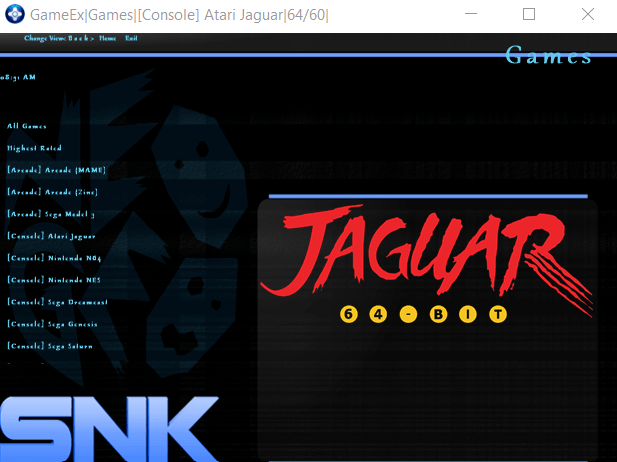
I would like to replace that Jaguar Logo
-
Thanks for your help I am using the SNK Neo Geo HD theme. I am going to emulated games. then we see each system that I have configured. I want to change the logos for each system. trouble is I can not seem to find the logos to replace them with new ones. Instead of titles which are pictures of fancy texts I would like to place pictures of the actual console there. I can not find each logo to replace them. Any help in where I find the logos to replace would be appreciated.
-
I have been able to get all games working. Now my only question is how to add the logos for each system. What you sent me earlier no longer applies. There is not a section to select the logo for the system.
-
Ok here is the issue I have gotten the emulators set up but some of my games are not being seen by the system. I did see that some of the games are in fact there. Any ideas as to why the system wouldn't see most of my games. I also can not figure how to set a logo for each system. If anyone could help with either of these issues I would appreciate it.
-
Is there someone hear that can offer some help as to how to setup emulators. I have done all of the above stuff and I am unable to make this work at all.
-
Also I don't have a choice to download GameEx Arcade
-
I am unable to get these to work either. Thanks but already knew about the wizard and the wiki neither of these help at all with how to set up my games and emulators.
-
Hi everyone I am new to this front end and I am finding it very difficult. I need some guidance please. I cant seem to get either GameEx or GameEx Evolution setup to even function for me. I want a basic setup with emulators and roms that I have on an external drive and for some reason I can not get any of this working. Any help would be appreciated as I can not seem to find a guide to doing this. Thank you in advance.
