|



xxxrhc3xxx
-
Posts
26 -
Joined
-
Last visited
Content Type
Profiles
Forums
Events
Downloads
Store
Articles
Everything posted by xxxrhc3xxx
-
PinballX Enhancements/Features Requests
xxxrhc3xxx replied to Draco1962's topic in FAQs, Guides, & Other Useful Information
Hello, easy feature request. Right now Pinballx opens to where it was closed. It would be cool if I could tell Pinballx where to open(i.e. a specific favorite table) I think it would have to open based on rating and table because I typically have it open to rating 5 tables which are all my best tables. Can this be added easy? -
[RESOLVED] PinballX Loading some VPX Issue- Please Help!!!
xxxrhc3xxx replied to xxxrhc3xxx's topic in General
ISSUE RESOLVED! After all of the testing/ changes/ modifications I found out what the error was with Apollo13 and 6 +/- of games. I am referring to the script error "out of range". Somehow in my testing and trying to get Attack from Mars to open properly the compatibility tab got checked off under Pinballx. I unchecked the compatibility mode and ALL GAMES WORK 100%. I assume that changing to the 64bit version probably was the primary fix as compatibility mode in 64bit makes no sense! If anyone is having this issue(I have seen many posts about this with no resolve) make sure compatibility mode is NOT checked. Thanks to everyone who responded especially Mike da Spike, Scutters and Tom Spiers! You can close this thread. I do have a suggestion for Pinballx that I think would be real cool, when opening Pinballx it typically starts in the same place it was when it was closed. I would love to have an option for it to start at a particular table in the main menu (i.e a favorite table) I dont want the table to open, just the main menu to start at the chosen table then cycle as usual. -
[RESOLVED] PinballX Loading some VPX Issue- Please Help!!!
xxxrhc3xxx replied to xxxrhc3xxx's topic in General
Well thanks for all of your help. I did buy a 1070 8gb nvidia as I kind of wanted one anyways. I dont think it will fix my script errors as these tables were all working fine in previous pinballx versions. I do agree however that the 4k issues will hopefully go away even though I now have them all working too. If I can provide constructive feedback that leads you all somewhere once I install the new card I will post. Even though we didnt resolve all my issues we did go a long way, the Attack from Mars Bigus game opens and plays every time without issue which is kind of where this all started. Please keep up the great work we all appreciate you and what you do! -
[RESOLVED] PinballX Loading some VPX Issue- Please Help!!!
xxxrhc3xxx replied to xxxrhc3xxx's topic in General
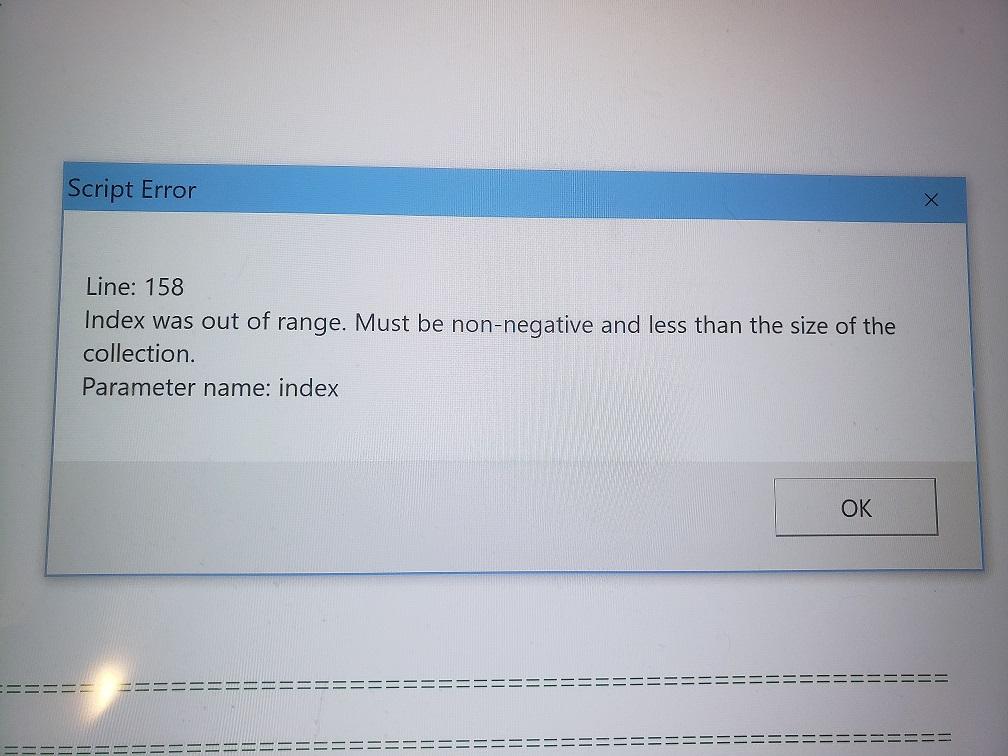
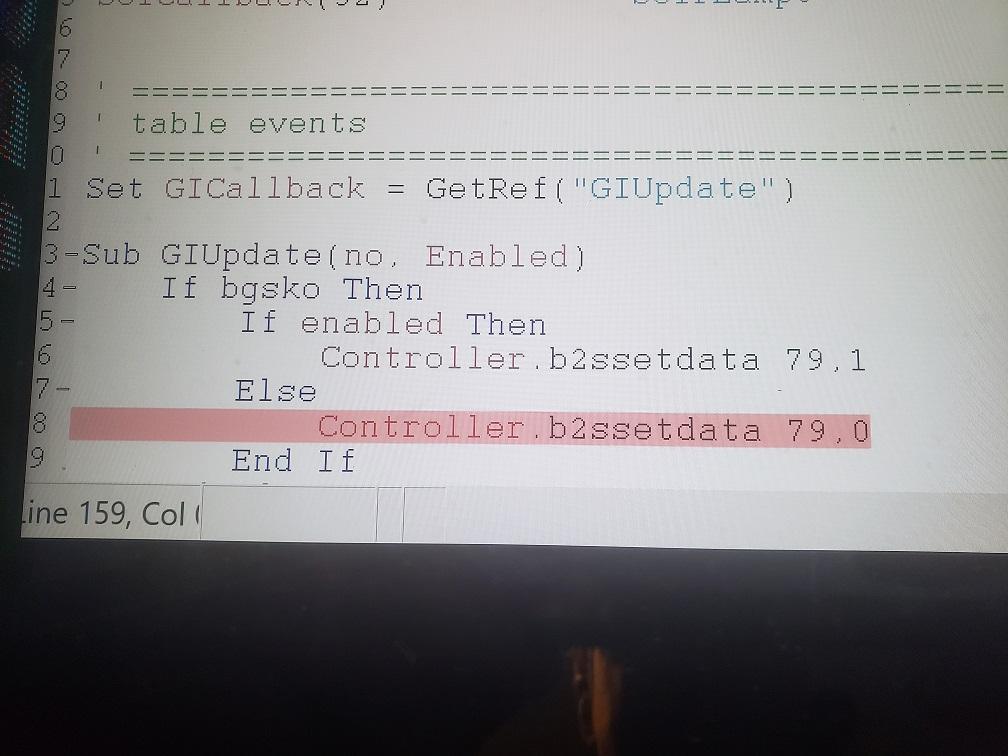
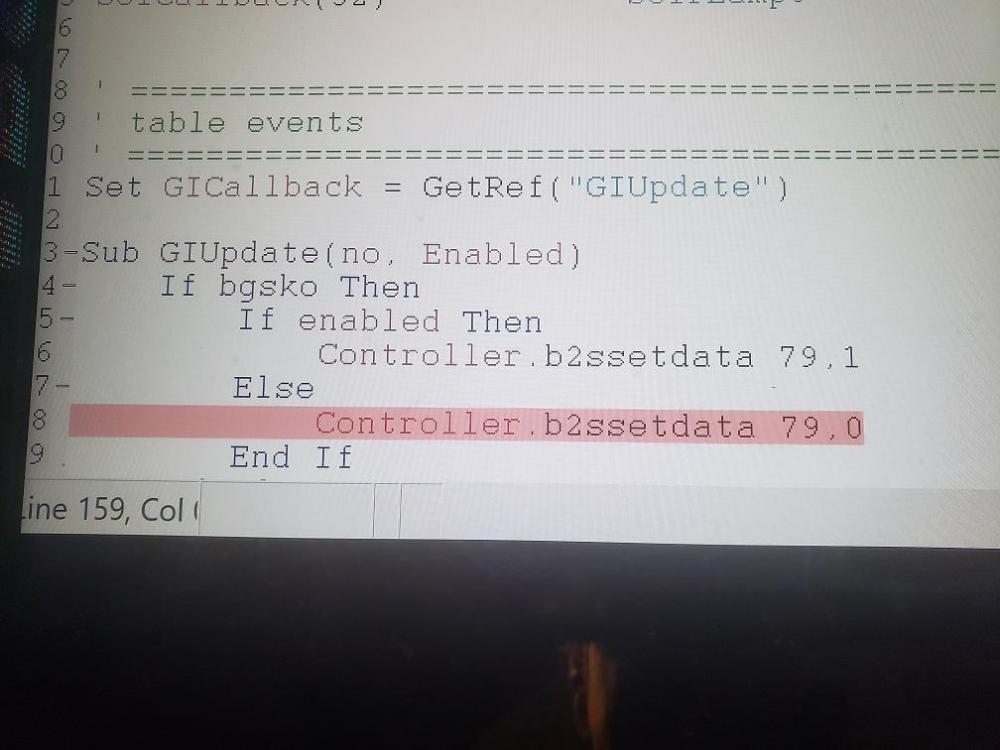
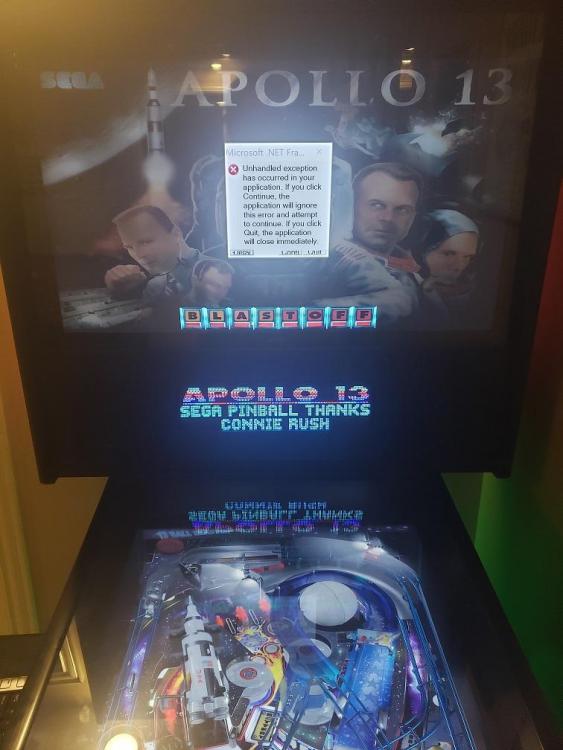
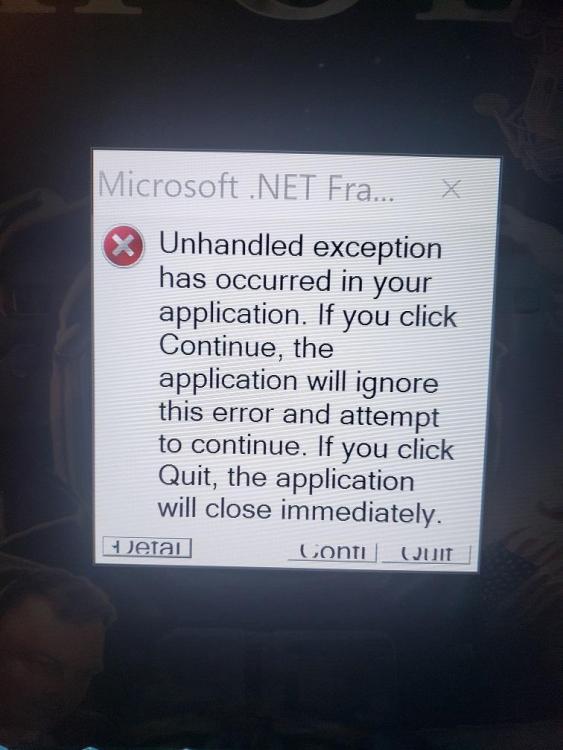
Re-installed latest b2sserver program and associated files. Problem still the same. It seems to me like I would not be seeing this type of issue if it was a memory issue as all the games open and play with no delay or studder through vpx. But if you are saying I need more memory, perhaps I need to upgrade to a better video card 1070 8gb? I just happened to look in the b2s error log which I have attached and it references memory(see attached) this could support your thought? The 2 pictures attached are from Apollo13 via VP. Pic 1 is the error message and pic 2 is the line from the script(b2s Data) B2SServerErrorLog.txt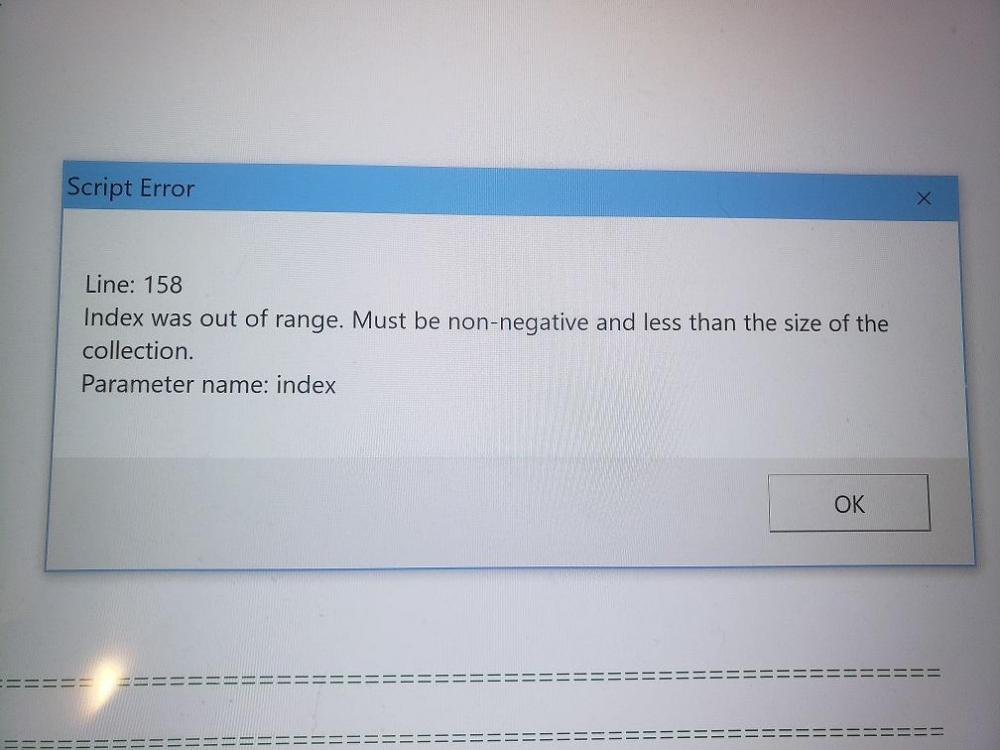
-
[RESOLVED] PinballX Loading some VPX Issue- Please Help!!!
xxxrhc3xxx replied to xxxrhc3xxx's topic in General
Dumb question but how would I enable b2s server via PBX? I never disabled it and many tables run fine. I will look for a b2sserver update and install. I will also try your command. -
[RESOLVED] PinballX Loading some VPX Issue- Please Help!!!
xxxrhc3xxx replied to xxxrhc3xxx's topic in General
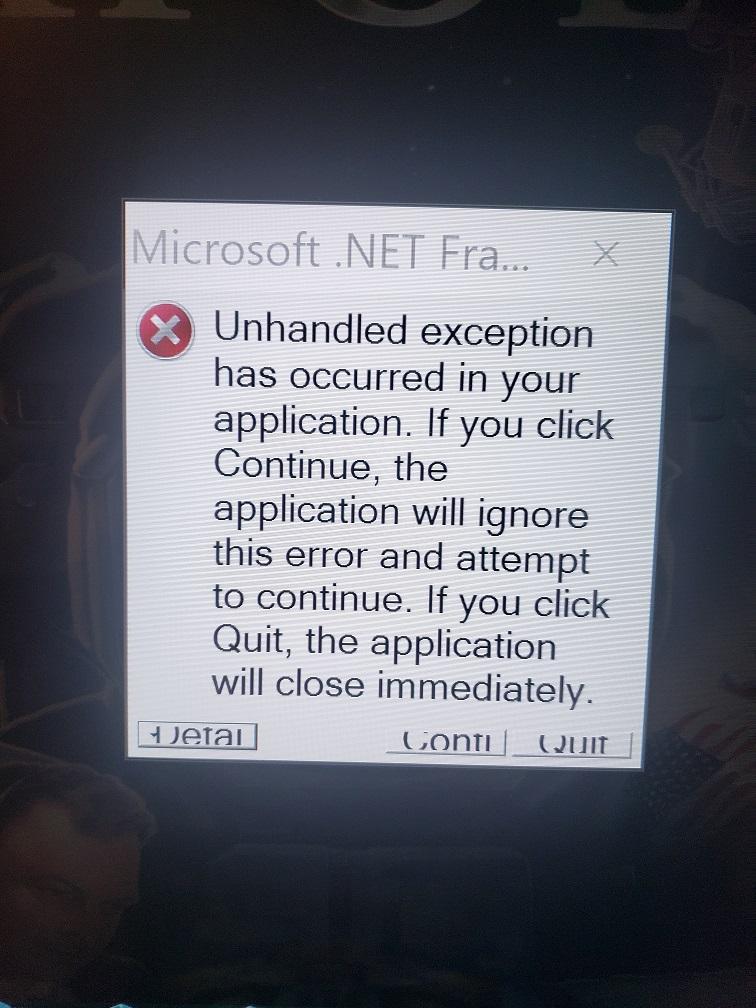
Sorry for the delayed response. I ran the update, all went well. Games still open, play and look great. Still same issues with a few. The weird thing is they actually open, load I can start game even launch the ball then all of a sudden the same note comes up "unhandled exception start index cannot be larger than the length of string". all but Apollo13 pretty much closes down and goes to the vpx screen where I can close it and pinballx continues at the menu where I can choose another game. The Apollo13 game kind of does the same thing except a pop up appears on the backscreen with a note explaining what happened and what to do. The screen is very small and cannot be maximized so i need to move the pointer through the text box to read it all but this is pretty much what it says when I click detail on the screen shown in pic: MS Cor Lib Assy core version 4.0 win32 version 4.8.4150.0 code base file c/windows/microsoft.net/framework/v.4.0.30319/mscorlib.dll b2s backglassserver.exe assy version 1.0.0.0 win32 version 1.0.0.0 JIT Debugging to enable JIT Debugging the config file for this computer machine.config must have JIT Debugging value set in the system.windows.forms section The application must also be compiled with debugging enabled Example <configuration><system.windows.forms jitdebugging="true"/> when jit debugging is enabled any unhandled exception will be sent to the jit debugger registered on this computer. ========================================== This is the first and only game to show this message, it seems like it is correct but I dont want to start screwing with this stuff unless I have to as I dont full understand how to do it in the computer and application. ANY THOUGHTS/ADVICE/IDEAS? Log and ini file attached. Attack from mars opened and ran fine, avatar opened and ran fine. the other is the one that closed down and apollo opens as it should then shows the message above. AS ALWAYS THEY ALL OPEN AND PLAY 100% PERFECT VIA VPX. log2.txt PinballX.ini2.txt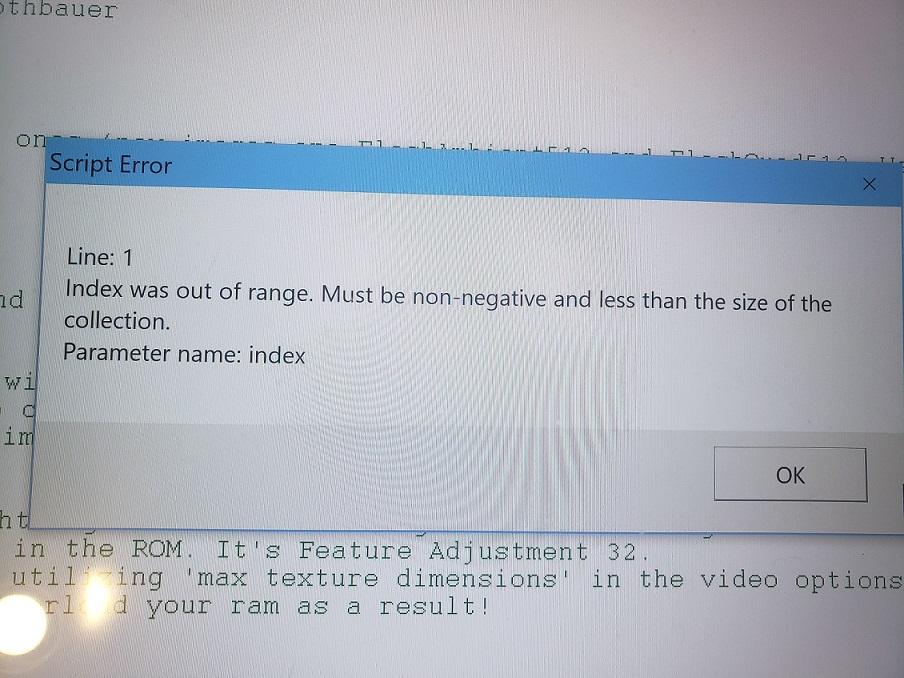
-
[RESOLVED] PinballX Loading some VPX Issue- Please Help!!!
xxxrhc3xxx replied to xxxrhc3xxx's topic in General
Big question, should I update PBX to the newest release(yesterday)? I see some complaints of decreased video quality, is this true? I love my video quality its almost better than the real thing, please advise before I do run the update. -
[RESOLVED] PinballX Loading some VPX Issue- Please Help!!!
xxxrhc3xxx replied to xxxrhc3xxx's topic in General
Just another example. I just downloaded and installed the new Avatar Bugus Mod 1.4 table and I did run and install all of the media files through game manager as you are supposed to. The game opens and play perfect through PBX. I ran the updated Apollo13 that just came out and it opens and starts for a second then I get the net framework issue mentioned above, this appears on the back screen with instructions on how to fix it. If I hit continue nothing happens I need to cancel the error which then closes the program to Vpx where I can see the script error mentioned above and it tells me to modify computer and app to just in time debugging. I could just delete these tables that wont work but they are great games. -
[RESOLVED] PinballX Loading some VPX Issue- Please Help!!!
xxxrhc3xxx replied to xxxrhc3xxx's topic in General
Haha, laughing at "i dont follow..." If this was a simple/ logical problem I would not be constantly posting all this bs. Yes, if I download the media files via game manager the 4k games will not open. There were probably a couple others. If I add the game and b2s to my table folder, open game manager then do not update anything the game opens and runs perfect through PBX, if I update then they wont open. Definitely weird... I hate to keep saying that they all open and run fine with no lag, studder or anything through VPX direct whether the files are update or not. Lucky for this covid 19 crap that I have all this extra time . Thanks so far for everyones input. I assume in the end this will help support future updates. -
[RESOLVED] PinballX Loading some VPX Issue- Please Help!!!
xxxrhc3xxx replied to xxxrhc3xxx's topic in General
The issue is never in VPX, all games open an play 100% of the time via vpx. Its always through PBX. Another thing worth mentioning is in order for me to get the 4k games to work I need to delete them from game manager, delete all of the associated add on files like backglass image, flyers, media etc... Then I re-open game manager and add the wheel only then the 4k games open fine in pbx, I have not done any thorough troubleshooting by adding each item separately then opening game each time to isolate the actual problem files but I think it has to do with the backglass image or video because that is what seems to hang up. if I click update all then the games will not open and I get that same loading hang up as I always did. I will post log files soon when I get to the system. -
[RESOLVED] PinballX Loading some VPX Issue- Please Help!!!
xxxrhc3xxx replied to xxxrhc3xxx's topic in General
Hey Tom, I changed to windowed mode and everything was windowed as it was supposed to be, I switched back to full screen and all of a sudden everything opens as it should!!! Perhaps the change helps modify all the tables? I was having some more issues with some not opening but all the 4k tables were fine. I then found a b2s script file in my tables folder that was old and outdated, I didn't even know it was there as it should be in the scripts folder where there already was a current file with the same name so I deleted the old one in tables. This fixed 95% of my remaining problem tables. I now have about 8 tables left where I am getting a script error "Index was out of range. Must be non-negative and less than the size of the collection" Parameter name: index This error never came up before on 7 of the 8 tables and the 8th table is the new Apollo13 v.1.5 which actually opens(it did not before)but eventually gets this error message. This ONLY happens through PBX, if opened via VPX it they work fine. Your advice so far has been much appreciated, I'm almost there. What should I do? I read somewhere about changing to just in time debugging but I dont know how to do that. Is enabling just in time debugging the answer? Are there instructions on how to do this in both windows and the application? Or do you have other advice? Please advise and thank you again! I just noticed that in the past 24 hours you are now up to version 4.26, wow you guys have been busy. I always try to stay up to date with the most current version but I'm a bit nervous after fixing so many issues, do you recommend the update? -
[RESOLVED] PinballX Loading some VPX Issue- Please Help!!!
xxxrhc3xxx replied to xxxrhc3xxx's topic in General
Hi Tom, I am not sure I understand your first question but if you are referring to the second installation on another drive I set that up today with a fresh install to see if possibly a file was corrupted and not being updated. It acted the same so that will be deleted. To answer your question I am using the built in set on drive c. I installed the newly released apollo13 v5 and it actually opened like it was supposed to( no other version would open) but I had script errors. I backed out of apollo13 and opened attack from Mars and it opened correctly and exited correctly. I was afraid to try it again. Today because I felt good that it worked. More to follow. Not sure if opening the new apollo13 tweaked something but that's the only explanation. Apollo13 is 4k too and they have never opened so I know I'm close. -
[RESOLVED] PinballX Loading some VPX Issue- Please Help!!!
xxxrhc3xxx replied to xxxrhc3xxx's topic in General
Disabled b2s in front end- no change Changed to 64bit PBX Changed vpinmame to 64bit Damn attack from mars game still wont open, but now most of the time the table does open but its in the background and cant bring up. I can see it and lights are flashing, PBX is dead at this point. It opens in one second when launched through VPX and runs perfect 100% of the time with no lag no issue. It is definitely a PBX issue I would donate to find and fix it! Still completely freezes 30% of the time and doesnt do anything, needs reboot. Attack from mars bigus is just an example, there are a few others. Most all Bigus mods which are great do work and run fine. Keep in mind I do have over 300 games that do work, it seems to be the good ones that dont like apollo13 bigus vpx, same issues. Apollo 13 also opens fast and runs 100% through VPX. There has to be a fix. I have tried many variations with no success. for a while it would open as it should but when exiting it would go to VPX instead of PBX menu, it has not done that in a while. VP9 games also work fine. I could just delete these games but I cant seem to want to give up. Its not a hardware issue, when they are not going to open the back screen stays on and the launch music keeps playing which eventually stops and does nothing Perhaps a dll need update? All I can say at this point is AHHHHHHHHHHHH -
[RESOLVED] PinballX Loading some VPX Issue- Please Help!!!
xxxrhc3xxx replied to xxxrhc3xxx's topic in General
Tom, I will disable use b2s in the front end and try it. But doesnt this simply open the b2s file to the backscreen in the pbx menu mode? I like that when scrolling through the games it shows the actual back glass associated with the game vs the downloaded images. Just a question. -
[RESOLVED] PinballX Loading some VPX Issue- Please Help!!!
xxxrhc3xxx replied to xxxrhc3xxx's topic in General
for apphangb1 errors they suggest running the program in compatibility mode, does this make sense knowing that PBX has been upgraded so many times? You would think they would have worked out this issue by now. Here is a cut/paste from microsoft site: Sometimes it happens that programs created on earlier versions of Windows 10 refuse to work on the latest versions. This problem is caused by great changes in the features of the operating itself.So, I’d recommend that you run the Program Compatibility Troubleshooter. It will allow you to run older/incompatible programs. -
[RESOLVED] PinballX Loading some VPX Issue- Please Help!!!
xxxrhc3xxx replied to xxxrhc3xxx's topic in General
Wow, errors recorded every time pinballx crashes. Apparently it says Pinballx stops communicating with windows...see attached, i have no idea why. reliability history.XML event fault log.txt -
[RESOLVED] PinballX Loading some VPX Issue- Please Help!!!
xxxrhc3xxx replied to xxxrhc3xxx's topic in General
Same exact complaint here, kind of old but still the same issue, here is the link: https://www.vpforums.org/index.php?showtopic=39532 I am trying to provide ALL the facts so someone who really knows this stuff can resolve. Sorry for all of the individual posts. I have been trouble shooting for hours, lots of time on my hands with this corona virus shutdown. -
[RESOLVED] PinballX Loading some VPX Issue- Please Help!!!
xxxrhc3xxx replied to xxxrhc3xxx's topic in General
This time I turned off full screen exclusive hack in pinballx, opened pinballx and went straight to attack from mars. Game opened and played fine, I tried to exit back to pinballx main game menu but when I hit exit the vpx opened game came up and pinballx crashed in the background. I was able to close those screens this time so I went straight to the log which is attached. After opening Attack from mars and having issues, if I re-open pinballx and go to the games that work they wont open until I reboot. If I only open and play and exit the games that I know work all continues to be fine as in I can exit, scroll game and choose another and play. If I happen to open a bad game all is dead until reboot. I hate to say it again but they all work 100% if opened direct through VPX. Another thing I notice is when a table is not going to load properly it keeps playing the launch audio in extended form, when they work correctly the launch audio fades out just before the tables open. You probably think I'm a nut by now...I really want these to work. It has to be a what we will say is a simple setting once we find it. log game opened but in vpx via pinballx.txt -
[RESOLVED] PinballX Loading some VPX Issue- Please Help!!!
xxxrhc3xxx replied to xxxrhc3xxx's topic in General
I installed 64bit, kept all the same settings. If i go straight to a game that always worked it opens and runs fine, I can exit then open another game that worked. If I open Attack from Mars Bigus version it freezes then I need to reboot. If I re-boot then go straight to Attack From Mars it ties to open, the backglass comes up, dmd opens then it freezes and still says "loading", if I alt/tab the table is in the background, I click on pinballx it crashes then the game opens in VPX. Pinballx gone. If I re-boot, open a game that works, then go to attack from mars the game freezes with nothing in background except for the black frozen pinballx and backglass screens. At this point everything is frozen and I need to reboot. I attached the log file after opening games that work and after opening attack from mars with the crash. AHHHH im going crazy here. lol log-64bit installed.txt log with 64 bit just after crash.txt -
[RESOLVED] PinballX Loading some VPX Issue- Please Help!!!
xxxrhc3xxx replied to xxxrhc3xxx's topic in General
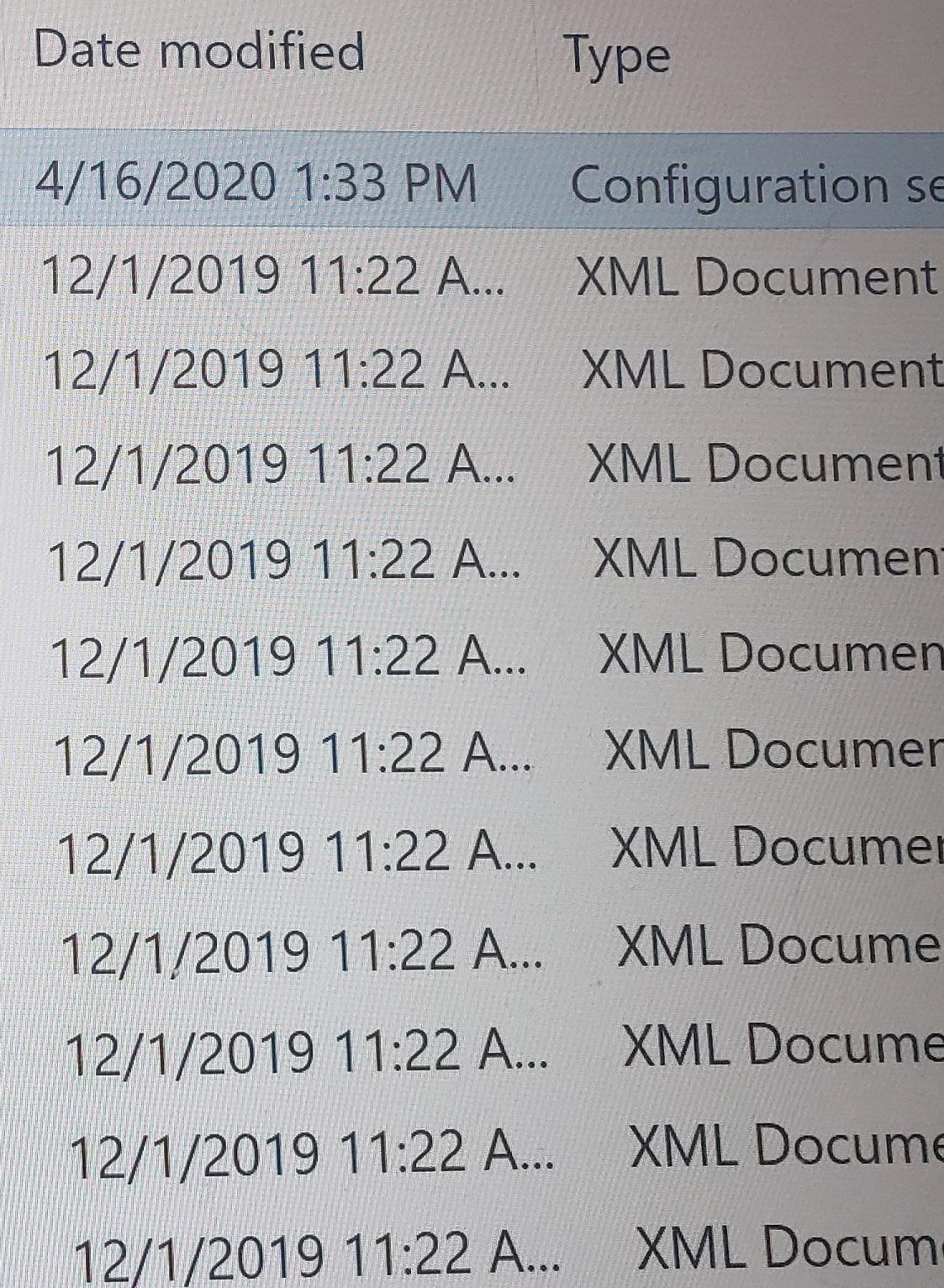
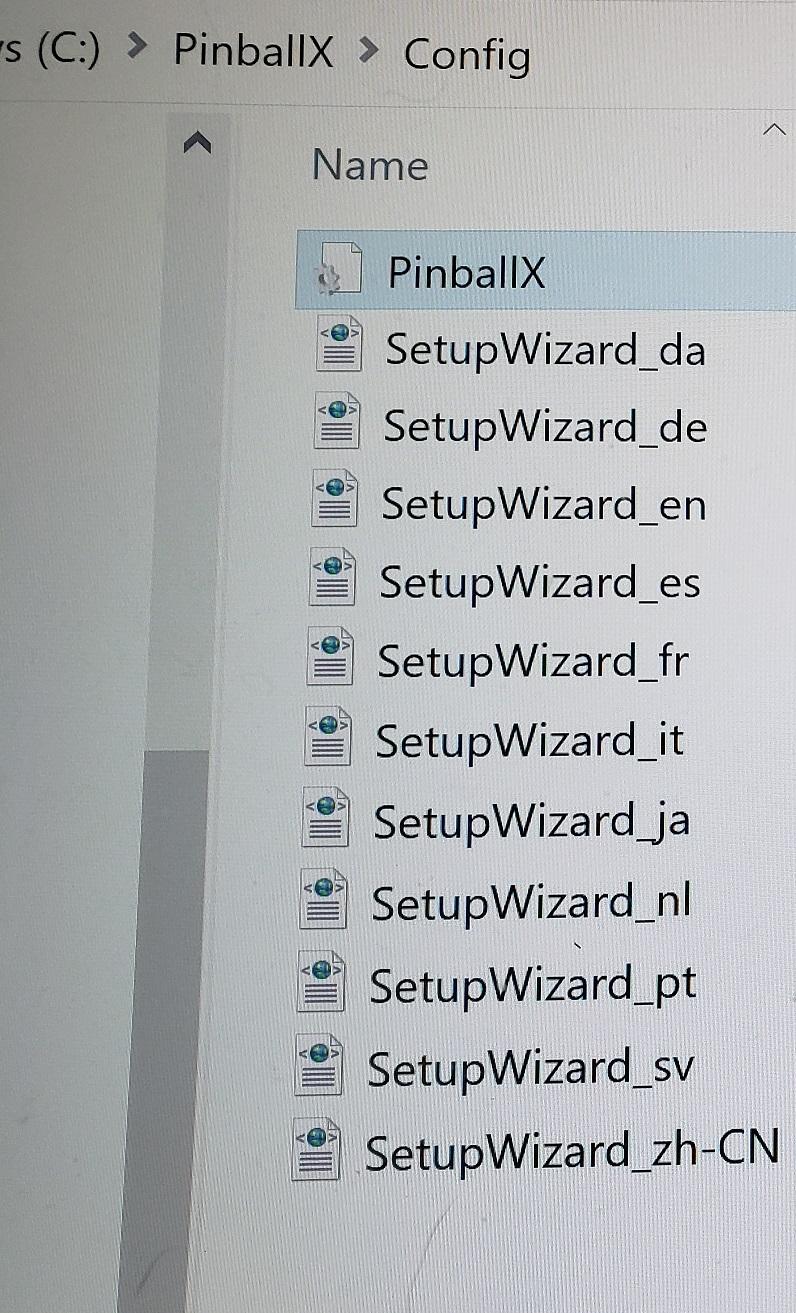
Due to file size limitations I had to post 1/2 at a time. Here is the right side of the screen that shows the file type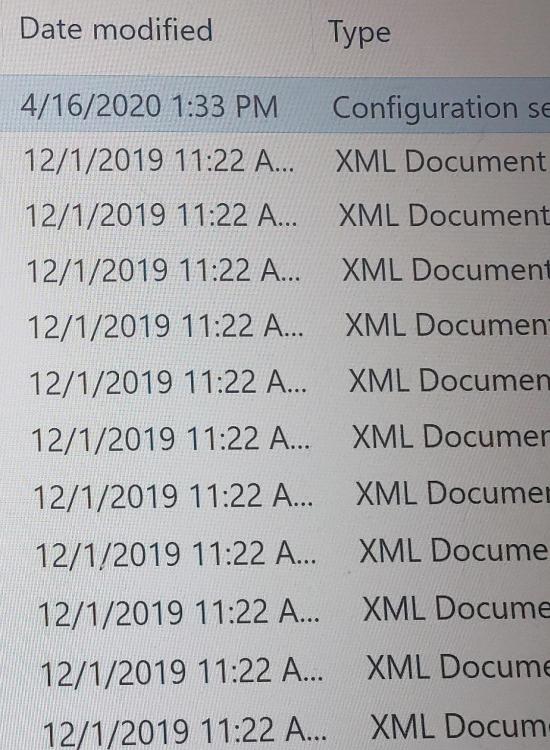
-
[RESOLVED] PinballX Loading some VPX Issue- Please Help!!!
xxxrhc3xxx replied to xxxrhc3xxx's topic in General
Picture of the whole config file. just trying to be complete.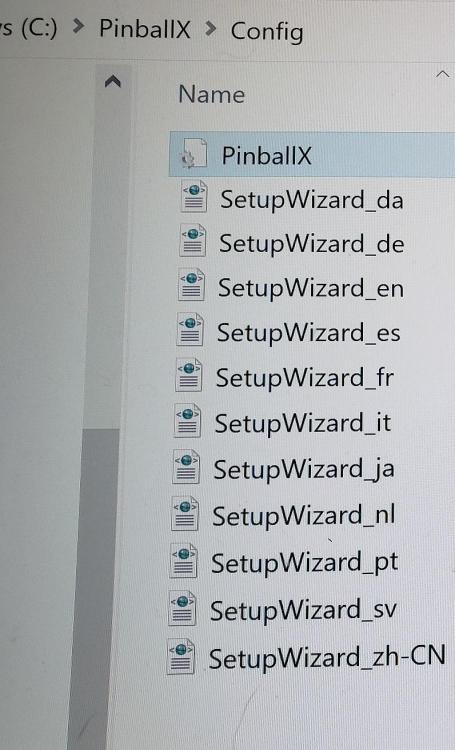
-
[RESOLVED] PinballX Loading some VPX Issue- Please Help!!!
xxxrhc3xxx replied to xxxrhc3xxx's topic in General
Ok, so should I just save that config file in the pinballx config folder as pinballx.ini? That config file is the only txt in the config file. Should I turn off use b2s in front end then try it or do you want me to install 64bit version first? I am running Norton but the PBX files are all allowed. I recently added run as admin but the user Im logged in as is admin anyways so I dont think that made a difference. I did modify PBX, VPX and VP9 to run in admin mode just in case. I also think by default defender runs in the background but only covers what norton does not. Please advise before I go install 64bit, etc... -
[RESOLVED] PinballX Loading some VPX Issue- Please Help!!!
xxxrhc3xxx replied to xxxrhc3xxx's topic in General
Log file attached. sorry, the pinball is in the basement and I am communicating from my main computer upstairs hence the multiple replies. Should I rename the config file pinball .ini or save it as such? not sure why I cant find it. log.txt -
[RESOLVED] PinballX Loading some VPX Issue- Please Help!!!
xxxrhc3xxx replied to xxxrhc3xxx's topic in General
I searched for Pinball.ini in PBX and cannot find it. The only file that comes up when I search Pinball.ini is that config file. I did try the 64 bit version but had nothing but problems even with the good tables so i reverted back. I am open for any advice. Thanks for the reply. Log file coming in a few minutes. -
[RESOLVED] PinballX Loading some VPX Issue- Please Help!!!
xxxrhc3xxx replied to xxxrhc3xxx's topic in General
I should add that my resolution settings are 3840x2160 on the table monitor and 1920x1080 on the backscreen. Reading the config txt seems confusing to me as I dont see the monitor 1 at 3840x2160. I dont know exactly what Im reading there but is that a concern? Also I didnt really see in PBX any resolution settings so where are those numbers coming from in the config file?