|



Forty0ztoFreedom
-
Posts
22 -
Joined
-
Last visited
Forty0ztoFreedom's Achievements

Super Member! (3/5)
0
Reputation
-
GameEX showing mvsc2 ZIP contents rather than launching rom
Forty0ztoFreedom replied to Forty0ztoFreedom's topic in General
That worked, thank you both. Now I feel douchey. Weird how other roms were working fine. Didn't mean to hate on the emulator. I think its great and prefer it miles more than the acid trip that is Hyperspin. It just seems like nothing's gone right this time around. -
GameEX showing mvsc2 ZIP contents rather than launching rom
Forty0ztoFreedom replied to Forty0ztoFreedom's topic in General
Yes, and all other rom zips I've tried work fine. Its just this one that is not working, but it works fine outside of GameEx. So frustrating. Honestly nothing has gone very smooth in my setup. Even Mame took multiple tries and downloads to get working. What is going on with GameEX? I just put down $65 because I remember loving it in the past, so I figured I'd support it and get lifetime updates. Its been huge headaches so far.. -
GameEX showing mvsc2 ZIP contents rather than launching rom
Forty0ztoFreedom replied to Forty0ztoFreedom's topic in General
Anyone know what could be causing this? -
I'm at a loss. I'm trying to play Marvel vs Capcom 2 with the latest build of Demul. All other games I've tried launch within GameEX, and Marvel vs Capcom 2 launches from Demul outside of GameEX. But in GameEx, this one game that I really want to play, refuses to launch. It brings me to a list of the contents within mvsc2.zip (with the title of the game greyed out). I've attempted multiple zips, downloaded from various sites. GameEX does the same thing every time. Its as if ANY zip named "mvsc2.zip" will be looked at as an unplayable archive. Log and GameEX.ini attached GameEx.ini log.txt
-
Weird, I restarted my computer and now it loads. .Think there was an issue with Daphne not closing when screwing up the first time. Hopefully this keeps working.
-
Attached to this post. Here's the error message in the log: Loading ./roms/lair/dl_f2_u1.bin ... 0 bytes read into memory ROM dl_f2_u1.bin couldn't be found in roms/lair/, or in ./roms/lair.zip Could not load ROM images! You must supply these. GameEx.ini daphne_log.txt
-
I'm just trying to get Dragon's Lair working. It launches fine in Daphne Loader, but when I do it through GameEX I get an error in Daphne about a rom being missing in Lair.zip . . This is odd. How could it work fine outside of GameEx but Daphne apparently says the rom is invalid through GameEX? My first thought is GameEx somehow pointing to the wrong Rom location, but I don't see anywhere to point to a roms folder. This isn't my first rodeo with Daphne. I've tried on and off for years to get this working in multiple frontends and its been nothing but headaches.
-
User Submitted Themes & Media (Uploads)
Forty0ztoFreedom replied to Tom Speirs's topic in GameEx Media Projects
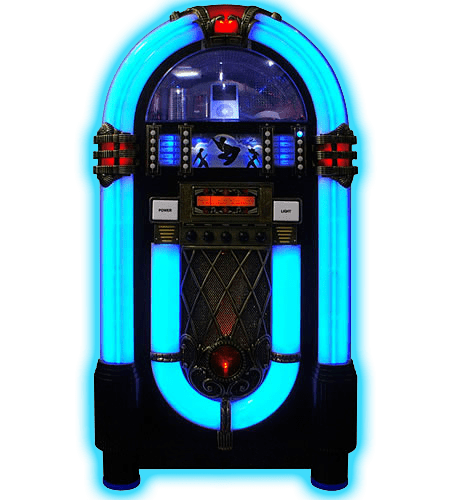
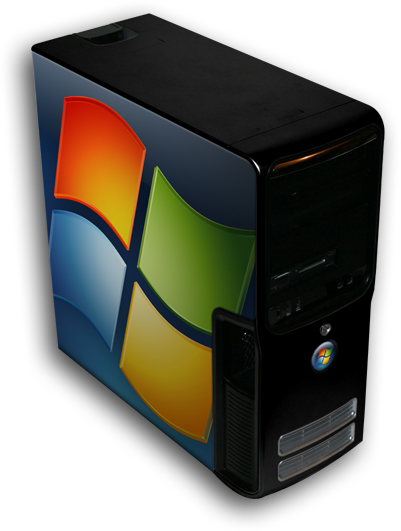
Here are some logos I made over the weekend for a quick little HTPC. Jukebox: Vidoes: Media: PC Games: And, what I named the machine . .



-
Well, I'm almost done with my setup but I have two problems. 1 - I have Model 2 and Zinc integrated into the MAME list. BUt how do I go about re-mapping the controls in this scenario? I need to re-map the Zinc controls to a gamepad. Can I set up Zinc/Model 2 as a seperate emu with "Advanced Config" (MIRACLE PROGRAM BTW) to solve this issue? Also, my Gameboy Advance list is all screwy. It comes up with a flickering "Please Wait" box, and only lists like the first 10 games. And I cannot move down the list at all, its stuck at the top game. I want to get this all finished tonight so if nobody has a quick fix for this, I'll just scrap GBA for the time being. Thanks again for all the help! Oh . . while I'm here. Not exactly GAMEEX, but does anyone know how to change the order of gamepads in Windows? I have a wireless gamepad that is "Joystick 1" . . great, thats how I want it, UNTIL, I plug in a secondary joystick. The secondary joystick becomes Joystick 1, and my wonderful wireless pad becomes Joystick 2, which obviously screws with all the EMU configs.
-
I'm using a gamepad for a little HTPC project . . I will need to map ESCAPE to a gamepad key, as its used to go back to the menu in Mugen, and then also to exit the program. But wouldn't pressing escape to go back to the menu, exit the program entirely through Gameex? Is there a way to change that? To re-map what button exits a program to get back to Gameex? I know there is for emulators, but not individual programs . .
-
Ah, fantastic. I couldn't find EXIT anywhere in the MAME config screen. Thanks.
-
I used the hard link program, but all the links I created still seem to be the same size as the originals . . are these really links or just copies? I ask because when I play these the mp3's in the ROM folders do not play. So its launching only the ISO "link" I created. To get over this I did change the command line to include the "/[ROM]/[ROMFILE]" thing, and it worked. So apparently, the program is finding the roms in the rom folder, but then launching the ISO in the sub-folder. For laughs, rather than creating a hard-link, I created a blank text file and named it "Sewer Shark.iso". 0 bytes. And still, it works. So there's another solution for you. Oh well, problem solved on my end.
-
Is the advanced config joypad-exit feature available for MAME? I can't see it. I'm also using a gamepad to exit and MAME uses ESCAPE.
-
Hmm . . well, I'll have to double check at home later but I'm pretty sure I have, for instance, Sonic CD.iso in a "Sonic CD" sub-folder. I put in the above command line and it still says "NO GAMES FOUND." But again, I'll have to double check everything. What is the default on the Sega CD rom extension filter? I never changed it to ISO. That could be it.
-
I did try this but it still doesn't work. I'm gonna try out the linking program. Thanks for all the help.