



|



jangus
-
Posts
26 -
Joined
-
Last visited
Content Type
Profiles
Forums
Events
Downloads
Store
Articles
Everything posted by jangus
-
Great! R fixad it. Thanks
-
My virtual pinball with pinnballX frontend has worked as it should for several months now. I have it set up in full screen cabinet mode with two monitors and one pinDMD. But one day a few weeks ago I switched it on and at the beginning everything worked perfect. After about one hour the front end where turned upside down. Everything else has correct orientation: Windows, pinball tables, backscreen, DMD. Only the front-end menu is upside down. When this happened there where several kids around and I had a keyboard connected and tucked away. Some kid might have pressed some random keys. I have searched forums and all available settings I could find. But I have no idea how to correct the problem. Has anyone here a solution?
-
I have had auto position DMD off the whole time. But to be sure I tried to set it to on, just to see what happened. No change.
-
What am I doing wrong? I had a working setup for pinballX but when I started it now in January it complained that it was to old and that I had to install a newer version. I then downloaded the latest version of pinballX last week. But since then I can not get the play field and back glass on the correct screens. I have also tried to switch what graphic card is connected to the displays. I use main display (2), back glass display (1) and a pinDMD3 The settings now are: Main Display: 2 Back Glass Display: 1 Use DirectB2S in Front End: No Auto Position DirectB2S: No With the above settings: In frontend Back Glass in correct display (1) but not the correct image. Instead I get the PinballX default back glass. Play field in correct display (2) In a game Back glass in correct display (1) with correct image. But behind the play filed. Play field jump to display (1) and those cover the back glass. When activating Use DirectB2S with or without Auto position on In frontend and in a game Back glass in correct display (1) with correct image. But behind the play field. Play field jump to display (1) and those cover the back glass.
-
Thank you. That worked
-
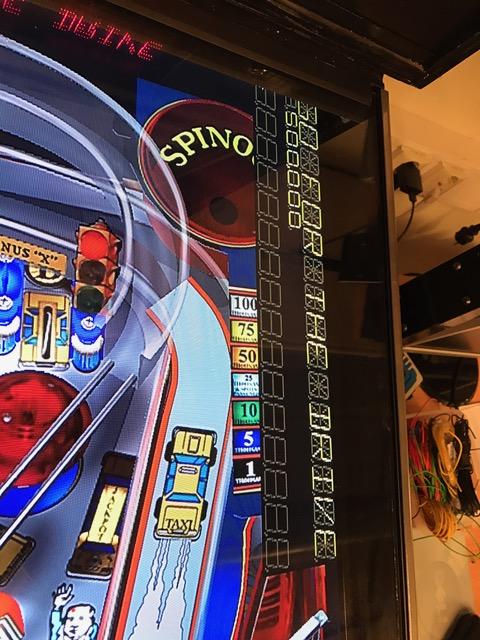
I have tried several settings and searched in a few text files to see if I could get rid of the DMD in the playfield. I have a pinDMD3 so I have no need of the extra DMD.

-
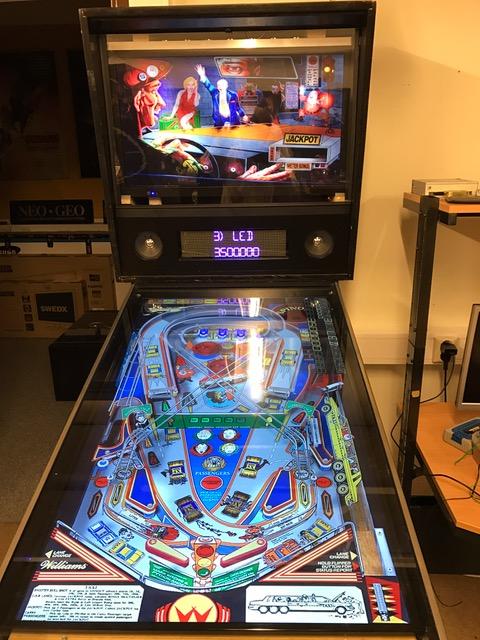
I changed the screenres.txt and the screens started to show everything correct. To get the pinDMD3 to work I had to reinstall a new version of Visual Pinbal.
-
I will reinstall tomorrow. But before that I wil try to find the screenres txt file. With pinDMD I meant the pinDMD3 that has a LED DMD and is connected to USB and power. (I have tested two pinDMD2 but they never worked at all. Might have been damage during freight)
-
Yes, probably nothing else then reinstall. I also have problem with the pinDMD settings in VPinMAME. So hopefully that also get fixed by a fresh install.
-
Carny_Priest: Yes, they are reverse when I start a game. xactionbobx: I have done what you wrote. It gives me the playfield on the correct monitor. But the back glass show up on the same screen and behind the playfield. I have tried changing the monitors in PinballC.ini and in Settings.exe but it does not get any better.
-
I have one playfield monitor and one backglass monitor. In the select game mode I can change where the playfield and backglass appear in the settings. But the playfield allways show up on the backglass monitor and the backglass on the playfield monitor when I start a game. I have tried with changing what monitor is number 1 and 2 by switching what connection on the graphic card they are connected to. DVI and HDMI That did not help. The settings I have found are: PinballX\Config\PinballX.ini Where I changed [Display] Monitor=1 (between 1 and 0) [BackGlass] monitor=0 (between 0 and 1) and also the settings in PinballX\Settings.exe Main Display (between 1 and 0) Back Glass Display (between 0 and 1) Is there any more settings that I could/should change?
-
Real DMD: tried twice but none of the two first pinDMD I bought worked. The second one where sent to me free after I returned the first one. They tested the returned one and it was found not working. I do not see it worth the freight cost to continue. Rotate monitor: Hmm I an trying to get 2 monitors into the backbox. Possibly a laptop monitor for the DMD. So to rotate the monitor: no. I changed the "rol" from 1 to 0 on one game and that worked. I hope I can get it to work on the rest to. Thank you xagesz!!
-
Thank you xagesz Now the BG and DMD is in the correct monitors. Just have to figure out how to turn the DMD CW
-
I have 3 monitors. Monitor 1: Playfield Monitor 2: Backglass Monitor 3: DMD When in select game mode I have the backglass on the DMD monitor (3). As soon as start a game the backglass is in the correct monitor (2). When I start PinballX after a fresh computer start the DMD allways show up in the Backglass monitor (2). I then have to drag it to the DMD monitor (3). If I quit PinballX and restart it without restarting the computer the DMD is in the correct monitor. One more question. How do I get the DMD to turn 90° CW? PinballX.ini starts: [Display]Monitor=0rotate=270Windowed=FalseWindowWidth=1920WindowHeight=1080WindowX=0WindowY=65PlayFieldBrightness=230WheelTextColor=ffffffffWheelTextOutlineColor=ff000000InfoTextColor=ffffffffInfoTextOutlineColor=ff000000FilterTextColor=ffffffffFilterTextOutlineColor=ff000000MenuColor=ffffa500[backGlass]monitor=1x=0y=0width=1680height=1050[DMD]Enabled=Truemonitor=2x=0y=0width=384height=96
-
I have read an older version as I somehow where unable to download the latest version. But the link you gave me do work fine and I have read it. I found the problem. I needed to install the directb2s server. I where told in another forum to use the PinballX and not to use any backglass servers. So that was what I did (probably I misunderstood something). (See also my question in post #1 above).
-
No one? Am I needed to edit the table script? I know that I should have to do that if I used HyperPin.
-
I have no idea how the "WindowWidth=480" and "WindowHeight=720" got there. I changed it now to the correct numbers in the ini-file. But I still do not get the backglass to show. Am I supposed to have more then one type of backglass? One for demo mode and one for play? I have one and only one png-file for the table saved in the "C:\PinballX\Media\Visual Pinball\Backglass Images"-
-
Now I have taken a look at the settings again. The playfield screen where set to 5. But I never did that, I selected it to 1. Might have accidentally changed it? There is not way to choose monitor 0. The ini file says monitor 0 but in the settings I can only choose 1 and upward. Probably as it use to be in programming, zero-based array or something. Anyway with the screens selected as : Monitor 1 as playfield (GeForce)Monitor 2 as Back Glass (Built in)Monitor 3 as DMD (Built in)I do get the: Playfield on the right monitor and a static backglass on monitor 3.When I start a table the text "Loading" appear on screen 1 and at a second later the BG disappear.Just before the text "Loading" changes to the selected table I get the DMD on monitor 2. And the BG still does not show up.When I end the table and get back to the screen where I choose tables the static backglass is back on monitor 3.I attach the log and ini files again. The resolution on the monitors is: 1920x1080 1680x1050 1280x1024log.txt PinballX.ini
-
I have 3 monitors named in Windows as 1, 2 and 3 In PinbalX I have set the: Monitor 1 as playfield (GeForce)Monitor 2 as Back Glass (Built in)Monitor 3 as DMD (Built in)The motherboard has one built in graphic card and then I have a GeForce in a PCIe-slot. I am not at the VP computer at the moment so I do not know the total numbers of monitor connections.
-
The requested files PinballX.ini log.txt
-
Well, as I have problem to get the back glass to show when running the PinballX I thought that a separate program to handle the back glass where needed. If it is not, I have to recheck my settings again to see what is wrong. The back glass show when in game select mode, but not when playing.
-
What is the recommended back glass application to use together with PinballX)
-
I will try to right click the DMD next time to see what shows up. Cabinet mode is enabled. What back glass server is recommended to use with pinballX? Edit from here and downward: Checked the game Settings and the checked ones are: Skip Pinball Startup TestUse SoundUse SamplesCabinet ModeI have 3 monitors named in Windows as 1, 2 and 3 In PinbalX I have set the: Monitor 1 as playfieldMonitor 2 as Back GlassMonitor 3 as DMDWhen I start PinballX: the playfield is on monitor 1.the Back Glass is shown on monitor 3 ( I have it set to 2).a small (I have set it bigger in pinballX settings) DMD is shown in the upper left corner of monitor 2 (I have it set to 3)When I start a table: the playfield stays on monitor 1the Back Glass vanishes, or possible go total black as the monitor 3 is black (but I wanted it on 2)the DMD is in the correct size but is now turned CCW and still on the wrong monitor 2.I have searched to other settings of the screens in PinMame setup, VPinball setup and in PinballX setup but can not find anywhere else to change the monitor settings.
-
Adobe complains that the document is damaged. But I found another link for the document in the forum somewhere. I have it printed on paper now and will read it as soon as possible. The date on the first page is 30-Jan-14, so it might be a bit outdated.
-
I just installed everything today. So today is the first time I played that table. But I started it at least 5 times in Visual Pinball and 5 times using PinballX with one reboot of the computer in between as I accidently did choose Shutdown in PinballX.
