|



billoute
-
Posts
8 -
Joined
-
Last visited
billoute's Achievements

Member (1/5)
0
Reputation
-
All seems fine now, even with VCD installed in "exotic" directory it doesn't crash anymore. And according to the gameex log, the plugin is now correctly initialized. I think we can close this issue. Thks for your work.
-
yeah you spotted the issue, and on my side, i'v removed Dtools and reinstalled it in his default directory....and now i can access the configuration screen of your plugin, no more crash !.
-
DTAgent is installed in my "D:\Programmes\DAEMON Tools Lite\DTAgent.exe", so not in the usual system drive's program files. and here the security settings.
-
i deleted the setting.xml and trying to configure the plugin but it crashed, like it always do. the setting.xml was recreated anyway, even after the crash. i join both the "settings.xml" of the plugin and the content of the the crash log. Meantime, i succesfully mounted various ISO/cue images with only the command line options of the newest DTools without any problem, i'm currently setting up Hyperspin/Rocketlauncher to see if i have the same issue concerning the virtual drives. Sorry to bother you with theses problems, it seems i'm the only one with this issue. crash.txt Settings.xml
-
i'v installed the latest version of Dtools available, 10.2 with the latest SPTD driver 2.08 x64. Before that i was using Elaborate Bytes VirtualDrive. Both are working without any problems outside GameEx, only GameEx is complaining about not finding virtual drives. What's worry me the most is the instacrash i get each time i try to configure your plugin...maybe something it doesn't like in my Windows 10 system.
-
For now i found a way to bypass the issue, using the -loadbin option from ePSXe. It let me load a *.cue file directly into the emulator without the need to have a virtual drive mounted. But still, i really don't understand why gameEx can't see my virtual drives. Even DTLitechecker says that dtools is not installed even if it really is and working perfectly...but maybe the app is not up to date.
-
Sure, here they are, files attached. Thks for trying to help. I'v just installed the latest version of SPTD.sys but it changes nothing...the main problem seems to be the inability for gameex/virtualdrive plugin to see any of my drives.... Forgot to mention, i'm under Windows 10... It's a new and light installation of Gameex, with most of things disabled. I'v just added Gamecube, NES and PSX emulation. GameEx.ini log.txt
-
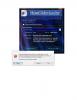
Hi, I'v some strange issue with virtual cd mounting. - For some reason, acording to the GameEx Log, the plugin doesn't start normally : ... 18:52:25.6 2/16/2016: Loading PlugIns18:52:25.6 2/16/2016: Loaded Plugin:"Virtual Drive Loader" Version 1.2.1 By Adultery18:52:25.6 2/16/2016: PlugIn Did not initialize. Disabling PlugIn... - Looking at the plugin log, here what i see : 2/16/2016 6:52:25 PM : Virtual Drive Loader (Version: 1.2.1)2/16/2016 6:52:25 PM : GameEx14.43 initialized OK!2/16/2016 6:52:25 PM : Plugin was initialized successfully!2/16/2016 6:52:25 PM : ERROR: Could not find any virtual drives! Not initializing plugin! - each time i try to access the plugin configuration screen, it just crash either from GameEx configuration wizard or from the Plugin Downloader app (screens attached) - I'm usually using Elaborate Bytes CloneDrive, thinking it may be the source of the issue i switched to Daemon Tools, but the same error happens. If someone can help, it would be nice.