



|



tetrafred
-
Posts
14 -
Joined
-
Last visited
Recent Profile Visitors
451 profile views

tetrafred's Achievements

Advanced Member (2/5)
1
Reputation
-
I update my cab and all my software (Vpinmame, dof, b2s serveur etc....) and my windows to be in 18.09 now (windows dont wan't to update until the 22h2 and can't have Netframe work 4.8.1, only the 4.8) and all work fine now
-
Ok, i don't update the Pin2dmd device and in a previous try i copy over with my XDMD.dll and XDMDNative.dll existing file from the 3.38 Pinball X root directory. With this the PinballX 7.22 doesn't launch. 1.7.2 DMD ext version on my cab. Seem to be the good way to fallow. I will update DMDext in 2.4 and tell you if it's ok.
-
I haven't triage issue (xml list), just my Pin2dmd who doesn't work when i launch a vpx table from the 7.22 version. That's why i join the two ini too compare the dmd setup on the .ini. Could the dmd.dll be the cause of my issue?
-
i join them too compare the .ini
-
the pinballx.ini from 3.38 PinballX.ini
-
the pinballx.ini from 7.22 version (remind me the Hyperpin age ^^) PinballX.ini
-
ok, so i resolve my crazy contactor. I uncheck "shiny" in plugin manager and it's ok. Just remaining my Pin2dmd problem. log.txt from 7.22 (Pin2dmd doesn't work when a VPX table is launch) and log.txt 3.38 (all work great) I see the dmd.dll aren't the same in the two installation (2018 from the 3.38) [SETTINGS] 722.log log 722.txt XDMDlog 722.txt [SETTINGS] 338.log log 338.txt
-
ok, a downgrade version of the setup wizard is curious. I check the log file on my desktop PC and it's the 7.22 version. So it's ok. 00:31:35.15 26/05/2026: PinballX Core - Version 7.22 x64 00:31:35.18 26/05/2026: Windows 11 Pro 64-bit (32GB) 00:31:35.18 26/05/2026: Loading Settings 00:31:35.18 26/05/2026: Initialize Component 00:31:35.24 26/05/2026: Initialize Display 00:31:35.25 26/05/2026: Testing Flash engine. 00:31:35.29 26/05/2026: Loading PlugIns 00:31:35.32 26/05/2026: Looking for startup images 00:31:35.40 26/05/2026: Hiding Cursor 00:31:35.47 26/05/2026: Hiding Taskbar 00:31:35.47 26/05/2026: Getting GPU and CPU Information 00:31:35.49 26/05/2026: CPU: AMD Ryzen 5 7600 6-Core Processor 00:31:35.49 26/05/2026: 6 cores, 12 threads 00:31:35.49 26/05/2026: GPU 1: AMD Radeon RX 6600 00:31:35.49 26/05/2026: Displays: 1 00:31:35.49 26/05/2026: Load Game List 00:31:35.50 26/05/2026: Loading Database: Future Pinball 00:31:35.50 26/05/2026: Loading Database: Visual Pinball 00:31:35.51 26/05/2026: Initial load gamelist took: 0ms 00:31:35.51 26/05/2026: Finding and matching artwork and videos 00:31:35.52 26/05/2026: Took: 16ms 00:31:35.52 26/05/2026: Loading Game Statistics and Scores 00:31:38.29 26/05/2026: Main display running full screen windowed. 00:31:38.46 26/05/2026: Loading Surfaces 00:31:38.49 26/05/2026: Finished Loading Surfaces 00:31:38.49 26/05/2026: Initialize Audio 00:31:38.56 26/05/2026: Set Keyboard Controls 00:31:38.56 26/05/2026: Initialize Joystick 00:31:39.02 26/05/2026: Touch screen detected 00:31:39.02 26/05/2026: No Joysticks Attached 00:31:39.02 26/05/2026: Setting default net connection limit to 25 00:31:39.02 26/05/2026: Started 00:31:53.97 26/05/2026: Exiting 00:31:54.01 26/05/2026: Showing Taskbar 00:31:54.01 26/05/2026: Unhiding Mouse Cursor 00:31:54.05 26/05/2026: Disposing Plugins 00:31:54.05 26/05/2026: Saving Settings 00:31:55.15 26/05/2026: Bye But if it's the 7.2.2 on my pincab i have new problem. -My real DMD doesn't work (PinDMD2), on frontend and when i launch a table but work well in the 3.2.9 version. try to find in the setting.exe but don't see option about it. -I will have a problem with the DOF, a contactor always active by "intermittence" on frontend without action from me but work well in 3.2.9 -The wheel underlay has change and give me a old giff i try a while lol....Just a media mistake. I don't check to find the problem but i will try to find, except my contactor mistake. I really don't know from where it can cause this repetitive action. There is no other way to know our pinballX version like in property of the exe? Thanks for this awesome launcher and your answer to my post.
-
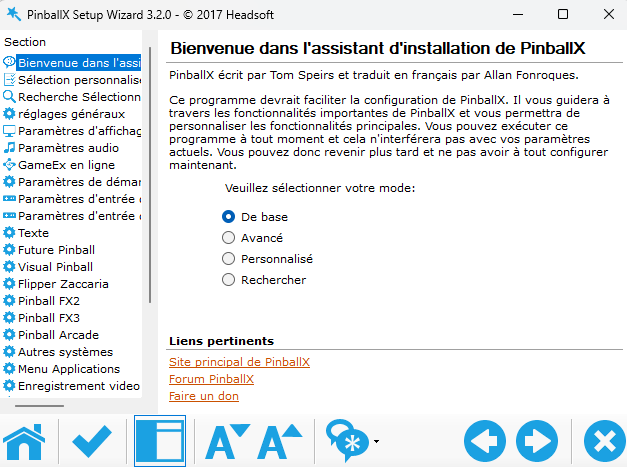
"over the top" my previous installation. Try to install the exe on my other PC (fresh install) and the same result: Setting.exe is 3.2.0 (3.2.9 on my previous installation in cab)
-
Hi, i try to update my old 3.2.9 PinballX frontend. So i go too the download topic: I select my version in the bottom, 7.2.2, download the file and when i launch the setup and go to the setting.exe after instal it tell me i have the 3.2.0 version oO What i do wrong please? Thanks.
-
In my cab i create a new system call "Vpinball Physique mod" in the empty list on "other emulator". After in VP folder i've also create a new table directory containing all the VP physique mod table, .vbs and ledwiz settings.ini... With "game manager" its so easy to configure this and you can "filtre" them with xml in database folder. I think it's the best way and the most easy.
-
I hink it's a problem of memory temp or swap maybe. In the 1st table quit, no problem but when it's came the second it's when my problem appear. PinballX minimize just after FuturDMD was launch on my third screen with some sort of lag (0.5 or 1 seconde) I have a E8400 OC 3.4 ghz, a P35C DS3R rev 2.1, 4 giga de ram and a ATI HD5850 with driver 14.4 3 screen.
-
Ok, so this is my PinballX.ini:and my log file but i d'ont know if i encounter this problem in this cession:
-
HI, I have a probleme with FutureDMD 1.81 and PinballX. FutureDMD is launch with PinballX and futureDMD pluggin to have the name of the table wheel display on my DMD screen. It's great and perfect. When i lauching Future Pinball all works perfectly because Future doen't close and display the future Pinball DMD information. When i launch a Visual Pinball table i tell to PinballX to close FutureDMD in "launch before" and open FutureDMD on "Launch after". My problem is, sometimes (or offen) PinballX minimize after quit a Visual PInball table and i hav to do a "Alt/tab" to recall it in full screen. have you a idea to solve it please? A command line in "launch after" to make a delay or something else? Thanks i am on windows 8.1
