|



klodo81
-
Posts
15 -
Joined
-
Last visited
Content Type
Profiles
Forums
Events
Downloads
Store
Articles
Everything posted by klodo81
-
Thank you very much for your work Tom Speirs
-
The log files without problem of Timeout with XDMD Because sometime when I start the cabinet I have problem of Timeout and I need to restart PinballX XDMDlog.txt log.txt
-
I use the dmddevice64.dll v2.3.0 from Freezys because the last supplied with PinballX V6.58 don't work for me XDMDlog.txt log.txt
-
 When I use PinballX V6.58 I have some littles flickering on my PIN2DMD V4.52 I display only images from the directory ..."Real DMD Color Images" From PinballX : When I search a table I have flickering when I stop the wheel When I play a DMD Table no flickering (<hidedmd>True</hidedmd>) (no problem with VPinballX and PIN2DMD) When I play an EM Table I keep the image DMD from PINBALLX and I have flickering (<hidedmd>False</hidedmd>) The problem seems provide from PinballX ? But I don't remenber after what version this problem arrived, but a lot of month ago PinballX.ini
 -
I have performed the edits via settings.exe and the config file is in the config folder. I tried monitor numbers 2-5 and nothing I remenber now the cabinet have started with the monitor 1 off and the monitor 2 on, also I put the monitor 1 on and I restart again May be the problem is arrived after that but I don't remenber. Because in the past Windows had difficulties to manage this type of situation, and may be today again It seems to me that there was software to test that
-
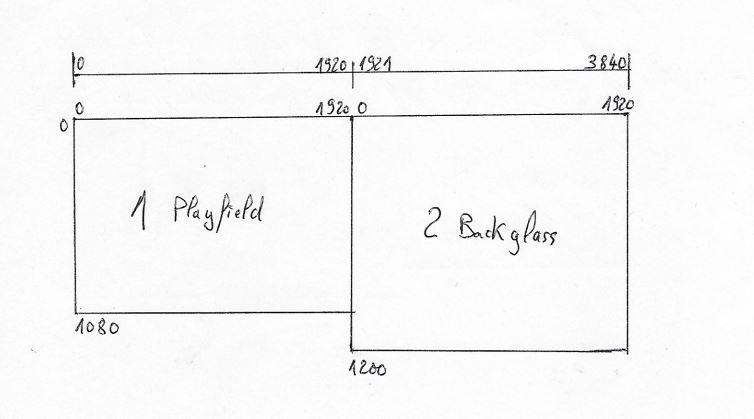
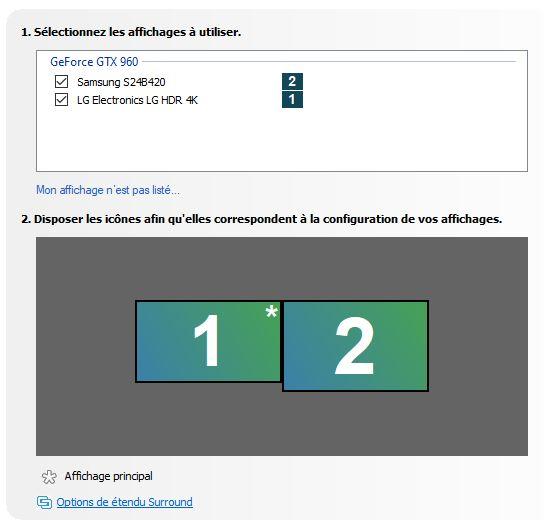
I tried x offset 1920 and monitor 0 and nothing change as if PBX don't read this information but read other information ? I tried PBX with administrator yes/not nothing change : what you use ?
-
Yes setting the X offset made no difference, is why I don't understand where PBX find these false coordinates I use PBX since many years and it is the first time that arrive It is a new installation of Windows 10 on my new cabinet from March of this year and this problem started last week
-
In the past I used wheels,brand logo Picture on picture is too much for me I prefer the simplicity now (sorry for the good work made to create these arts wheels) I create my simple readable DMD for each table and they are on the real DMD PinballX.ini

-
When I launch VPX or VP the position of the backglass is ok on the screen 2 the problem is just with PBX
-
In the file INIT you can see for Backglass X=1920 because I make a test, normally I have X=0 and the problem is the same
-
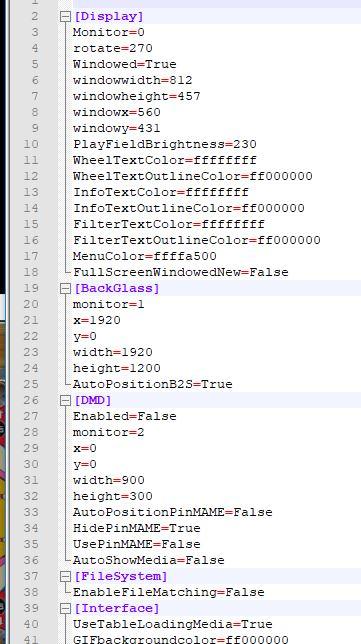
I am using the PBX version 522 32 bits in a cabinet with playfield screen 1, backglass screen 2 and one real PIN2DMD I have Windows 10 All worked well these last months and suddenly the backglass has disappeared With the mode windowed I see now the backglass displayed on the playfield screen 1 x=0, y=0, Witdth=500, Lenght=500 I don't remenber to have modified some thing before I return to version 508 it is the same I removed the installation and install again version 522 it is same In the log file I have the error message with the file flash.ocx but all work until now, but I will remove this file but I have a problem to make that I don't know how it is possible Where PBX is reading the information for this position of the backglass ? Thankyou for your help log.txt
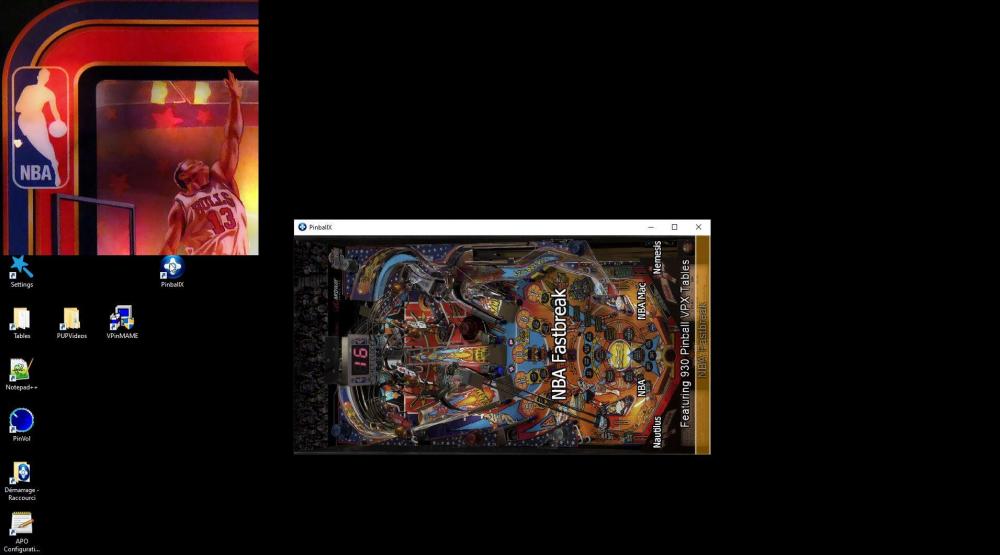
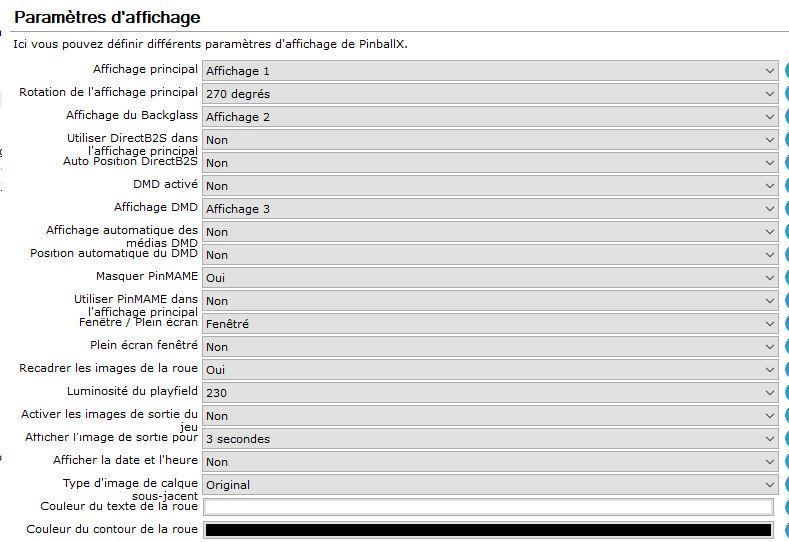
-
Yes my problem is the point 1 now it is ok Thank you very much for your help and your job
-
Image Screenshot: Playfield: If not exist in table image, one image created in table image is ok If exist in table image, created 2 images in screengrab: xxxx + xxxx_1 (every time 2 images) Backglass: Nothing if exist or not exist log.txt PinballX.ini
-
Thank you very much for the update 3.07 For image Screenshot: Playfield : ok in table images but also in screengrab Backglass : Nothing in backglass images an Nothing in screengrab backglass ? Worked well in the two directories screengrab with old version 2.xx
-
PinballX Enhancements/Features Requests
klodo81 replied to Draco1962's topic in FAQs, Guides, & Other Useful Information
To add in the exit screen : - Return - Exit - Shutdown - Gameex or an other link which will be define in the setting tool (name, path) And to make the same in Gameex. Because when I use exit program, it is not possible to exit, because when you exit the other program linked start. Because I use PinballX and Gameex in the same arcade/pinball cabinet with 2 screen Thanks