|



Scott Petty
-
Posts
36 -
Joined
-
Last visited
Content Type
Profiles
Forums
Events
Downloads
Store
Articles
Everything posted by Scott Petty
-
Correction: the games that GameEx runs as a screensaver are ONLY the ones included in the list of 41 that shows up under Mame. Scott
-
It worked like a champ.... I have Higan (the newer BSNES, does NES and all Gameboys too) and 4DO working well. I can't find a reference on the command line settings for Higan and even outside of GameEx I can't get it to go full screen. A full screen window works but the menu and borders are distracting. Anyone know the command line options for Higan? There is no settings.ini like there was with BSNES... Also one more question... everything is working so well except Mame is only showing the first 41 (alphabetical order) games. I have a full verified Mame setup with nearly 20,000 roms. I have tried the paging key and the button I assigned on my gamepad to paging, but no change. I know the roms are there because GameEx is running unlisted roms as the screen saver. Thanks for your patience and for such a great product, Scott
-
Thanks Adultery, I'll give it a go this evening. Scott
-
How do I add emulators to GameEx that aren't specifically listed on the Emulator Selection screen under GameEx setup? Specifically I'd like to add 4DO and either Project Tempest or T2K. Thanks, Scott
-
Thanks all for the help. I was monitoring and doing most of my GameEx setup through a VNC connection (it's hard to read fonts on my TV screen). The screen was actually never blank on the TV, just on my VNC connected computer. I guess VNC wasn't properly polling the window. So... in short... never a GameEx problem, it was all my ignorance. Thanks for the wonderful support here... Scott
-
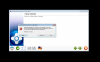
I am running GameEx v13.18. When running the Setup Wizard, I get the following error when I get to the screen to pick my default theme: (please see the first attached image). When I click on the details button in the error prompt, here is what it lists: (please see text just below my signature). I have attached my GameEx.ini file and my log.txt file and can send any other files necessary to figure this out. I did uninstall and reinstall GameEx but nothing changed... I still get the error. Many Thanks in advance! Scott GameEx.ini log.txt
-
Thanks... I can run and see GameEx in a window, and changing the theme didn't make a difference - full screen is still black. Any more suggestions? Thanks again, Scott
-
Just to be clear - I never get to the point of running Mame. It's when I boot GameEx that it goes to a black screen. I never see any interface.... nada... and I have to hit ESC to get back to the desktop. Is there a ste-by-step installation guide somewhere? I have all of the major systems setup and working with ROMs & images, I'm just wanting a nice software wrapper to present them to my family on the big screen. Thanks, Scott
-
I'm running an i7 950 on a Gigabyte X58A-UD3R mobo with Windows 7, 64-bit. When I ESC out of the black screen it returns me to the desktop. I haven't installed any codecs.... Thanks, Scott
-
Thanks for the quick help! I've attached my log.txt file... Scott log.txt
-
I just downloaded and registered GameEx, installed it, setup Mame, ran it, and the screen goes black. I can get out by hitting ESC but otherwise nothing seems to be happening. I've attached my GameEx.ini file to this post. I have Windows 7 64-bit, not running much else on the machine. Thanks for any help that you can give me. Scott GameEx.ini