|



djshal
-
Posts
38 -
Joined
-
Last visited
-
Days Won
1
Content Type
Profiles
Forums
Events
Downloads
Store
Articles
Everything posted by djshal
-
I have the exit button mapped but it just gives the option to quit the emulator or pbx not go back PinballX.ini log.txt
-
So I enabled my system list enabled in general settings and they show on pbx startup and i can go in to one the systems but i can not for the life of me figure out how to go back to different systems, and i do not see a back key binding setting in keyboard input settings. Am i missing it or is that not an option?
-
Okay, so i redirected all my video theme locations for all emulators and the background videos still do not play, the video theming has gone away but no background videos, I guess i will try and submit a request for a change for settings or something
-
Yeah i saw that post.It is similar but i have video theme off and the folder redirected, thats why i was confused. Is there a way to disable that feature in the config? and also since i got you. Is there a way in the theme editor to create for GE arcade or is it only regular gameex
-
Yes it is custom videos and i have disabled video themes(meaning i turned off auto artwork download and redirected video theme folder) my custom video is on loop and it worked before the video themes downloaded , that i can remember. here is a video of what happens, it shows video and then it goes away and then the screen fades out to just show title and game snap IMG_6407.MOV
-
So i guess there was a little error on my part, the concern is the background video , even if i have the video themes turned off it still does it, i will make a video and upload in a few, thanks
-
Updated and same issue, here is the log log.txt
-
also so i'm explaining it correctly, this is with video themes on and when you are on a title and let it sit for 5-10 seconds, if i can figure out how to do a vid capture i will share that also ,thanks
-
Absolutely , Here are both, and it does it with mame and daphne and all as well GameEx.ini log.txt
-
So I am using GameEx Arcade and the Draconus Theme, I know my way around the config file pretty good but for the life of me can't figure this one out, My question is, How do you get the video background to stay playing when you stay too long on a game title, For example from main menu go to nes then on any game the video snap and game info will display and the background video that i have is playing, Then after 5 seconds the screen kinda fades the video background out and it just shows game title and video snap for said game.
-
I could have swore i tried that, That did fix it, Thank you So Much
-
Here ya go GameEx.ini
-
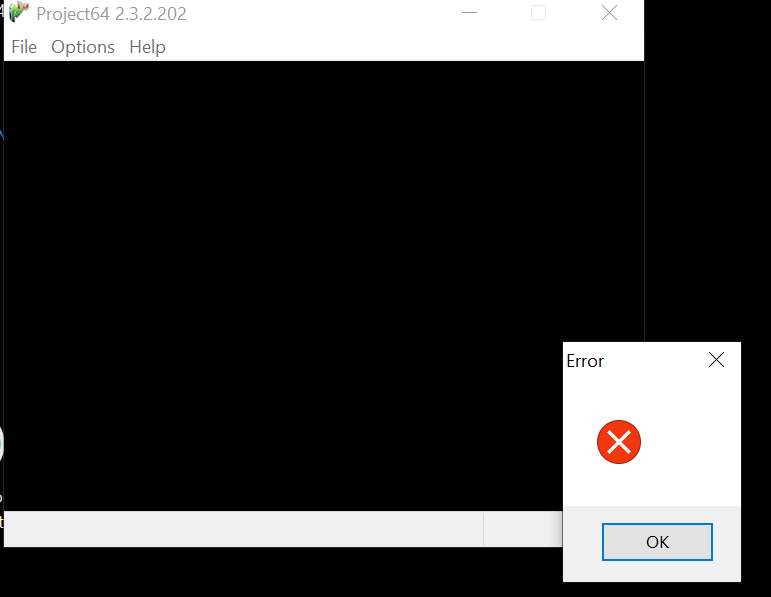
When i use project64 standalone it works fine, When i run it through GameEx this is the error i am getting. I have attached a screenshot and my log file, Any help would be much Appreciated , Thanks log.txt