|



dezblack
-
Posts
60 -
Joined
-
Last visited
Content Type
Profiles
Forums
Events
Downloads
Store
Articles
Everything posted by dezblack
-
I used xpadder for awhile myself. I found the command to open it and load profiles was along these lines xpadder.exe profile1 profile2 This would open xpadder, load profile1 for the first gamepad, and load profile2 for the 2nd gamepad. My profiles were in the same directory as xpadder.exe. The main problem I ran into was with longnames/spaces. I could not use c:\program files\xpadder\xpadder.exe profile1 profile2 I had to use c:\progra~1\xpadder\xpadder.exe profile1 profile2 You should not need the delay to open xpadder and then load a profile. It should open with the profile loaded that you want. With this in mind, you may need to use this to open xpadder with your profile: e:\xpad\xpadde~1\xpadder.exe JB As far as launcing the program, I don't see why you would need to go into the directory and then launch it. You should be able to just give a full path to the executable and have it work: e:\games\activision\quantu~1\JB_Launcher_s.exe
-
It should be at the very bottom after you enter mame games on the starting menu. I think it says update all(?) If its not there, you will need to turn it on using the advanced configuration editor.
-
@echo off e:\xpad\xpadder_gamepad_profiler\xpadder.exe e:\xpad\xpadder_gamepad_profiler\JB e:games\activistion\quantum of solace\JB_launher_s.exe does that work? only problem with this is that once these run, Gameex will see the cmd window close and kick back to fullscreen thinking the app is closed. I would look into ahk scripts. They can be kept running until the game closes so gameex won't take over your screen when the game starts.
-
That seems to of done the trick! Thank you for this, and your continued contributions to the community, much appreciated. I'll let you know if I have any other troubles with this one.
-
I'd be happy to as soon as I get home.
-
Im using gamebas 1.6, they are broken into subfolders alphabetically. GameBase Amiga 1.6\Screenshots\0,a,b,c,etc... I tried just doing one folder directly and that did not work either. These files are .png and have names listed like: 1000_miglia.png (title) 1000_miglia_1.png (screenshot1) 1000_miglia_2.png (screenshot2) the zipped gamename is 1000 Miglia.zip GameBase Amiga 1.6\Extras\Boxscans\0,a,b,c,etc... these are jpg's with names like: After Burner (Activision)_Back.jpg After Burner (Activision)_Front.jpg Let me know if I can offer any other info..
-
I try to click on the convert artwork button after selecting the correct path/settings and it just flashes but never converts. Do I need anyhting else installed for this to work? Games load and play just fine..
-
Brian is doing here what my thought was, but easier =) There is a built in tool with gameex that lets you test to see what gameex cant find, thats the RUNLASTGAME.bat file. He's giving you a WAY easier route than I would at your level lol. Thanks Brian!
-
just search the forums for tunnelvision http://www.gameex.info/forums/index.php?showtopic=7610&view=&hl=tunnelvision&fromsearch=1
-
have you tried testing the command line in a run box? some of mine I had to convert to progra~1 for example
-
ShowDesktop=False Try changing this to ShowDesktop=True I know I had alot of problems with this one when I started out. I ended up just setting a black background and setting this to true by default. Mose apps/Emus I have require this setting, or it will do what you are describing.
-
sorry for the delay nope! works perfect now, thank ya sir
-
Cabinets and HTPC Setups Running GameEx
dezblack replied to David R Hilgendorf's topic in Gamer Rigs
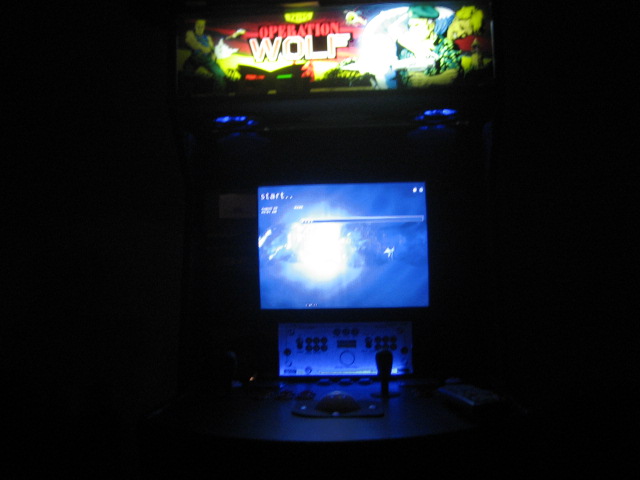
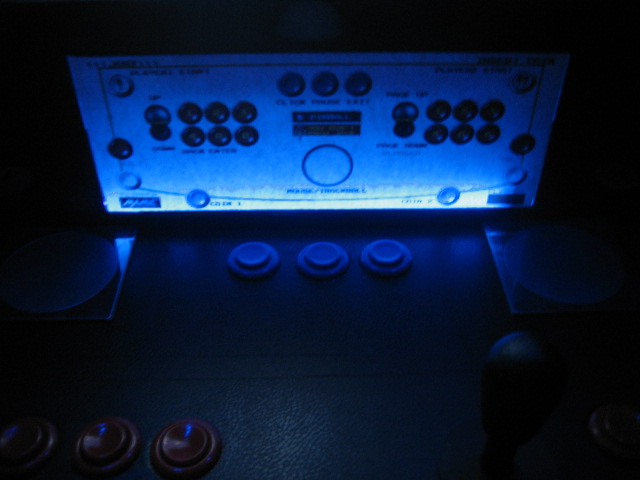
Thought it was time to show mine, but I don't think it will never NOT be a WIP =)


-
I get this error at the top of the page when I try to reply.. Warning: Division by zero in /home/gameexi/public_html/forums/sources/classes/attach/class_attach.php on line 462 It wont let me reply unless I do a quick reply.. I can post new just fine.
-
found this... Ill try it http://www.gameex.info/forums/index.php?sh...;st=#entry56892 heh, now it works =) Is there any plans to do both? I have a URL for my page linked to some sig banners I'd like to still use..
-
I have tried everything I can, but my Gameex never appears on Gameex Live! . It has its settings all configured and my router is forwarded for the correct port. How do I get this to work, am I missing something?
-
I came across this today: http://timeouttunnel.com/movie.htm It has a really impressive 3d-rendered TRON machine I thought I'd share. I KNOW there's a TRON fan around here somewhere. lol =)
-
your welcome, glad they worked for you too. I think I learned that trick from a hedkaze post somewhere here...
-
I use the vista codec pack found at http://shark007.net/ (on xp), and my flv's play just fine in all of my frontends. I just uninstalled my current codec pack and installed these instead. hope it helps.
-
oops n/m problem was the default keys were going to the letter instead of the advance iput i setup for the letters. I fixed it by setting the player2 to pageup and pagedown in winipac, then setting pageup and pagedown to do the functions in the advance input through the wizard.
-
Has anyone figured out how to set the player2 joystick up and down for an ipac to pageup and pagedown in gameex? I tried remapping the keys both in winipac to pageup pagedown, and tried going through the wizard to use custom controls. I also set the option in the wizard for ipac support.. Cannot get them to pageup/pagedown
-
Thanks for the info, I didn't know that one spoke too. I'll try it. I did some more tinkering and found it did not like the Cepstral voices I was using. the ms voices don't seem to have a problem.
-
ok, bit of an update. I loaded all folders back into the mame settings, and some games seemed to work again, including pacman and mspacman. I then started having trouble with centipede. I checked the runitgame.bat and it was set to launch the last WORKING game which was xmen vs streetfighter. So I changed it to launch centipede. It was able to with no error or problem. I then went and disabled the speak game name plugin and tried it again. It worked fine. I turned the plugin back on, and it wouldn't launch again. So again, disabled and then was able to launch the game. Looks like the problem is with the plugin! It does work correctly when reading names and descriptions for every game so far. The problem seems to be when it gets to the part where it says "launching (game name here)". Some games it will say it correctly and launch, others it does not say anything and just stalls like it is waiting for it.
-
I have some games that will not load through gameex, ms pacman and pacman are the two I know of for sure. They load just fine when going directly through mame. When I click in gameex to start them, they just lockup. I have done a fresh install of gameex and setup only the basic mame directories to test as well and they still lock up. I was not sure if it was the artwork files causing a problem or not. Im using the new mame 133u1. Thanks!