|



TheThinker
-
Posts
13 -
Joined
-
Last visited
TheThinker's Achievements

Advanced Member (2/5)
0
Reputation
-

Solved - Problem with 2 xbox controllers and Fusion
TheThinker replied to TheThinker's topic in General
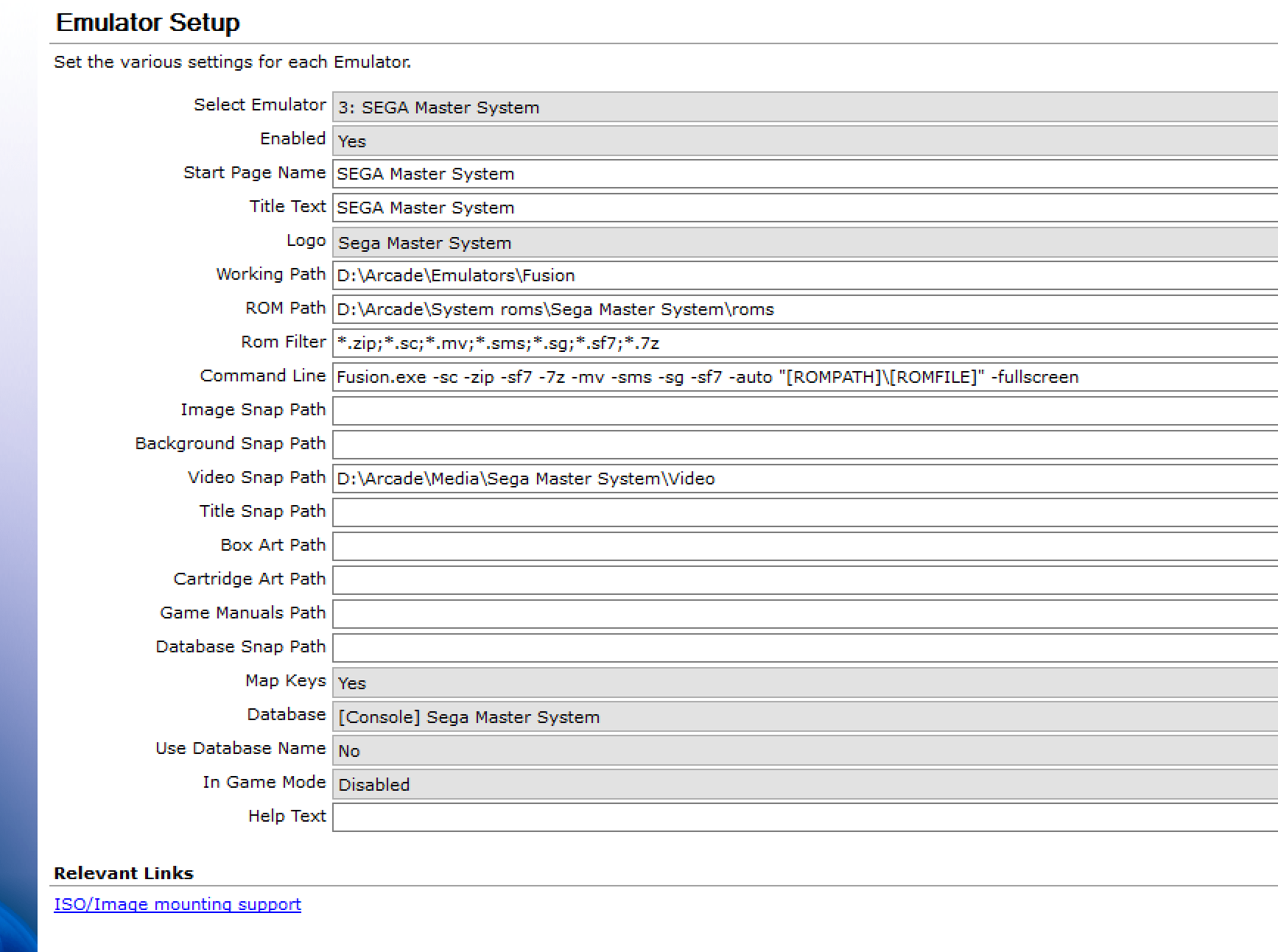
Finally, after I wasted 2 days I fixed it. Now dpads work To configure the dpad for xbox controller 1 and xbox controller 2, you have to set fusion in windows mode (NOT FULL SCREEN) and only FROM Gameex you have to configure it! Not from fusion itself. You do not need to touch the .ini but I have added it anyway in case someone needs it. This is the configuration Port 1: 3 Btn Pad: -4. Controller (Xbox 360) Port 2: 3 Btn Pad: -3. Controller (Xbox360) Port 1: Control Pad: -4. Controller (Xbox 360) Port 2: Control Pad: -3. Controller (Xbox 360) After that exit from Gameex, and add in Setup Wizard full screen mode: Fusion.exe -sc -zip -sf7 -7z -mv -sms -sg -sf7 -auto "[ROMPATH]\[ROMFILE]" -fullscreen Fusion.ini -
Solved - Problem with 2 xbox controllers and Fusion
TheThinker replied to TheThinker's topic in General
This is my setup for Fusion in Gameex. Any idea?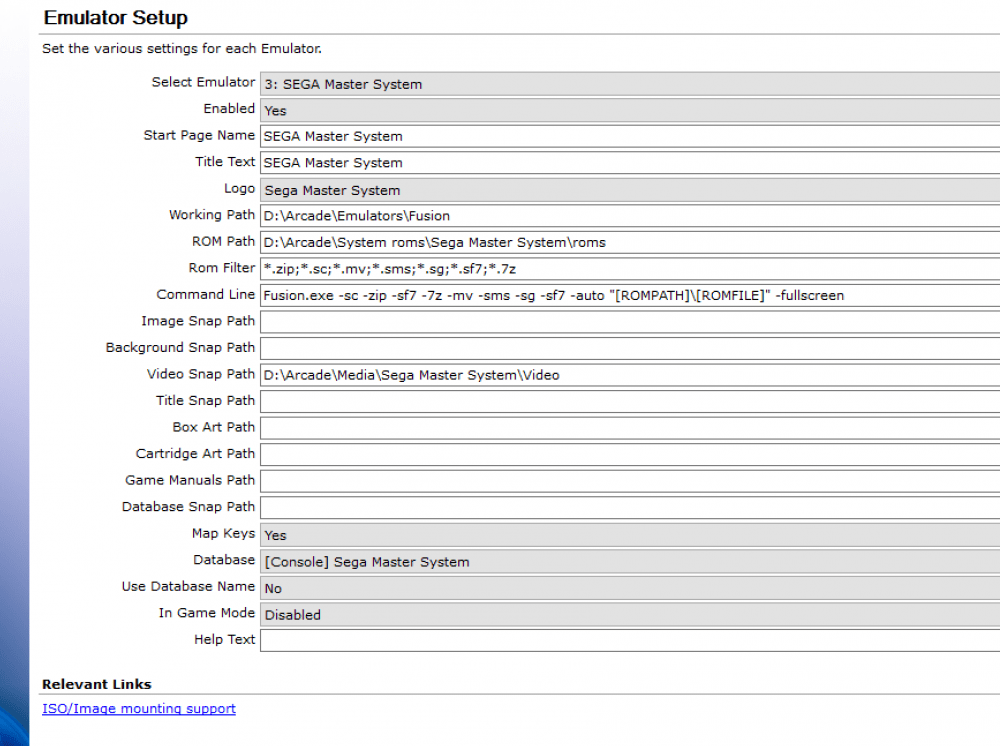
-
Solved - Problem with 2 xbox controllers and Fusion
TheThinker replied to TheThinker's topic in General
Ok this is weird, controllers works (as mentioned above) in fusion but not at all when fusion is launched through gameex. I have no problems with other emulators. How can I fix it? :/ I have attached fusion.ini And the screenshot of the configuration Fusion.ini
-
Solved - Problem with 2 xbox controllers and Fusion
TheThinker replied to TheThinker's topic in General
Hi RedDog, Thank you very much for the config. Unluckily does not work because player 2 dpad is recognised in the same way as player 1 dpad, so no idea how to tell fusion to recognise it differently. If I put the right values of a standard xbox 2 controller it does not work because in fusion it has the same values when recognised as dpad for controller 1. It's very annoying, I had to use the axis in controller 2 (and they are not very accurate) and anyway if player 2 touch the dpad, player 1 will move because it is set with dpad1. -
Solved - Problem with 2 xbox controllers and Fusion
TheThinker replied to TheThinker's topic in General
Hi Draco, Thanks for your reply. I configured the controllers in the same way. They are both detected but it's only the dpad of controller2(up,down,left,right) that is stuck to the same keys assigned to the dpad of controller 1. The buttons (punch, kick/jump) of controller 1 and 2 are fine. -What I need to know are the values of the controller 2 dpad ( and what part of the .ini I should modify). How can I retrieve the numbers? Dpad1 is 200,208,203,205. Dpad2 no idea 'cause it is not detected. -If someone that uses 2xbox controllers can share the .ini that would be great too Many thanks -
Solved - Problem with 2 xbox controllers and Fusion
TheThinker replied to TheThinker's topic in General
Hi Adultery, please let me know what you mean. I tried by the fusion interface but it is not detected correctly (both dpad have been assigned to the same codes 200,208,203,205) so I wanted to modify the .ini. Do i have other options to configure my 70 emulators to my 2 Xbox controllers skipping their native interface or config/ini files? Last time I configured a cab was 10 years ago so I might be a bit outdated with the news. Any idea how to retrieve all the codes for both controllers? (200, 208,203,205 is for a player1 dpad, I need the player2 dpad and no idea about what values I need to move the player2) Many thanks! -
Hi guys, When from GameEx I run Fusion everything is working except the dpad of my second xbox controller. Basically both the dpad of controller 1 and controller 2 have the same keys in Sega Master System, so when I play games like street fighters in 2 players mode it's unplayable. How can I configure it? In fusion.ini I have realised that 200, 208, 203, 205 is the configuration of the dpad for player 1 Which ones are the codes for player 2? I cannot find them anywhere. Also what lines do I have to modify to make it work? Many thanks! ;--------------------------------- ; Fusion Configuration File ;--------------------------------- ;--------------------------------- ; Graphics Compatibility Options ;--------------------------------- ForceCompatibleGFX=0 CompatibleGFXOpt=0 EnhancedGFXOpt=0 ForceFullScreen32=0 VistaAeroIgnore=0 VistaNoWndVSync=1 DebugFlags=0,0,2,2 ;--------------------------------- ; Sound Compatibility Options ;--------------------------------- ForceSWBuffer=1 ;--------------------------------- ; SG1000/SC3000/SMS/GG Specific ;--------------------------------- LastSMSROM=D:\Arcade\System roms\Sega Master System\roms\Street Fighter II (Brazil).zip LastGGROM=D:\Arcade\Emulators\Fusion\ SMSUSABIOS= SMSJAPBIOS= SMSEURBIOS= GGBIOS= SF7000IPL= SxMFiles=D:\Arcade\Emulators\Fusion SMSStateFiles=D:\Arcade\Emulators\Fusion SMSPatchFiles=D:\Arcade\Emulators\Fusion GGPatchFiles=D:\Arcade\Emulators\Fusion SMSSpriteLimitDisable=0 YM2413Disable=0 SMSBIOSDisable=0 SMSBorderDisable=0 GameGearZoom=0 GameGearFull=0 ;--------------------------------- ; MegaDrive/Genesis Specific ;--------------------------------- LastGenesisROM=D:\Arcade\Emulators\Fusion\ SRMFiles=D:\Arcade\Emulators\Fusion StateFiles=D:\Arcade\Emulators\Fusion PatchFiles=D:\Arcade\Emulators\Fusion GenesisBIOS= AutoChecksums=0 GenBorderDisable=0 ;--------------------------------- ; Mega CD/Sega CD Specific ;--------------------------------- LastSegaCDImage=D:\Arcade\Emulators\Fusion\ SCDUSABIOS=C:\SegaCDBIOS\us_scd1_9210.bin SCDJAPBIOS=C:\SegaCDBIOS\jp_mcd1_9111.bin SCDEURBIOS=C:\SegaCDBIOS\eu_mcd1_9210.bin SCDStateFiles=D:\Arcade\Emulators\Fusion DefaultDrive=X:X:X None CDReadAhead=4 CD+GMode=0 ForceASPI=0 BRMFiles=D:\Arcade\Emulators\Fusion BRMPerGame=1 LEDEnabled=1 PerfectSync=0 ;--------------------------------- ; 32X Specific ;--------------------------------- 32XM68KBIOS=c:\32XBios\32X_G_BIOS.bin 32XMSH2BIOS=c:\32XBios\32X_M_BIOS.bin 32XSSH2BIOS=c:\32XBios\32X_S_BIOS.bin Disable32X=0 Fast32XTiming=0 ;--------------------------------- ; Expert Options [DANGER! RTFM!] ;--------------------------------- RefreshRate60Hz=60 RefreshRate50Hz=100 UseExpertModes=0 UseAutoSwitching=0 MinSwitchDelay=100 Mode256x240=640,480,60,100,640,480 Mode256x480=640,480,60,100,640,480 Mode320x240=640,480,60,100,640,480 Mode320x480=640,480,60,100,640,480 ;--------------------------------- ; File History ;--------------------------------- FileHistory0=D:\Arcade\System roms\Sega Master System\roms\Street Fighter II (Brazil).zip FileHistory1= FileHistory2= FileHistory3= FileHistory4= FileHistory5= FileHistory6= FileHistory7= FileHistory8= FileHistory9= FileHistoryA= FileHistoryB= FileHistoryC= FileHistoryD= FileHistoryE= FileHistoryF= ShortenHistoryNames=0 ;--------------------------------- ; Netplay Settings ;--------------------------------- NetplayName= NetplayServer= NetplayPlayers=2 NetplayLatency=6 NetplayBandwidth=1 ;--------------------------------- ; General Settings ;--------------------------------- WAVFilesPath=D:\Arcade\Emulators\Fusion\*.wav VGMFilesPath=D:\Arcade\Emulators\Fusion\*.vgm AVIFilesPath=D:\Arcade\Emulators\Fusion\*.avi ScreenshotPath=D:\Arcade\Emulators\Fusion ScreenshotType=0 ScreenshotMode=1 CurrentCountry=0 CountryAutoDetect=1 CountryOrder=0 CurrentWaveFormat=2 SoundOverdrive=0 PSGNoiseBoost=0 SoundSuperHQ=1 SoundDisabled=0 SoundFilter=0 CurrentRenderMode=1 FullScreen=0 DWindowXPos=253,0,0,0 DWindowYPos=133,0,0,0 DWindowSize=224,1,128,2 DResolution=224,1,128,2 DRenderMode=0 DFixedAspect=1 DFixedZoom=0 DFiltered=1 DNTSCAspect=1 DNearestMultiple=0 DScanlines=4 VSyncEnabled=0 Player1Keys=200,208,203,205,42,29,57,2,56,44,45,46,0,0,0,0 Player1bKeys=0,0,0,0,0,0,0,0,0,0,0,0,0,0,0,0 Player1cKeys=0,0,0,0,0,0,0,0,0,0,0,0,0,0,0,0 Player1dKeys=0,0,0,0,0,0,0,0,0,0,0,0,0,0,0,0 Player2Keys=205,208,203,205,17,18,30,3,31,16,26,27,0,0,0,0 Player2bKeys=0,0,0,0,0,0,0,0,0,0,0,0,0,0,0,0 Player2cKeys=0,0,0,0,0,0,0,0,0,0,0,0,0,0,0,0 Player2dKeys=0,0,0,0,0,0,0,0,0,0,0,0,0,0,0,0 Player1Buttons=32,33,34,35,0,1,2,3,4,5,6,7,8,9,10,11 Player1bButtons=32,33,34,35,0,1,2,3,4,5,6,7,8,9,10,11 Player1cButtons=32,33,34,35,0,1,2,3,4,5,6,7,8,9,10,11 Player1dButtons=32,33,34,35,0,1,2,3,4,5,6,7,8,9,10,11 Player2Buttons=32,33,34,35,0,1,2,3,4,5,6,7,8,9,10,11 Player2bButtons=32,33,34,35,0,1,2,3,4,5,6,7,8,9,10,11 Player2cButtons=32,33,34,35,0,1,2,3,4,5,6,7,8,9,10,11 Player2dButtons=32,33,34,35,0,1,2,3,4,5,6,7,8,9,10,11 Joystick1Type=1 Joystick1bType=1 Joystick1cType=1 Joystick1dType=1 Joystick2Type=1 Joystick2bType=1 Joystick2cType=1 Joystick2dType=1 Joystick1Using=0 Joystick1bUsing=0 Joystick1cUsing=0 Joystick1dUsing=0 Joystick2Using=0 Joystick2bUsing=0 Joystick2cUsing=0 Joystick2dUsing=0 Player1MSKeys=200,208,203,205,42,29,2,0 Player2MSKeys=200,208,203,205,17,18,3,0 Player1MSButtons=32,33,34,35,0,1,3,0 Player2MSButtons=32,33,34,35,0,1,3,0 Joystick1MSType=1 Joystick2MSType=1 Joystick1MSUsing=0 Joystick2MSUsing=0 MultiTapType=0 InvertMouse=0 LightgunCursor=0 FPSEnabled=1 CurrentRenderPlugin=0 AllowSleeping=0 AlternateTiming=0 DisableShortcuts=0 ThreadPriority=0 StaticDisabled=0 Brighten=0 CartBootEnabled=0 VGM_Version=16,1 MSNStatusEnabled=0
-
Thanks mate. Anyway I found a way after I posted here. I have created batch files for every game I want to launch, so I will have the following configuration: Command Line: cmd.exe /c "[ROMPath]\[ROMFile]" Rom filter: *.bat Map Keys: yes Database:[PC]ScummVM Use Database name: yes Show Desktop: yes Advanced config:[Mapping OFF] Exit (ESC) // I have disabled exit key from this config file Example: for a file called monkey.bat I will have the following lines: @echo off D:\Arcade\Emulators\ScummVM\scummvm.exe monkey //monkey is the target ID of the game we want to pass as a parameter to scummvm.exe EXIT Hope it helps, it took me hours to make it work. Kind regards, The Thinker
-
Hi Guys, Pls I need help with the setup of ScummVM I have set up the following: Working Path: D:\Arcade\Emulators\ScummVM Roms path: D:\Arcade\System roms\ScummVM\roms Command line: scummvm.exe "[ROMPATH]\[ROMFILE]" I have also created a file called [PC]ScummVM.map that I have under the Database field (I have enclosed it here). It contains the name of all directories (under roms) and how scumm has to display the name of the game for each directory. I have also added all those games in SCUMMVM and they work fine, I cannot launch them from GameEx though. Please let me know how to fix it and many thanks guys [PC]ScummVM.map
-
Thanks guys, it works!
-
Hi guys, I have configured Nes, Snes, Nintendo64, Game Boy and SEGA MS and Genesis emulators and they show up in the "Emulators" tab of Gameex. Is it possible to create for example the field Nintendo and Sega and add the emulators under it? (So for example having in Emulators only Sega and Nintendo and if you click on those fields all the other emulators show up.) Please let me know, Many thanks!
-
Thanks for your reply I'm using fusion, snes and virtuanes and having thousands or roms make it impossible to match the videoset downloaded from emumovies. How can I fix this problem, anyone please?
-
Hi all, I'm new in the forum, (well done, it looks like a great community) I think Gameex is a great product but I still do not understand how to do few things: FIRST PROBLEM: I have thousands of roms when it comes to nes, snes, master system, genesis. The problem is that there are lots of clones, hacks, etc.. I'd like to play only the roms that work perfectly and not their variations, so 1 roms per game. I had no problem in mame because in the menu I selected do not show clones but I could not find that option for the other emulators So I tried to exclude the versions I do not need with the delete key but it is time consuming, I tried the wildcards and I had no luck. I have also downloaded and selected from the menu the databases sega genesis, master system, nes, snes but all the clones are showing up in my list. What's the quickest and best way to accomplish the above? SECOND PROBLEM: If I accomplish the above I would like to add videos to those emulators and roms. I have an account on emumovies and on this website and I have downloaded all the videos but lots of these videos are not showing or not working correctly. In mame they are working very well. I have exactly the same problem with Snaps, they are in .PNG format Is there a way to create a set from my existing roms compatible with the videos/snaps I have downloaded? Are there particular set created for emumovies so I know they will work Please let me know and many thanks in advance! The Thinker (My settings: GameEx with Aeon Inspirat theme)