



|



atarisoul
-
Posts
12 -
Joined
-
Last visited
Recent Profile Visitors
333 profile views

atarisoul's Achievements

Advanced Member (2/5)
0
Reputation
-
No need to apologise. Thanks and hope to chat again.
-
Hello nullPointer Do you have the Desktop Resolution in the plugin settings set to the native resolution of your desktop? Yes 1920x1080Have you verified that ePSXe is being closed correctly? I've run into various issues where it looks like ePSXe has closed correctly, only to discover that there are one (or more!) ePSXe processes still running when I check the Task Manager (Ctrl+Shift+Esc). I have found that this particular situation is liable to cause all sorts of odd behavior with ePSXe.Yes, and only 1 runningAre you using any additional tools with ePSXe?NoI have found a workaround though. I start windowed and set "wait before keys=3000" and "Keys to send=%{ENTER}" This works. Thanks for your help. Much appreciated and also for telling me about Pokopom input plugin Cheers
-
BTW, ive also cleared ePSXe reg settings too. cheers
-
Thanks for your reply nullPointer. I am running 1.8 shark. I will start ePSXe from scratch and repatch it. Its strange as it works fine directly in ePSXe. it has been driving me mad. i will report back when ive tried it. Cheers
-
Hello Everyone I'm having problems with running ePSXe from GameEx. I have been trying for days to work it out. I'm using Pete's OPENGL2 v2.9 plugin and it works perfectly. When I try to launch from GameEx the first time it runs in full screen its fine. When I run another game and I get the desktop appearing with only the top left hand quarter of the screen for the game. Its almost like the resolution or screen position is wrong. I've attached the log.txt, emulator ini export and my GameEx.ini I would be most grateful for help on this. Thanks in advance Sony Playstation.ini GameEx.ini log.txt
-
Thanks very much. Very much appreciated :D :D :D
-
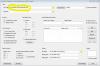
Hello Tempest Thanks for your help. I've attached the screen. Interestingly, when I select the ROM path (U:/Atari/Atari2600/_ROMS) it says there isn't any files matching my extensions of a26 or bin, even though I have scan sub folders and there is ROMS with these extensions. It must find the files as the box then appears asking me to tick the extensions. But when I click OK the ROM path reverts back to the path in the screenshot. My ROMS are stored like this ../_ROMS ../_ROMS/1 ../_ROMS/A ../_ROMS/B etc etc Thanks
-
Sorry its not deliberate LOL! No rush, I just thought I was being thick. I went through your instructions several times. I do appreciate your time Cheers :D :D :D :D :D
-
Hello I'm trying to use Map Magician but I always get "Because of your settings your map file will be blank" I point to my ROM path with sub folders ticked (Atari 2600 unzipped to *.a26). It asks me to select the extensions and correctly lists them. I tick a26. I leave the dat path blank. When I click "Create Groups" or "View Map" (it tells me first missing ROMS excluded as I haven't got a dat file, which is correct) I always get the "map file will be blank" Am I doing something stupid? Thanks in advance
-
Hello! Thanks for fixing that so quick, its working as expected. Very much appreciated :)
-
Thanks
-
Hello everyone I'm new to GameEx and just registered, so I'm learning as much as I can about this great program. I've set up MAME in GameEx and I am using 0.152 When I load MAME Mapping Magician I get an error: "The following variable name contains an illegal character: "neogeo.inc" The current thread will exit. Line# 1808: if %TempVar20% = I have been looking for over an hour to find a solution but can't find anything other than it being mentioned that from the neogeo.c driver is now named neogeo.inc Please help Thanks
